









- Online tenant requestsApproved
- Work order creationLive
- Prioritization and categorizationSynced
- AssignmentPosted
- Real-time statusReady
Rioo Maintenance · Service Requests & Tasks
Maintenance Request Software on NetSuite
From "something's broken" to "fixed", visibly
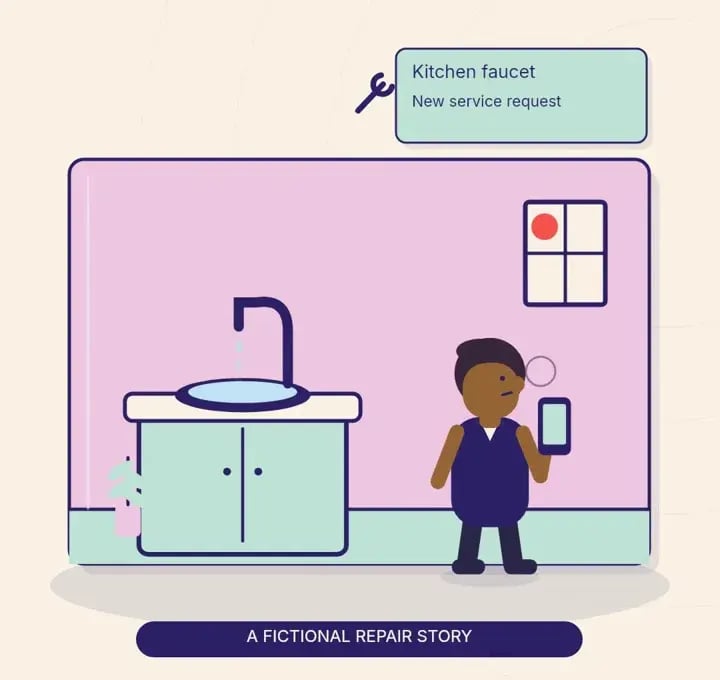
Tenants submit requests online. Your team turns them into prioritized, assigned work orders, tracks them to completion and keeps the history on the unit and asset.
Service request SR-1182Unit 4B
- SubmittedResident · leaking tap
- TriagedPriority: normal
- AssignedTechnician · M. Diaz
- ResolvedResident notified
The request that falls through the cracks
Phone calls, emails, a note under the office door. When requests arrive through many channels, some get lost, some get duplicated, and residents lose trust. RIOO gives every request one front door and one path, with visibility for your team and the resident at every step.
What is service request and task management?
Service request and task management is the process of capturing maintenance and service requests from residents, tenants and staff, then assigning, scheduling, tracking and closing the work. In RIOO, every request becomes a work order linked to the property, unit, asset and lease in NetSuite, so the cost and the history stay with the record they belong to.
Tasks cover the work that is not a repair: chasing a missing document, preparing a unit for move-in or completing a compliance check. They follow the same assignment and tracking rules as service requests.
How it works
How does service requests & tasks work in RIOO?
Service requests & tasks in RIOO runs inside Oracle NetSuite. The properties, units, leases, tenants and vendors it uses are native NetSuite records, so each step updates the same data finance reports on. There is no separate system to sync, and every action keeps an audit trail. The steps below show how the work flows.
- 01
Submit
The resident describes the issue in the portal.
- 02
Route
The request is routed automatically to the right team member.
- 03
Prioritize
by urgency, since a leak beats a squeaky door.
- 04
Assign
a technician or vendor.
- 05
Update
Status changes are visible to the resident.
- 06
Complete
Work is recorded against the unit and asset, and costs flow to AP.
Vendors & accounts payable →
Compare
How should priority levels be defined?
Priority levels should be defined by risk to people and property, not by who shouts loudest. Clear definitions with clear targets for how quickly work starts let every site respond the same way, and they give managers a fair basis for measuring vendors and in-house teams. Each operator sets its own targets to match its leases and local rules.
| Priority | Examples | How it is handled |
|---|---|---|
| Emergency | Gas leak, flooding, no heat in winter | Attended first, any day |
| Urgent | No hot water, broken entry door | Next in the queue |
| Routine | Dripping tap, faulty light | Scheduled with the resident |
| Planned | Painting, upgrades | On the planned calendar |
How do recharges to tenants work?
Recharges to tenants work by marking a work order as tenant-caused or tenant-requested, so the cost can be billed to that tenant's ledger instead of absorbed by the property. RIOO carries the work order cost into a charge on the lease once approved, with the work order and photos attached as evidence.
This avoids the common gap where damage is repaired but never billed, because the maintenance team and the accounts team work in different systems.
In detail
What can RIOO do for service requests & tasks?
RIOO handles service requests & tasks with capabilities built on NetSuite records rather than a separate database. Each capability below works with the same properties, leases, tenants and ledger, so operations and finance see one version of the data. Capabilities are configured to your policies during implementation, without custom code for routine changes.
Online tenant requests
with descriptions and supporting details, submitted through the portal at any hour.
Work order creation
in seconds, from a request or raised by staff.
Prioritization and categorization
by urgency, type and property.
Assignment
by priority, availability and expertise, to in-house technicians or vendors.
Real-time status
for managers and residents, from acknowledgment to resolution.
Preventive work
planned alongside reactive requests.
Vendor coordination
Compare proposals, track performance against agreed standards and manage contracts in one place.
Asset and service history
on every unit and tracked asset.
Performance reporting
on volumes, response, completion and backlog.
A full audit trail
of every step.
Vendors, accountable
When outside contractors handle a share of the work, quality depends on visibility. RIOO keeps vendor communication, documents and assignments together, so you can see who's responsive, who finishes first time and who doesn't, and make informed decisions about who gets the next job.
In detail
Priority levels that work
A simple, shared priority scheme speeds everything up:
Agree targets for each level, configure them in RIOO and report against them.
Emergency
risk to safety or property, such as flooding, no heat in winter, gas or fire. Respond immediately.
Urgent
a significant impact on livability or operations, such as a broken refrigerator or a failed lock. Respond the same or next day.
Routine
standard repairs. Schedule within your target window.
Planned
improvements and non-essential requests, scheduled when convenient.
Who is RIOO service request management NOT for?
RIOO service request management is not built for standalone contractors who only need a job scheduling app for their own field crew, with no properties, leases or ledgers. It suits owners and operators who need each request linked to a unit, a tenant and the accounting in NetSuite, across in-house staff and outside vendors.
Service requests & tasks in practice
A retail center gets 40 requests in a week: lighting, HVAC, a jammed roller shutter, restroom supplies. Each lands in one queue with a priority. The HVAC contractor receives two jobs with full unit history. The center manager sees the backlog shrink on the dashboard. Retailers watch their requests move without calling the office.
What changes
What changes when service requests & tasks runs on NetSuite?
When service requests & tasks runs on NetSuite through RIOO, operational work and accounting stop being two separate jobs. Transactions post to the general ledger as they happen, reports use the same records as daily work, and controls come from NetSuite roles and approvals. The changes below are the ones teams usually notice first.
- Fewer lost or duplicated requests
- Faster responsethrough clear priority and routing.
- Fewer calls to the officebecause residents can see status.
- Better vendor decisionsfrom performance history.
How it works
How does a request move from report to resolution?
A request in RIOO moves through a fixed path from the moment it is reported to the moment the resident confirms it is fixed. Each step has an owner and a status that the resident can see, which is what reduces repeat calls asking for updates.
- 01
Report
The resident submits a request in the tenant portal with photos and access notes.
- 02
Triage
Staff set the category and priority, or rules set them automatically.
- 03
Assign
The job goes to an in-house technician or an approved vendor.
- 04
Schedule
A visit time is agreed and the resident is notified.
- 05
Complete
The technician records the work, parts and time.
- 06
Close and bill
Costs post to the property, and recharges post to the tenant ledger if applicable.
In detail
Which metrics show whether maintenance is working?
The metrics that show whether maintenance is working are speed of response, time to completion, first-time fix rate and cost per work order, all reported by property, category and vendor. RIOO calculates them from work order dates and costs in NetSuite, so maintenance performance and maintenance spend come from the same records.
Speed of response
From report to first action.
Completion time
From report to closure.
First-time fix rate
Share closed on the first visit.
Repeat requests
Same issue in the same unit within a set period.
Cost per work order
Labour, parts and vendor bills combined.
Resident satisfaction
Feedback collected at closure.
Talk to a specialist
See service requests & tasks on your own portfolio.
Your team turns them into prioritized, assigned work orders, tracks them to completion and keeps the history on the unit and asset.
How do tenants submit requests?
Tenants submit requests online through the tenant portal, choosing a category, describing the problem and adding photos and access notes, with no phone call needed. The request becomes a work order straight away, and the tenant can follow its status and receive updates until the job is closed.
Does RIOO support preventive maintenance too?
Yes. Routine inspections, servicing and compliance checks can be scheduled in advance, so planned work generates work orders automatically at the right interval. Preventive and reactive jobs share the same assignment, tracking and cost rules, and both appear in the same maintenance reports by property and asset.
How are vendors managed?
Vendor communication, documents, assignments and performance are kept in one place in RIOO. Each vendor record holds insurance and compliance documents, rates and service areas, and every job assigned to them is tracked against response and completion targets, giving managers evidence when they review contracts or choose who to use.
Is asset history kept?
Yes. Condition, maintenance history and lifecycle data are recorded for every tracked asset, such as boilers, lifts or roofs. Technicians can see past jobs before a visit, and managers can use repair costs and age to decide when replacing an asset is cheaper than repairing it again.
Can staff raise requests on behalf of residents?
Yes. Staff can log requests received by phone, email or in person on the resident's behalf, choosing the unit, category and priority. The resident still receives status updates through their preferred channel, and the request history shows who logged it and how it was received, which helps reporting on channels.
Can requests be raised for common areas?
Yes. Requests can be raised against a common area, building system or asset rather than a unit, such as a lift, car park gate or lobby lighting. Costs post to the property or community, and recoverable costs can be flagged for CAM or service charge budgets at the time of coding.
Can residents rate the work after a request is closed?
Residents can be asked for feedback when a request is closed, such as whether the problem was fixed and how the visit went. Feedback is stored on the work order, so managers can review satisfaction by property, category and vendor alongside rime to attend and time to completes.
Can access instructions and pet warnings be recorded for each unit?
Yes. Access instructions, preferred visit times, pet warnings and similar notes can be stored on the unit or the request, so technicians and vendors see them before the visit. This avoids wasted trips and keeps residents comfortable, especially when work needs to happen while they are out.
Related
Related to service requests & tasks




Give every request a clear path to done.