









Property management, built natively on Oracle NetSuite

Request a demo

Platform

Six connected areas on one NetSuite system of record.

Solutions

Start from the places you manage, the business you run, your role or the workflow you want to fix.

NetSuite

Property management built natively on NetSuite, not synced to it.

Integrations

External tools exchange data with RIOO. Core property and financial records stay in NetSuite.

Markets

Localised pages for the five markets RIOO serves, with the rules that change how property is run.

Resources

Answers for choosing, implementing and running property management on NetSuite.

Company

The team behind the NetSuite-native property platform.

Rioo Management · Units, Rooms & Amenities

Unit, Room & Amenity Management Software

Every space has a record. Every record has a story.

Unit, room and amenity management in RIOO gives every space its own record, inside a property management system built natively on Oracle NetSuite. Divide properties into blocks, units, rooms and amenities, and give each one its own ownership, tenancy, documents and history. It's the level of detail leasing, billing and maintenance actually need.

Granular by design

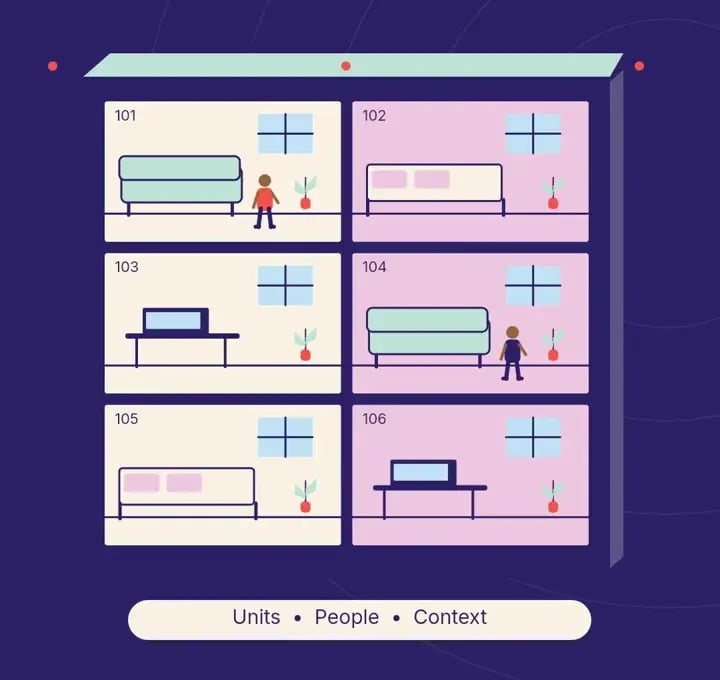
Revenue lives at the level of the space. A student bed, a storage locker, a reserved parking bay and a clubhouse booking are all different products with different prices and different occupancy. RIOO lets you segment a property into practical blocks, units, rooms and amenities, then manage each segment on its own terms.

Portfolios on RIOO180k+units managedriooapp.com figure

Why structure matters

The way you model space determines what you can lease, bill and report. Getting it right during setup saves rework later.

Why it mattersData re-keyedManual hand-offsSeparate systemsSlower, riskiernumbers

What is a property space hierarchy?

A property space hierarchy is the structured model of everything you lease, sell or reserve: properties, buildings or blocks, floors, units, rooms and amenities, each with its own record. In RIOO the hierarchy lives in NetSuite, so every charge, work order and report can reference the exact space it relates to, from a whole tower down to one bed.

The hierarchy is set up once and used everywhere. Leasing uses it to show availability, billing uses it to attach charges to the right space, maintenance uses it to send a technician to the right room, and finance uses it to report occupancy and income at whatever level an owner or lender asks for. A poor model forces workarounds in all four.

Portfolio17 propertiesPropertyHarbor ViewBuildingBlock DUnit / spaceUnit 7COne record, every level

How it works

How does units, rooms & amenities work in RIOO?

Units, rooms & amenities in RIOO runs inside Oracle NetSuite. The properties, units, leases, tenants and vendors it uses are native NetSuite records, so each step updates the same data finance reports on. There is no separate system to sync, and every action keeps an audit trail. The steps below show how the work flows.

1Capture2Validate3Approve4Post5Report
  1. 01

    Segment

    each building into the units, rooms and amenities you lease, sell or reserve.

  2. 02

    Assign

    ownership and tenancy records, then attach documents and media.

  3. 03

    Price

    each space through pricing strategies.

    Pricing strategies →
  4. 04

    Operate

    Leasing, billing and maintenance all reference the same unit record.

How it works

How does amenity booking work in RIOO?

Amenity booking in RIOO works as a reservation with an optional charge: a resident selects an amenity, such as a clubhouse, guest suite or parking bay, chooses a slot in the tenant portal, and any fee or deposit is added to their ledger. The amenity calendar prevents double bookings and records who used each space.

Amenity bookings · week 50MonTueWedThuFriSatSunRoofPoolMeetRoofBBQPoolBBQMeetRoofPoolPoolRoofMeetRoofRoofRoofRoofBBQRoofBBQPoolPool · Sat 5pmconfirmed in portal
  1. 01

    Register

    Create the amenity with capacity, rules, opening hours and pricing.

  2. 02

    Publish

    Make it bookable in the portal for the right residents or tenants.

  3. 03

    Book

    The resident picks a slot and accepts the usage terms.

  4. 04

    Charge

    Fees or refundable deposits post to the resident's ledger.

  5. 05

    Use and inspect

    Staff check the space after use and record any damage.

  6. 06

    Report

    Utilisation and income by amenity show which spaces earn their keep.

Ownership and tenancy, tracked independently

Who owns a unit and who lives in it are separate questions. RIOO keeps them separate. Ownership and tenancy records are managed independently, so an ownership transfer mid-tenancy updates without disturbing the active lease or its billing schedule. That matters for condominiums, HOAs and any portfolio where units change hands.

Owner statementMaple Court · This monthRent income$145kOperating expenses($35k)Management fee($8,700)Reserve contribution($5,800)Net distribution$96kWhere rent goesACH sentPDF + portal

In detail

What can RIOO do for units, rooms & amenities?

RIOO handles units, rooms & amenities with capabilities built on NetSuite records rather than a separate database. Each capability below works with the same properties, leases, tenants and ledger, so operations and finance see one version of the data. Capabilities are configured to your policies during implementation, without custom code for routine changes.

Property segmentation

Divide buildings into blocks, units and rooms, and manage each segment precisely.

Ownership and tenant tracking

Independent records for owners, tenants and occupants.

Room tracking

Track rooms individually for shared, student or co-living layouts, down to individual appliances.

Amenity management

Register amenities, then price and reserve them. Residents can book through the tenant portal.

Unit media and documents

Floor plans, photos, lease agreements and compliance documents stored on the unit with full history.

Property control dashboard

A unit-level view of status, occupancy and activity, scoped to each role.

Property audit tracking

A history of changes to unit records for review and audit.

In detail

Which attributes should every unit record hold?

Complete unit records make leasing, billing and reporting reliable. These are the attributes operators most often capture in RIOO.

Legacy systemRIOO · NetSuitePropertiesProperty recordUnitsUnit recordTenantsCustomerLeasesLease agreementCharge codesItem / GL accountOpen balancesOpen invoiceMapped and reconciled

Identity

Unit number, building, floor and a stable internal ID that survives renumbering.

Specification

Bedrooms, bathrooms, area and its measurement basis, furnished status and accessibility features.

Commercial use

Permitted use, service charge or CAM share and any exclusive-use clauses for retail units.

Status

Vacant, occupied, notice given, under renovation or offline, with the date each status began.

Ownership

Owner of record, which may differ from the operator, especially in condominiums and HOAs.

Assets

Appliances and fixtures with serial numbers and warranties, linked to maintenance history.

Mapped to NetSuite

How do space records relate to NetSuite?

Space records relate to NetSuite through the segments and records that finance already uses. Properties typically map to a NetSuite segment such as class, department or location, and units, rooms and amenities are records linked to that property, so every charge and cost posts with the right space context.

  1. Space levelOwning entityNetSuite representationSubsidiaryEntity P&L and consolidation
  2. Space levelProperty or communityNetSuite representationClass, department or location segmentProperty P&L and budget variance
  3. Space levelUnit, room or bedNetSuite representationLinked unit record on leases and chargesRent roll and occupancy
  4. Space levelAmenityNetSuite representationAmenity record with booking and chargesAmenity income and utilisation
  5. Space levelFixture or applianceNetSuite representationAsset or item recordMaintenance cost by asset

Explore by topic

Area measurement conventions by market

USUKAESingaporeAU5 markets · one NetSuitelocal rules, shared ledger

United States

Commercial area is commonly measured using BOMA standards, which distinguish usable from rentable area and apply a load factor for common space. Recording both values on the suite record supports pro-rata CAM shares and rent per square foot reporting.

United Kingdom

Commercial and residential measurement in the UK often follows RICS professional standards, which reference International Property Measurement Standards. Service charge apportionment is typically based on floor area or another fair method set out in the lease.

Australia and Singapore

Australian commercial leases commonly use Property Council of Australia measurement methods such as net lettable area. In Singapore, strata areas are recorded on the title, and lettable area for commercial space follows local practice. Store the method with the area so comparisons stay fair.

United Arab Emirates

Leases in the UAE often quote area in square feet, and common area allocations vary by developer and building. Recording the area basis used in each lease avoids disputes when service charges are apportioned.

Who is RIOO's space model NOT for?

RIOO's space model is not intended for portfolios that only need a simple list of addresses with one lease each and no room, amenity or ownership detail. A small landlord with a few single-family homes may find the hierarchy more structure than needed, though it does no harm to model each home as a property with one unit.

It is also not a building information modelling or CAD tool. RIOO records areas, floors and spaces for leasing and accounting, but it does not store floor-plan geometry for space planning. Architects and facility planners can attach floor plans as documents to unit records instead.

Strong fitNot a fitMixed portfoliosSingle small…Multi-entity booksNo ERP plannedRuns NetSuiteVacation rentalsHonest fit check

What changes

What changes when units, rooms & amenities runs on NetSuite?

When units, rooms & amenities runs on NetSuite through RIOO, operational work and accounting stop being two separate jobs. Transactions post to the general ledger as they happen, reports use the same records as daily work, and controls come from NetSuite roles and approvals. The changes below are the ones teams usually notice first.

BeforeWith RIOOSystems to updateOne recordManual hand-offsRules and alertsReports built by handLive reports
  • Accurate occupancyat every level, from portfolio to room.
  • Cleaner billingbecause each charge belongs to a defined space.
  • Faster turnsbecause maintenance sees exactly which room and which appliance.
  • Audit-ready historyon every unit.

In detail

Modeling examples

Level 2 · Linden RowLeasedVacantUnder offerS4002,800 sfS9011,500 sfS1022,250 sfS7031,050 sfS5042,000 sfS1051,250 sfS6061,350 sfS207S708550 sfLive stacking view

Multifamily

building, then floors, then apartments, with parking and storage as separate rentable amenities.

Student housing

apartment, then bedrooms leased individually, with shared common areas.

Office

building, then floors, then suites, with area recorded for pro-rata calculations.

Manufactured housing

community, then lots, with park-owned homes tracked as assets.

Retail

center, then units, with anchors and in-line tenants.

Checklist

Space data migration checklist

Space data migration checklistConfirm data ownersClean tenant recordsMap chart of accountsAgree approval limitsSchedule training3/5complete
  • Export the current list of properties, buildings and units with stable identifiers.
  • Agree naming and numbering conventions before loading anything.
  • Decide which spaces are rentable products, such as parking bays and storage lockers.
  • Record area and its measurement basis for every commercial suite.
  • Link owners of record where ownership differs from the operator.
  • Reconcile the loaded unit count to the current rent roll before go-live.

Talk to a specialist

See units, rooms & amenities on your own portfolio.

It's the level of detail leasing, billing and maintenance actually need.

FAQ

Units, rooms & amenities FAQs

Still curious? Ask the team.

Can I attach lease agreements and compliance documents to an individual unit?

Yes. Contracts, leases, compliance certificates and tenant documents are stored at unit level with full history, so a gas safety certificate, floor plan or signed lease is found on the space it relates to. Past documents remain attached after a tenancy ends, giving the next team a complete record of the unit.

If a unit changes ownership mid-tenancy, does the lease break?

No. Ownership and tenancy are independent records, so when a condominium unit or investor-owned home changes hands, the active lease and its billing schedule continue untouched. The new owner of record takes effect from the transfer date for owner reporting and distributions, while the resident's rent, deposit and history stay as they were.

How granular can tracking go?

Tracking can go down to individual rooms and appliances within a room. A student apartment can be modelled bed by bed, and a dishwasher or boiler can carry its serial number, warranty and maintenance history, so a technician knows exactly what they are fixing and the cost lands against the right asset and property.

Can dashboards show only a team member's units?

Yes. Role-based views show each person only the properties, units and activity relevant to them, using NetSuite roles and property restrictions. A community manager sees their buildings, a regional director sees their region, and finance sees the whole portfolio, all working from the same records without separate copies or exports.

Can parking bays and storage lockers be leased separately from apartments?

Yes. Parking bays, storage lockers and similar spaces can be modelled as their own rentable records with separate pricing and charges. They can be attached to a residential lease as an add-on or leased on their own, and occupancy and income for each type appear separately in reports.

What happens to unit history when we renumber units?

History stays with the record. Because each unit has a stable internal ID in NetSuite, changing the displayed unit number after a renovation or re-plan does not break links to past leases, charges or work orders. System notes record the change, so anyone can see the old and new numbers and when they changed.

See your smallest space carry its full story.