







Accounts payable in property management is the path from a vendor invoice to a payment coded to the right property. A clean AP process captures the bill, codes it, gets approval, pays on time and stores the proof. Messy AP shows up as duplicate payments, missed early pay discounts and owner statements that cannot explain a repair line.
This post is for community managers and AP clerks who share one inbox of PDFs. The path has to hold up when three properties send bills on the same Monday.
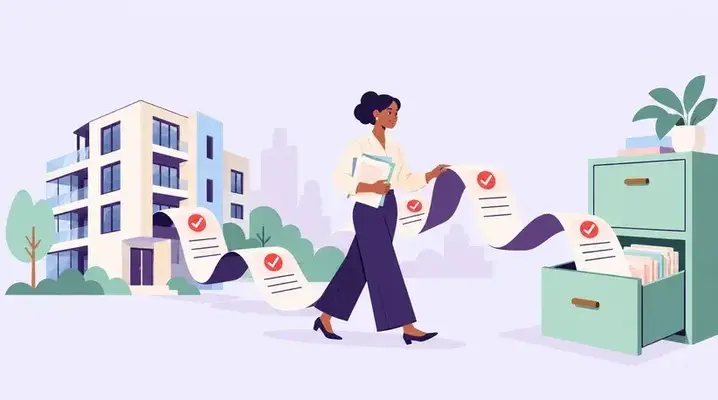
The AP path in five steps
- Receive the invoice (email, portal or mail) and stamp the date.
- Match it to a work order or purchase order when one exists.
- Code property, unit, GL account and job.
- Route approval by amount and role.
- Pay, record the payment and file the invoice on the property record.
Skip a step and month end becomes archaeology. Paying before coding is the costly skip, because the cash is gone and the owner statement has a mystery line.
A worked duplicate catch
Fictional 180 unit site. HVAC vendor sends invoice 4812 for $2,460 on 3 November and a second PDF of the same invoice on 10 November with a new filename. Without a vendor and invoice number check, both enter the queue. With a check, the second PDF flags as a duplicate before approval. Cash saved: $2,460. Time spent: about five minutes.
Same week, a landscaping vendor sends invoice 991 for October ($1,850) and invoice 1004 for November ($1,850). Those are not duplicates. Check vendor plus invoice number. Vendor plus amount will flag real recurring bills. Train that difference once so staff do not reject real recurring bills.
Coding rules that prevent month end pain
- Every bill needs a property. Portfolio level only bills need a company code, not a guess.
- Repairs that belong to a unit should carry the unit.
- Capital work uses capital accounts, not repairs. See CapEx vs OpEx.
- Recurring contracts (landscaping, elevator) use the same GL every month.
- Emergency after hours premiums stay on the same property as the work order.
If AP cannot tell which building a gate repair belongs to, send the bill back to the requester with one question. Coding from memory is how Building A pays for Building B's hinge.
Approvals by amount
| Amount | Who approves |
|---|---|
| Up to $500 | Community manager |
| $500 to $2,500 | Regional manager |
| Over $2,500 | Regional plus asset manager or owner per the agreement |
Write your own thresholds. The point is that large bills never pay from one person's inbox alone. Holiday and after hours spend limits should match the same table so a tech is not inventing a second rule at 2 AM.
Month end AP checks
Open invoices over 30 days, unmatched receipts, and bills dated in the month but received after close. Accrue material bills you have in hand. Tie this to month end accruals and vendor setup in the vendor onboarding checklist.
Hold a short AP huddle each week: invoices waiting on coding, invoices waiting on approval, and invoices over 30 days. Old invoices are a problem for the managers who approve them, as well as for the AP clerk.
Vendor statements and three way match
Once a month, compare the vendor statement to open invoices in your system. Gaps mean a bill never arrived or a payment never posted. For larger jobs, match purchase order, receipt or completion note, and invoice before payment. That three way match stops payment for work that was never finished.
When a property is sold, freeze new bills quickly and route final invoices to the close checklist. Then the buyer and seller do not fight over a repair booked on the wrong day.
Payment timing and early pay discounts
If a vendor offers 2 percent for payment in ten days, work out what it is worth. On a $5,000 invoice, 2 percent is $100 for paying 20 days early. Over a year, that rate works out to about 36 percent, so it is usually worth taking when cash allows. Record the discount as a reduction of expense or a separate discount line, per your accountant's rule, so NOI stays honest.
Where RIOO fits
In RIOO, invoices can sit with the work order and property in NetSuite, so payments hit the right books without a side spreadsheet. Approvals and vendor records stay in one place. See vendor management and AP.
AP questions
Should every repair need a purchase order?
Emergency work can start on a work order alone. Set a dollar level where a PO is required before the vendor starts.
How do we stop duplicate payments?
Block duplicates on vendor plus invoice number. Require one PDF per invoice. Review weekly.
Who owns coding mistakes?
The approver owns the code they sign. AP can suggest a code, but the property manager confirms the property and unit.
What if the vendor will not reissue a wrong address invoice?
Ask for a credit and a corrected invoice, or a written email that amends the bill. Do not pay a legal entity name that does not match your vendor master without a deliberate update.