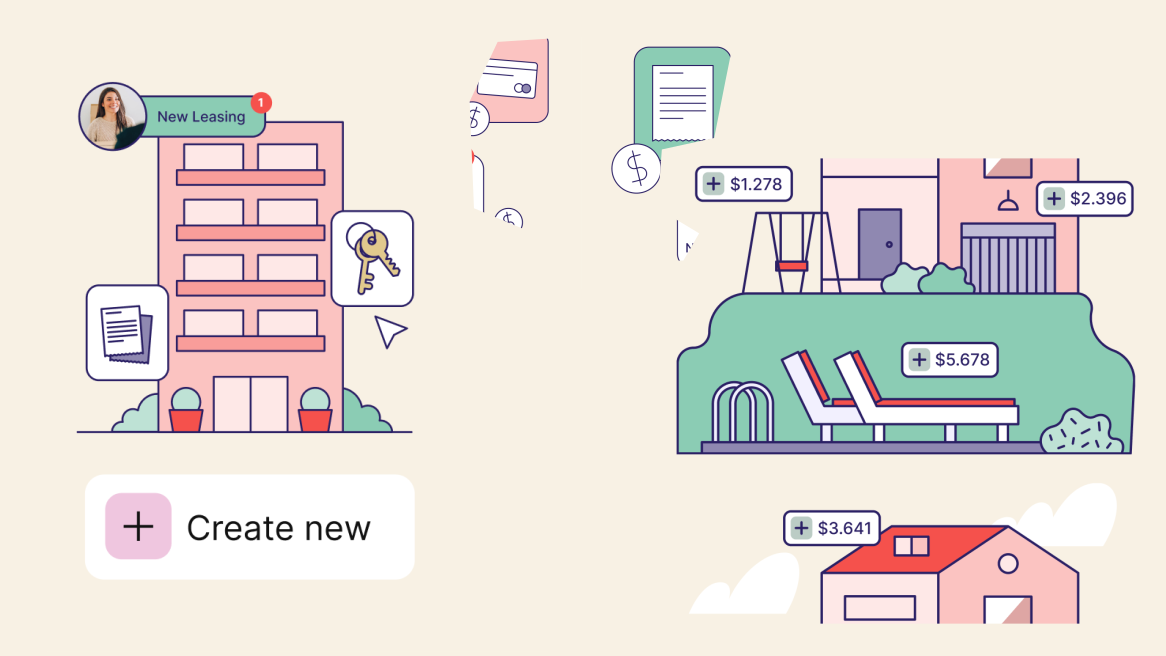
Property teams often manage rent payments, deposits, vendor invoices, refunds, and financial reports across more systems than they would like. When those records do not connect clearly, your team may spend extra time checking payment status, matching transactions, and answering the same balance or invoice questions.
That manual work can slow down reporting and make it harder to see what is happening across residential, commercial, or mixed-use portfolios. A missed payment detail, delayed vendor update, or unclear deposit record can create more follow-up for finance, operations, and property teams.
This guide will help you evaluate netsuite payment integrations through a property management lens. You’ll learn what to review across payment workflows, reconciliation, reporting, tenant experience, and vendor payment visibility before choosing or improving an integration.
Overview
- NetSuite payment integrations connect payment activity with financial records, helping property teams review rent, fees, deposits, vendor payments, and reports in context.
- The value is not just payment processing; it is connecting each transaction to the right tenant, lease, unit, vendor, property, or portfolio.
- Property teams should review rent, recurring charges, vendor invoices, deposits, refunds, failed payments, and reconciliation needs before choosing an integration.
- Strong integrations should support payment method coverage, property-level data mapping, security controls, reporting, and reconciliation workflows.
- Native NetSuite tools, third-party gateways, SuiteApps, and AR/AP tools can all fit different needs, but each should be evaluated by property workflow fit.
- RIOO is not a payment gateway; it supports payment-related workflows through real-time financial reporting, structured categorization, tenant/vendor communication, and connected property operations.
What Are NetSuite Payment Integrations?
NetSuite payment integrations connect payment activity with financial records, so teams do not have to treat every transaction as a separate admin task. For property managers, the value is not just accepting payments; it is seeing how those payments connect to leases, vendors, properties, and reports.
Integration in Property Terms
In property operations, netsuite payment integrations usually connect payment processors, gateways, or payment applications with NetSuite finance workflows. This can include rent payments, recurring fees, deposits, vendor invoices, outgoing payments, and charge-related activity that needs to be reviewed by finance or property teams.
Gateway vs. Processor vs. Workflow
Property teams often hear these terms used together, but they do not mean the same thing. A payment gateway may help accept payment details, while the full workflow determines what happens after the transaction is processed.
|
Term |
What it means |
Why it matters for property teams |
|---|---|---|
|
Payment gateway |
Accepts or routes payment details |
Helps tenants or vendors make payments |
|
Payment processor |
Moves funds between parties |
Affects settlement, fees, and payment status |
|
Payment workflow |
Connects payments with records, approvals, reporting, and reconciliation |
Determines how useful payment data becomes after the transaction |
Connect to Real Estate Operations
Payment integrations matter most when transaction data stays tied to the records property teams use every day. Instead of reviewing payments as isolated entries, teams should be able to understand where each payment belongs and what action it may require.
For property teams, this means payment records should connect to:
- Leases, tenants, units, and recurring charge schedules
- Vendor records, invoices, approvals, and outgoing payments
- Properties, buildings, portfolios, and operating categories
- Financial reports, reconciliation workflows, and payment exceptions
Connect payment activity with property financial visibility. Explore RIOO.
Why Property Managers Need Connected Payment Workflows
Payment integration matters most when your team manages payments across residential, commercial, HOA, or mixed-use portfolios. Without connected workflows, payment activity can become difficult to trace across tenants, vendors, properties, and reports.
Reduce Manual Payment Follow-up
Property teams lose time when rent status, invoice payments, deposits, bank records, and tenant balances sit across different systems. Connected workflows give teams a clearer way to review payment activity without repeating the same checks.
Common manual follow-up points include:
- Rent or fee status checks across separate payment records
- Vendor payment follow-ups after maintenance or service work
- Manual matching between deposits, invoices, and reports
Improve Tenant and Owner Payment Visibility
Tenants, residents, owners, and internal teams often need payment information for different reasons. Clear payment status, receipts, balances, and history help property teams answer questions with more context.
Visibility matters most during:
- Tenant balance questions
- Owner or leadership updates
- Deposit, refund, or failed-payment review
Connect Payments with Financial Reporting
Payment data becomes more useful when it connects with income, expenses, receivables, payables, NOI, and portfolio-level reporting. This helps finance teams review transactions as part of property performance, not just as payment entries.
For example, a finance team reviewing monthly income should be able to see which payments belong to which property, lease, or charge type without rebuilding a spreadsheet. That connection makes NetSuite payment integrations more relevant to daily property finance work.
Also Read: NetSuite for Property Management: The Complete 2026 Guide
Key Payment Workflows to Review Before Integrating
Before comparing NetSuite payment integrations, map the payment activity your team already manages. This gives finance and operations a clearer checklist for rent collection, vendor payments, exceptions, reconciliation, and reporting.
Rent, Fees, and Recurring Charges
Property teams should review how recurring rent, CAM charges, parking, storage, utilities, late fees, and other charge types are billed and collected. Each charge should stay connected to the right operational record, not just the payment total.
Keep these records connected:
- Tenant or resident profile
- Lease and unit record
- Charge type or category
- Property or portfolio group
Vendor Invoices and Outgoing Payments
Vendor bills, maintenance invoices, contractor payments, and service-related expenses need the same level of payment context. When outgoing payments are disconnected from property work, finance teams may need extra follow-up before approving or reporting costs.
Outgoing payments should connect to:
- Vendor record
- Work order or service request
- Property or building
- Expense category and approval path
Deposits, Refunds, and Payment Exceptions
Deposits, refunds, failed payments, partial payments, overpayments, and chargebacks need clear handling before an integration goes live. These exceptions often create confusion because they affect tenant balances, accounting records, and reporting at the same time.
|
Exception type |
Risk if unclear |
What to check |
|---|---|---|
|
Failed or partial payment |
Tenant balance confusion |
Status updates and account history |
|
Refund or deposit return |
Manual tracking gaps |
Approval path and ledger connection |
|
Chargeback or dispute |
Reporting mismatch |
Documentation and reconciliation process |
Reconciliation and Reporting Needs
Payment workflows should support matching between bank activity, ledgers, tenant accounts, vendor records, and financial reports.
Before integration, finance teams should define three things: the records that need to be matched, the person or team responsible for reviewing exceptions, and the reports that depend on accurate payment data.
This keeps reconciliation from becoming a separate clean-up task after payments are already processed.
Also Read: NetSuite Banking and Payment Gateway Integration for Real Estate
What to Look for in NetSuite Payment Integrations
Property teams should compare NetSuite payment integrations by how well they support day-to-day finance work, not just by whether they can process payments. The right fit should connect payment activity with property records, reporting needs, reconciliation, and team oversight.
Payment Method Coverage
Review whether the integration supports the payment methods your tenants, owners, vendors, and contractors actually use. Depending on the portfolio, this may include ACH, credit cards, debit cards, digital wallets, bank transfers, or regional payment methods.
Evaluate coverage by looking at:
- Common tenant payment preferences
- Regional payment requirements across markets
- Vendor or contractor payment needs
Property-Level Data Mapping
Payment records should map to the right property, unit, lease, tenant, vendor, invoice, and expense category. Without that context, finance teams may still need to research each transaction before reporting.
For example, a rent payment that reaches finance without lease, unit, or property context may still require manual review before it can be included in the right report.
Security and Compliance Considerations
Payment workflows involve sensitive financial data, so finance and IT teams should review access, approvals, and compliance responsibilities early. This is especially important for portfolios with multiple locations, payment types, and user roles.
Key safeguards to review include payment data permissions, PCI and tokenization responsibilities, approval controls for refunds or payouts, and audit trail or user access history.
Reporting and Reconciliation Support
A useful integration should support payment status, settlements, receivables, payables, exception review, reconciliation, and portfolio reporting. This helps finance teams see what has been paid, what is pending, and what needs review.
Before choosing an integration, check for settlement status visibility, receivables and payables reporting, exception tracking, reconciliation support, refund visibility, and portfolio-level reporting.
Bring payments, reporting, and property workflows closer together. See How RIOO Supports Property Teams.
NetSuite Payment Integration Options Property Teams May Compare
Property teams usually compare NetSuite payment integrations by how closely they fit existing finance workflows. The right option depends on payment methods, property-level records, reconciliation needs, reporting expectations, and how much support your team needs during setup.
Native NetSuite Payment Tools
Some teams review native NetSuite payment tools or NetSuite-supported payment processing profiles because they want payment activity closer to the ERP environment. This may suit finance teams that already manage core accounting in NetSuite, but fit still depends on accepted payment methods, setup needs, and reporting requirements.
Third-Party Payment Gateways or SuiteApps
Other teams compare third-party gateways or SuiteApps when they need broader payment method coverage, regional options, or industry-specific workflows. Property teams should review whether these tools can map payments to leases, units, vendors, and properties while still supporting reconciliation and reporting.
Payment Orchestration or AR/AP Tools
Some tools focus less on simple payment acceptance and more on routing, accounts receivable, accounts payable, or reconciliation workflows. For property teams, the key question is whether the tool supports rent, vendor payments, deposits, exceptions, and portfolio reporting without adding avoidable complexity.
Quick Comparison Table: Option Types
|
Option type |
Best for |
Property-team questions |
Watch-outs |
|---|---|---|---|
|
Native NetSuite payment tools |
Teams keeping payments close to ERP workflows |
Does it support required payment methods and records? |
May require setup support |
|
Gateway or SuiteApp |
Teams needing specific processors or payment types |
Does it map payments to property records? |
Reporting and reconciliation may vary |
|
AR/AP or orchestration tool |
Teams with complex receivables, payables, or exception handling |
Does it support rent, vendor, and reconciliation workflows? |
Can add complexity if workflows are unclear |
How RIOO Supports Connected Payment and Finance Workflows
RIOO should not be positioned as a payment gateway or payment processor. Its role is to help property teams connect payment-related activity with financial reporting, structured records, integrations, and communication context across the managed portfolio.
Financial reporting for inc
ome and expenses
RIOO supports real-time financial reporting, income and expense tracking, and NOI review across managed properties. This helps property teams review payment-related activity alongside wider financial performance.
Property teams can review:
- Income and expense activity
- NOI by property or portfolio
- Payment-related financial context
Structured categorization for cleaner records
Structured categorization helps teams organize income, expenses, and transaction activity by property, unit, and transaction type. This gives finance teams a clearer way to review payments, costs, and operational records.
For example, a repair invoice can be reviewed by property, unit, vendor, and expense category instead of sitting as a disconnected payment record.
30+ integrations for connected workflows
RIOO’s 30+ integrations help reduce fragmentation across leasing, payments, documents, operations, reporting, and communication. For property teams comparing netsuite payment integrations, this connected structure can support a more complete finance workflow.
Integration context can support:
- Leasing and payment context
- Documents and approvals
- Operations and financial reporting
Tenant and Vendor Communication Context
Payment-related questions often connect to tenant balances, lease details, vendor invoices, maintenance costs, or financial reports. When communication sits closer to the right property records, teams can review questions with better context before responding.
Conclusion:
Payment workflows can become difficult to manage when rent, vendor payments, deposits, exceptions, and reporting sit across separate tools. By reviewing how payments connect to leases, properties, vendors, reconciliation, and financial reports, your team can make more informed decisions about the Netsuite Payment Integrations and reduce avoidable follow-up over time.
RIOO supports property teams with real-time financial tracking, structured categorization, integrated communication, and connected property workflows. If your team is reviewing payment-related processes across multiple properties, RIOO can help bring finance context, reporting, and operations into a more connected view.
Explore how RIOO helps property teams connect payment-related workflows with real-time financial reporting, structured categorization, and tenant/vendor communication across the managed portfolio.
Get in touch with RIOO to review your connected property finance workflows.
FAQs
-
What are NetSuite payment integrations?
NetSuite payment integrations connect payment gateways, processors, apps, or payment workflows with NetSuite financial records. For property teams, this can help connect rent, fees, vendor payments, deposits, reconciliation, and reports so payment activity is easier to review in context. -
Can NetSuite payment integrations support rent collection?
Yes. NetSuite payment integrations can support rent collection, recurring charges, fees, and online payment activity when configured around property workflows. For property managers, the key is connecting each payment to the right tenant, lease, unit, property, and financial report. -
What payment methods should property managers review?
Property managers should review payment methods based on tenant needs, vendor requirements, portfolio location, and finance workflows.Common options to check include:- ACH or bank transfer
- Credit and debit cards
- Digital wallet options
- Regional payment methods
-
How do payment integrations help reconciliation?
Payment integrations can help connect payment status, settlement activity, tenant accounts, vendor records, and financial reports. Finance teams still need clear rules for exceptions, failed payments, refunds, and review steps so reconciliation does not become a manual clean-up process. -
Are NetSuite payment integrations only for tenant payments?
No. NetSuite payment integrations can support more than tenant payments, depending on the setup and integration scope. Property teams may also use them for vendor payments, invoice payments, refunds, deposits, recurring charges, and other finance workflows. -
What should teams check before choosing a payment integration?
Before choosing a payment integration, property teams should review whether it supports their daily finance and operational needs.Key areas to check include:- Payment method coverage
- Security and access controls
- Property-level data mapping
- Exception and refund handling
- Reporting and reconciliation needs
-
How does RIOO support payment-related property workflows?
RIOO supports payment-related property workflows through real-time financial reporting, income and expense tracking, structured categorization, tenant and vendor communication, and connected platform integrations. RIOO should not be positioned as a payment gateway. Its role is to help property teams connect the finance context with broader property operations.


.svg)
.svg)


.svg)