




































- Consistent roll-upsSynced
- Fair allocationsPosted
- Comparable assetsReady
- Clean consolidationOn track
Rioo Management · Property & Community Setup
NetSuite Property Management Software: Portfolio Setup
Configure the portfolio once. Run it with precision.
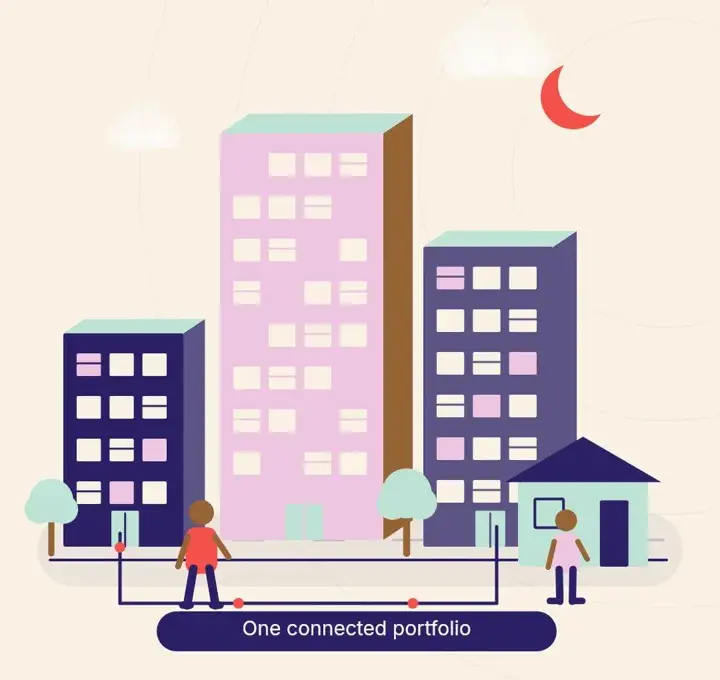
Portfolio setup in RIOO, the property management software built natively on Oracle NetSuite, models every property the way it really exists. Model projects, land, blocks, towers, buildings and shared areas exactly as they exist. Then attach the rules, fees, policies and access that every other team depends on.
Property & community setupLive from NetSuite
OccupancyLiveUpdated in NetSuite
Collected MTD$1.84MPosted to GL
Open work orders376 overdue
Renewals due58next 60 days
The hierarchy behind every report
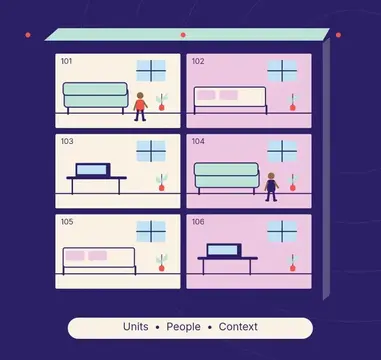
Ask three people how many units you manage and you'll often get three answers. One counts leasable units, one counts doors and one counts every parking bay. Property setup in RIOO ends that debate. You define the structure once (project, land, block, tower, building, floor, unit) and every module reports from it.
Because RIOO is built natively on NetSuite, that structure is the same structure finance uses to report. A building isn't a label in one system and a class in another. It's one record.
Capabilities
Why does the hierarchy decide report quality?
The hierarchy decides report quality because every report groups data by the levels you define. If units are linked to the right building, property and entity, then occupancy, rent roll, expenses and net operating income roll up correctly. If they are not, finance spends month end fixing mappings instead of analysing results.
Consistent roll-ups
Unit data sums to property and entity totals.
Fair allocations
Shared costs split by building or square footage.
Comparable assets
Similar properties use the same structure.
Clean consolidation
Entity-level results feed NetSuite OneWorld.
What is property and community setup in RIOO?
Property and community setup is the structure that defines your portfolio in RIOO: legal entities, portfolios, communities, buildings, floors, units, common areas and amenities. It lives in NetSuite as linked records, so every lease, charge, work order and report can be rolled up or filtered by any level of that hierarchy without separate mapping tables.
Getting the structure right at the start is what makes reporting easy later.
How it works
How does property & community setup work in RIOO?
Property & community setup in RIOO runs inside Oracle NetSuite. The properties, units, leases, tenants and vendors it uses are native NetSuite records, so each step updates the same data finance reports on. There is no separate system to sync, and every action keeps an audit trail. The steps below show how the work flows.
- 01
Discovery
We review your portfolio, entity structure and reporting needs with your operations and finance leads.
- 02
Model
Your hierarchy is configured in RIOO, from land down to unit, with naming conventions your teams already use.
- 03
Migrate
Existing property, tenant and lease data is mapped and imported while historical records are preserved.
- 04
Attach rules
Fees, policies and approval chains are configured at property or community level.
- 05
Go live
Teams work from day one in a structure finance recognizes.
How it works
How do you set up a new property step by step?
Setting up a new property in RIOO follows the same steps every time, so a new acquisition or development is ready for leasing and accounting quickly. Templates for common property types reduce the work, and the setup can be loaded in bulk for large portfolios during implementation.
- 01
Link the entity
Choose the owning subsidiary in NetSuite.
- 02
Create the property
Add address, type, size and manager.
- 03
Add buildings and units
Load them from a spreadsheet if there are many.
- 04
Define common areas and amenities
Set any booking or charging rules.
- 05
Attach charge templates
Rent, fees and utilities by unit type.
- 06
Assign teams and access
Give managers and staff their properties.
Communities, not just buildings
Residential communities have shared spaces, community rules and resident networks. Commercial campuses have common areas, service charges and multiple tenants per floor. RIOO lets you build structured communities that reflect both, with community-level policies and announcements on top of the property hierarchy. Community managers then work through their own portal.
Growing without rework
Acquisitions and new developments are additive. Adding a property mid-year doesn't retroactively change existing financial records, lease schedules or reporting structures. The new property simply joins the hierarchy and starts reporting.
Compare
Which levels can the property hierarchy include?
The property hierarchy in RIOO can include as many levels as your portfolio needs, from the legal entity that owns an asset down to a parking space or storage locker. Most portfolios use a subset of these levels, and the same structure supports residential, commercial and mixed-use assets side by side.
| Level | Example | Typical use |
|---|---|---|
| Legal entity | Holding company or fund | Statutory accounts |
| Portfolio | Region or strategy | Investor reporting |
| Community or property | A complex or estate | Operations and budgets |
| Building | Tower A | Shared costs, inspections |
| Unit | Apartment 1204, Suite 300 | Leases and billing |
| Space or amenity | Parking bay, gym | Add-on charges, bookings |
What changes
Outcomes for your team
- Operationsget a portfolio map everyone agrees on.
- Financeget property and building dimensions that match the operational structure.
- System adminscontrol access by property and role, not by spreadsheet.
- Asset managerscompare like with like across the portfolio.
Who is RIOO property setup NOT for?
RIOO property setup is more than a single-building owner with a handful of units needs, where a flat list of units is enough. It is designed for operators with multiple properties, entities or asset types, who need a structure that supports owner, investor and statutory reporting from the same NetSuite records.
In detail
How do communities differ from buildings in RIOO?
A community in RIOO is a group of buildings, homes or units that share residents, amenities, rules and often fees, such as a gated estate, a student village or a condo association. Modelling the community separately from its buildings lets you bill shared fees, send community-wide notices and report on the whole community in one place.
Shared amenities
Pools, gyms and clubhouses belong to the community, not to one building.
Community fees
HOA dues or service charges bill across every home.
Notices
Alerts reach every resident in the community at once.
Reporting
Occupancy and income roll up to the community level.
In detail
What you can configure
Projects and land
Register land parcels and development projects, including their documents and licenses.
Blocks, towers and buildings
Group buildings into blocks or phases, and towers into floors.
Shared areas and amenities
Lobbies, clubhouses, gyms, pools, parking and storage, each a trackable space.
Community rules and fees
Set the policies, fees and charges that apply community-wide or building by building.
License and document tracking
Keep permits, certificates and property documents on the record they belong to.
Role-based access
Decide which teams see which properties, from a single site to the whole portfolio.
Talk to a specialist
See property & community setup on your own portfolio.
Then attach the rules, fees, policies and access that every other team depends on.
Can we model properties across multiple countries or currencies?
Yes. Properties in several countries and currencies can be modelled, with multi-country and multi-currency support coming from NetSuite. Each property links to the legal entity that owns it, and consolidated reporting across entities typically uses NetSuite OneWorld.
What happens to historical data when we migrate?
The RIOO implementation team maps and migrates property, tenant and lease data while preserving the history you need, such as past leases and balances. The scope of history is agreed during planning, and migrated data is reconciled against your old system before go-live so opening balances match.
Can we restructure later, for example to split a block into two phases?
Portfolios change after go-live, for example when a block is split into phases or a property moves to a new entity. Restructuring is planned with the RIOO team so units, leases and history stay linked and historical reports remain accurate after the change.
Can a field inspector see only their assigned buildings?
Yes. Role-based access limits each user to the properties and data their role requires, so a field inspector sees only their assigned buildings, units and inspection tasks. They cannot open financial records or other properties, which protects resident and owner data while keeping the inspector focused on their own work.
How long does setup take for a large portfolio?
Setup time depends on the number of properties, entities and integrations, and on how clean your existing data is. A milestone plan with dates for structure, data loading, testing and go-live is agreed at kickoff, so you know the timeline before work starts.
Can we import our property and unit list from a spreadsheet?
Yes. Properties, buildings, units and their attributes can be imported in bulk from a spreadsheet during implementation, using a template that matches the RIOO hierarchy. This is how most large portfolios are loaded, and the import is checked against unit counts and square footage before leases and balances are migrated.
Can mixed-use buildings hold residential and commercial units together?
Yes. A single building can hold residential units, retail suites and offices, each with its own unit type, lease type and charge templates. Reports can then show results for the whole building or for each segment, which supports fair cost allocation and separate reporting to residential and commercial stakeholders.
Do units need square footage and attributes?
Recording square footage, bedrooms, floor and other attributes on each unit is strongly recommended, because they drive rent pricing, cost allocation, CAM shares and vacancy reporting. Attributes can be added later, but loading them at setup means reports and allocations are accurate from the first billing cycle on RIOO.
Can parking spaces and storage units be set up as rentable spaces?
Yes. Parking spaces, storage lockers and similar spaces can be set up as their own rentable records linked to a property, with their own charges. They can be leased with a home or separately, so availability and income for each space type are reported alongside the main units.
Related
Related to property & community setup



Start with a structure finance and operations both trust.