





- Centralised, threaded messagingPosted
- Maintenance request updatesReady
- Mobile accessOn track
- Bulk announcements and targeted noticesApproved
- Portal document exchangeLive
Platform · Portals & Mobile
Tenant Communication Tools & Software
Every tenant conversation, request and update, managed in one place
Property teams lose hours chasing messages across inboxes, calls and spreadsheets. RIOO brings tenant messages, maintenance updates, notices and document exchange into one structured platform, built natively on Oracle NetSuite, with every interaction tied to the lease and unit. Tenants get a clear line of communication, and your team stops switching tools.
Tenant communication toolsLinked to lease LS-2291
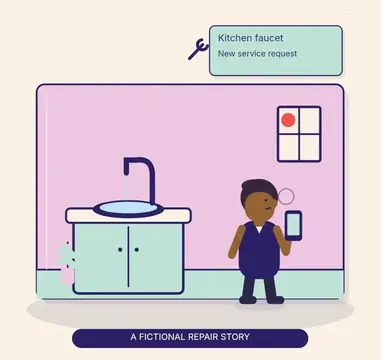
Kitchen tap is leaking again, photo attached.
Resident · 4B · 09:12Thanks. A technician is booked for 2–4 pm today.
Maintenance · 09:20Work order WO-3318 · In progress
Fixed and tested. Let us know if it recurs.
Technician · 15:05
What are tenant communication tools?
Tenant communication tools are the channels and workflows a landlord uses to talk with residents and commercial tenants: messaging, request updates, announcements, notices and document sharing. Good tools keep every conversation on the tenant record, route it to the right team, and leave an audit trail you can rely on at renewal, move-out or in a dispute.
Why does tenant communication break down?
Tenant communication breaks down when messages live in personal inboxes and phones, staff turnover takes history with it, residents get different answers from different people, and nobody can see whether an urgent notice was read. A shared timeline on each tenant and lease fixes most of this.
Capabilities
What does RIOO include?
RIOO tenant communication includes centralised, threaded messaging, targeted notices by building or group, scheduled reminders, templates, portal, email and SMS channels, read and delivery tracking, maintenance status updates and a full history on each tenant and lease record in NetSuite.
Centralised, threaded messaging
Queries, replies and escalations in one thread linked to the lease and unit, with full context for whoever picks it up.
Maintenance request updates
Tenants submit requests in the portal and get status updates at each stage, so they don't call to ask. See service requests and tasks.
Mobile access
Tenants see lease details, payments and open requests on mobile; managers respond and approve on site. See mobile app.
Bulk announcements and targeted notices
Notices by building, unit type or lease status, each logged on the property record.
Portal document exchange
Leases, inspection reports and compliance notices shared and acknowledged in the portal, with sent, viewed and signed status.
Routing and escalation
Messages route to leasing, maintenance or finance by category, with escalation rules and response-time visibility. See workflow customization.
History tied to the lease
Every message, request and notice is on the lease record, not in a personal inbox.
SMS, email and WhatsApp
Outbound reminders and updates through messaging integrations.
How it works
How do you set it up?
You set up RIOO tenant communication by importing properties and tenant records, configuring teams and roles, choosing channels such as portal, email and SMS, building message templates, setting automatic reminders, then inviting residents to the portal property by property or all at once.
- 01
Configure properties and teams
Import the portfolio, tenant records and roles, so leasing, facilities and finance each get the right access.
- 02
Activate the portal and channels
Enable the tenant portal, routing and assignment rules.
- 03
Go live
All messages, requests, notices and documents flow through RIOO.
- 04
Monitor and improve
Track speed of response, open tickets and volumes, and fix bottlenecks early.
How do you avoid over-messaging residents?
Limit routine messages to what residents need to act on, group non-urgent news into one weekly or monthly update, let residents choose channels for optional messages and keep emergency alerts for real emergencies. Review open and response rates each quarter and drop templates nobody reads.
How it works
How does a maintenance conversation flow in RIOO?
A maintenance conversation in RIOO flows from a portal request with photos and access permission, to triage and assignment, automatic status updates as the technician is scheduled and arrives, messages on the same thread, and a completion notice with a feedback request.
- 01
A resident submits a request in the portal with photos and access permission.
- 02
RIOO confirms receipt automatically with the request number.
- 03
The assigned technician or vendor schedules a visit and the resident is notified.
- 04
Updates and questions are posted on the request, visible to both sides.
- 05
When the work is closed, the resident is notified and can give feedback.
What changes when tenant communication works properly?
When tenant communication works properly, residents get timely updates, consistent answers and a record of every conversation. That means fewer complaints and escalations, faster maintenance follow-up, better evidence in disputes and stronger renewals, because dissatisfaction usually starts with silence rather than the issue itself.
Fewer complaints, longer tenancies. Dissatisfaction usually starts with silence, not the issue. Timely updates reduce frustration and support renewals.
Lean teams handling more units. The platform handles routing, logging and status updates, so growth doesn't require proportional headcount.
Faster maintenance resolution. Tenants who can see progress escalate less, and teams resolve requests faster when everything is in one queue.
Consistency across properties. The same process at every site, whichever manager is involved.
Fewer disputes. With history tied to the lease, both sides can see what was said, sent and acknowledged.
Portfolio visibility. Leaders track speed of response, open requests and communication trends across properties without manual reports. See dashboards and reports.
Compare
Which message types should you standardise?
The message types to standardise are rent reminders, receipts, late notices, maintenance updates, planned works and outage notices, inspection and entry notices, renewal offers and move-out instructions. The table shows the channel and trigger for each, so every property sends them the same way.
Templates keep tone and content consistent; local notice rules still apply, so check the laws library and your market hub.
| Message | Channel | Trigger |
|---|---|---|
| Rent reminder | Email, SMS | Days before due date |
| Payment receipt | On payment | |
| Request status | Portal, push, SMS | On status change |
| Planned works notice | Bulk notice | Scheduled maintenance |
| Renewal offer | Email, portal | Days before lease end |
| Compliance notice | Portal with acknowledgement | Statutory deadline |
Use cases
Which message templates should every portfolio have?
Every portfolio should have templates for welcome and move-in, rent reminders and receipts, late payment, maintenance updates, entry and inspection notices, planned works and emergencies, renewal offers and move-out instructions, each adapted to local law and available in residents' languages.
Welcome and move-in
Portal invitation, payment options and key contacts.
Rent reminders
Before and after the due date, with balance and pay link.
Maintenance
Request received, visit scheduled, work complete.
Planned works
Notice of access, noise or service interruption.
Renewals
Offer, reminder and confirmation.
Move-out
Instructions, inspection booking and deposit timeline.
Compare
Which channel should you use for which message?
Use the channel that matches urgency and formality. Emergencies need SMS and phone, routine updates suit email and the portal, and legal notices must use the delivery method your lease and local law require. Recording every message on the tenant's timeline keeps a single history, whatever the channel.
| Message type | Best channel | Why |
|---|---|---|
| Emergency, such as a water shut-off | SMS and portal alert | Immediate attention |
| Rent reminder | Email and SMS with pay link | Prompts action |
| Maintenance update | Portal and SMS | Ties to the request |
| Community news | Email newsletter or portal | Low urgency |
| Lease renewal offer | Email with e-signature | Needs a document |
| Formal legal notice | Method required by lease or law | Legal validity |
How should commercial tenant communication differ?
Commercial tenants need fewer, more formal messages: invoice and statement delivery to their accounts payable contacts, notices of building works to facility contacts, and reconciliation statements with supporting detail. Keep separate contacts per role on each tenant so messages reach the right person.
Who is RIOO communication NOT for?
RIOO communication is not a marketing automation platform for large prospect campaigns, and it is not a social network or community app for residents. It is built for operational messages between property teams and their residents or tenants, logged on NetSuite lease and tenant records.
Checklist
Communication consent and compliance checklist
- Collect consent for SMS and record it on the contact.
- Honour opt-outs for non-essential messages.
- Use required methods for legal notices.
- Keep message history for disputes and audits.
- Translate key templates where residents need other languages.
- Restrict who can send portfolio-wide messages.
How do you measure communication quality?
Measure communication quality by speed of response to resident messages, the share of maintenance requests with status updates, read rates for important notices and resident satisfaction scores. Because messages link to leases and requests, you can see which properties communicate well.
Talk to a specialist
See tenant communication tools on your own portfolio.
Tenants get a clear line of communication, and your team stops switching tools.
What can tenants do through the RIOO portal?
Through the RIOO portal, tenants can submit and track maintenance requests with photos, access lease documents and notices, pay rent and other charges, set up autopay and message the property team. Every action is logged on their lease record, so staff see the full history in one place.
Is RIOO suitable for portfolios with thousands of units?
Yes. RIOO is built for medium to enterprise property managers, from around 100 units to tens of thousands, with role-based access across leasing, operations and finance. RIOO reports 180k+ units managed on riooapp.com, and messaging, portals and history scale across many properties and entities in one NetSuite account.
Can we send notices to a whole building or a specific group?
Yes. RIOO notices can target a whole building or a specific group, filtered by property, building, floor, unit type or lease status, such as residents with leases ending this quarter. Every notice is logged on the property and tenant records, so staff can see who received it and when.
Where is communication history stored?
Communication history is stored on the tenant's lease record in NetSuite, alongside requests, payments and documents. It is available to the whole team at renewal, move-out or in a dispute, without reconstructing email threads from personal inboxes, and it stays with the property when staff change.
Which channels does RIOO support?
RIOO supports the resident portal and mobile access, email, and SMS or WhatsApp through messaging integrations, depending on your market and setup. Messages on every channel are logged to the same tenant timeline, so staff see the whole conversation regardless of how a resident chose to reply.
What does onboarding look like for multiple properties?
Onboarding for multiple properties follows your existing portfolio: import properties and tenant records, configure teams and roles, set up templates and channels, then activate the portal property by property or all at once. Residents receive invitations with their login and payment options when their property goes live.
Can residents reply to messages?
Yes. Residents can reply to messages through the portal, email or supported messaging channels, and replies arrive on the tenant timeline in RIOO. Any team member with access can follow up, so a resident's question does not wait in one manager's inbox while they are away.
Can we send a message to one building only?
Yes. RIOO messages can target a single property or building, a floor, or a filtered list of residents, such as those affected by a planned water shut-off. The message is logged against each recipient's record, and replies come back to the same thread for the site team.
Is SMS included?
SMS is available in RIOO through integrated messaging providers, so text reminders, notices and maintenance updates can reach residents alongside email and the portal. Provider availability varies by country, and any messaging costs are covered in the proposal tailored to your portfolio.
Can messages be scheduled?
Yes. Notices, reminders and announcements can be scheduled in RIOO for a future date and time, such as a rent reminder three days before the due date or an outage notice the evening before work starts. Scheduled messages can be edited or cancelled until they are sent.
Are messages stored in NetSuite?
Yes. Messages are recorded on the tenant and lease records in your NetSuite account, so communication history sits alongside charges, payments and work orders. It falls under the same roles, permissions and audit trail as the rest of your NetSuite data.
Can we send messages in other languages?
Yes. Message templates can be created in several languages and chosen per resident based on their preferred language, so notices, reminders and maintenance updates reach residents in a language they understand. Staff still see every message on the tenant timeline in the language it was sent.
Can we see who has read an important notice?
Yes. Read and delivery status is shown for portal and email messages where the channel supports it, so staff can see who has opened an urgent notice, such as a fire alarm test or water shut-off, and follow up by phone or SMS with residents who have not.
Can owners or managers message all residents at once?
Yes, with permission. Portfolio-wide messages to all residents can be limited to specific roles, such as regional managers, to prevent mistakes, while site staff message only their own buildings. Every broadcast is logged with the sender, audience and time for later review.
Is there an app for residents?
Residents use the RIOO portal in any mobile browser to pay rent, submit maintenance requests with photos, read notices and message the team, with no download required. Whether a dedicated native app is available in your market should be confirmed during evaluation.
Related
Related to tenant communication tools