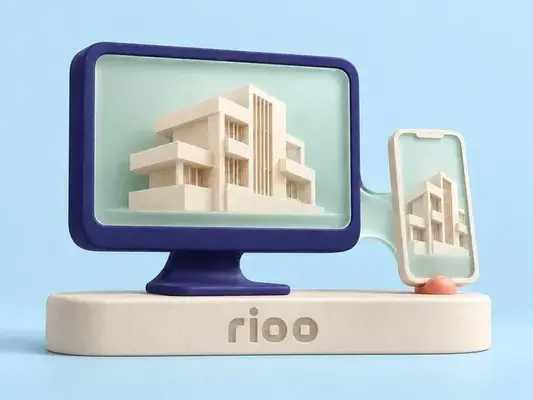






- See balances and historyOn track
- Pay onlineApproved
- Submit maintenance requestsLive
- Access lease and renewal recordsSynced
- Find documentsPosted
Rioo Portals · Tenant Portal
Tenant & Resident Portal Software
Everything about home, in one place
RIOO's tenant portal is resident portal software for RIOO, the property management system built natively on Oracle NetSuite. Balances and payment history, online payments, maintenance requests with live status, lease and renewal records, documents, notices, amenity reservations and profile settings. Available any hour, on any device.
Tenant portal · Pay rentUnit 4B
Balance due this month$1,967.18
- Rent · July$1,850.00
- Parking$75.00
- Water (RUBS)$42.18
Bank (ACH)CardAutopay
Pay nowWhat residents expect now
Residents pay for streaming, groceries and travel in a few taps. They expect the same from the place they live. A tenant portal that's hard to use pushes people back to the phone and the office. RIOO's tenant portal is built around the handful of things residents do most, and makes each one easy.
What is a tenant portal?
A tenant portal is a secure website or app where residents and commercial tenants pay rent, see their balance, submit maintenance requests, read notices and sign documents. In RIOO, every portal action reads from or writes to NetSuite records, so what a tenant sees is the same balance finance sees.
How it works
How does tenant portal work in RIOO?
Tenant portal in RIOO runs inside Oracle NetSuite. The properties, units, leases, tenants and vendors it uses are native NetSuite records, so each step updates the same data finance reports on. There is no separate system to sync, and every action keeps an audit trail. The steps below show how the work flows.
- 01
Activate
New residents receive access during move-in.
- 02
Self-serve
Payments, requests, renewals and bookings happen in the portal.
- 03
Flow through
Payments post to the ledger, requests become work orders and bookings appear on the community calendar.
- 04
Stay informed
Status updates and notices arrive in the portal, by email or by SMS.
How do you get residents to use the portal?
Adoption is highest when the portal is the default, not an option. Invite residents at lease signing, make online payment the first instruction on every invoice, route maintenance requests through the portal, and send notices there rather than by paper. Autopay enrolment at move-in drives the longest-lasting use.
In detail
What tenants can do
See balances and history
every charge, payment and credit.
Pay online
with recurring payments and instant confirmation.
Submit maintenance requests
with details, then follow their progress.
Access lease and renewal records
and sign renewals digitally.
Find documents
the lease, community rules, guides and notices.
Receive notices and announcements
from management.
Book amenities
such as clubhouses, gyms and meeting rooms, avoiding conflicts.
Give feedback
and manage profile and contact details.
In detail
How do teams put tenant portal into practice?
Teams put tenant portal into practice by configuring RIOO to their own policies, training each role on real scenarios and starting with one property or workflow before rolling out further. The examples below show how that typically looks, from set-up to day-to-day use, and which team owns each part of the work.
For commercial tenants, the portal is a place for invoices, recovery statements, service requests and documents. That cuts down on the email back-and-forth between tenant accounts teams and property managers.
View balance, charges and payment history
Pay rent and set up recurring payments
Submit service requests with photos and track progress
Read community announcements and documents
View lease documents and sign renewals
Update contact details and household information
Book amenities
In detail
Adoption tactics that work
Make it the default
Route payment reminders, receipts and request updates through the portal so tenants have a reason to log in.
01
Remove friction
Short sign-up, saved payment methods and mobile access matter more than extra features.
02
Show progress
Tenants who see request status call less, which frees front-desk time.
03
Close the loop
Ask for a rating when a request is closed and act on low scores.
04
Checklist
What does a tenant see after signing in?
After signing in, a tenant sees their current balance, open invoices and payment history, options to pay now or enrol in autopay, lease documents and renewal offers, maintenance requests with status and visits, notices from the property team, and contact details they can update.
- Current balance, open invoices and payment history, with receipts.
- Pay now, autopay enrolment and saved payment methods.
- Lease documents, renewal offers and signed agreements.
- Maintenance requests with status, photos and scheduled visits.
- Notices and messages from the property team.
- Household and contact details they can update.
Mapped to NetSuite
Portal actions and the NetSuite records behind them

- Portal actionPay rentNetSuite recordCustomer paymentFinance, property manager
- Portal actionSubmit requestNetSuite recordWork orderMaintenance team
- Portal actionSign renewalNetSuite recordLease record updateLeasing and finance
- Portal actionUpdate contact detailsNetSuite recordCustomer recordEveryone with access
- Portal actionDownload statementNetSuite recordCustomer statementTenant, finance
What it does for your team
For managers, the portal significantly reduces inbound calls, manual updates and administrative back-and-forth. Requests flow into RIOO's work order system, payments post automatically, and tenant communication is centralized and trackable. Your team's time goes to the conversations that need a person.
Residential and commercial
Residents use the portal for rent, repairs and amenities. Commercial tenants use it for invoices, service requests and documents across their suites. Each sees only their own information, drawn from the same unified customer view your team uses.
Use cases
What residents and commercial tenants use the portal for
Paying rent
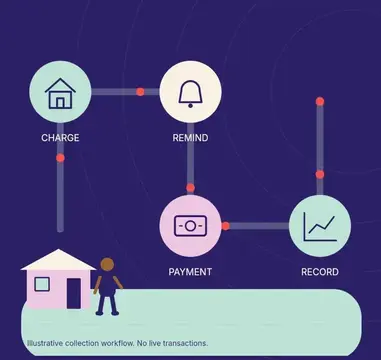
Balance, itemised charges, one-off payments and autopay enrolment. See online rent collection tools.
Raising requests
Maintenance requests with photos and live status updates. See service requests.
Reading documents
Leases, renewals, notices and inspection reports in one place.
Messaging the team
Conversations tied to the lease, not lost in personal inboxes. See tenant communication tools.
Booking amenities
Gyms, rooms and shared spaces where your properties offer them. See units, rooms and amenities.
Commercial tenant needs
Invoices, statements, recovery estimates and certificates of insurance for business tenants.
Explore by topic
How each team benefits
Property managers
Fewer phone calls asking "did you get my payment?" or "when is the plumber coming?", because tenants can see the answer themselves.
Finance
Online payments apply to the tenant ledger and post to NetSuite automatically, so receipts need no re-keying.
Maintenance
Requests arrive complete, with location, category and photos, and status updates go to the tenant without extra effort.
Leasing
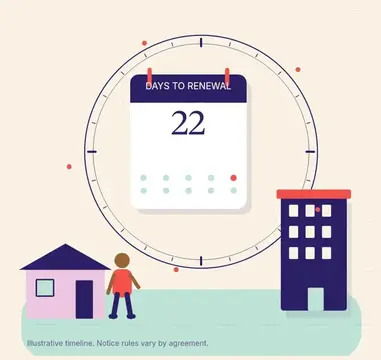
Renewal offers and documents go out through the portal, and acceptance is recorded on the lease.
Who is the RIOO tenant portal NOT for?
The portal is built for operators who want self-service tied to their ledger. It is not a marketing website, a listings syndication tool or a community social network. If you only need a public listings page, use your website and listings integrations; the portal starts once someone applies or signs.
How do commercial tenants use the portal differently?
Commercial tenants usually pay specific invoices by bank transfer and care most about invoice detail: base rent, recoveries, tax and reconciliations. The portal shows each invoice line, CAM estimates and year-end reconciliations, and lets tenant contacts download statements for their own accounts payable team.
What does the portal NOT replace?
The portal does not replace legally required notice methods where a lease or statute specifies post or hand delivery, it does not replace your emergency maintenance phone line, and it is not a channel for disputes that need formal correspondence. Keep those processes documented alongside it.
Tenant portal in practice
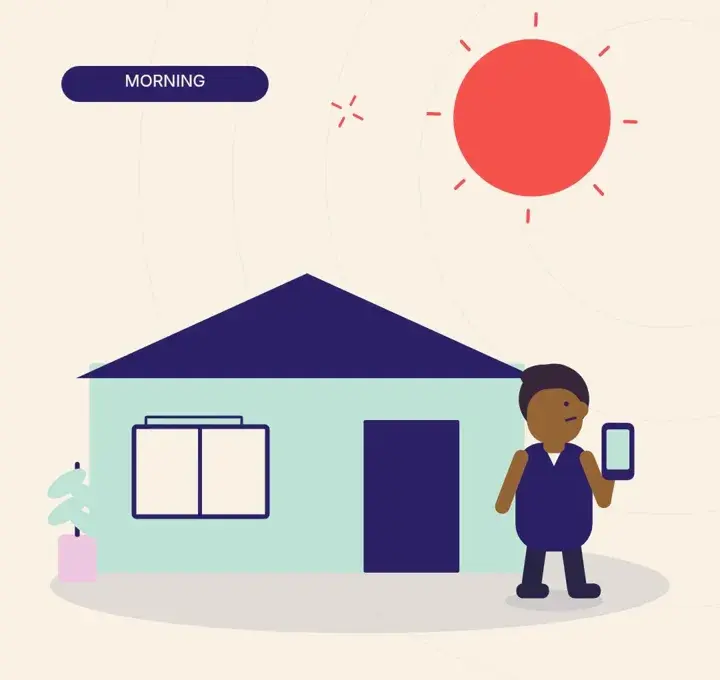
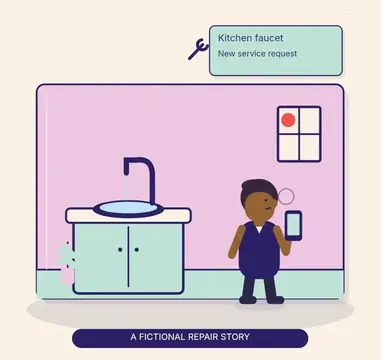
It's 11pm and a resident notices a leak under the sink. They photograph it, submit a request in the portal and get a confirmation. The next morning they see it's been assigned. By lunch it's marked complete, and they leave a quick rating. They never had to call.
What changes
What changes when tenant portal runs on NetSuite?
When tenant portal runs on NetSuite through RIOO, operational work and accounting stop being two separate jobs. Transactions post to the general ledger as they happen, reports use the same records as daily work, and controls come from NetSuite roles and approvals. The changes below are the ones teams usually notice first.
- Faster, more predictable payments
- Fewer callsto the office.
- Higher resident satisfactionthrough transparency.
- Cleaner databecause residents keep their own details current.
Checklist
Portal launch checklist
- Invite tenants at lease signing, not months later.
- Enable autopay and make bank payments the suggested method where fees are lower.
- Load current leases and key documents before launch.
- Set request categories and priorities that match how your team dispatches work.
- Publish a short how-to in the welcome email and on the noticeboard.
- Track adoption by property and follow up where it lags.
Talk to a specialist
See tenant portal on your own portfolio.
Available any hour, on any device.
What can tenants do in the portal?
Tenants can pay rent and set up autopay, review balances and payment history, submit and track maintenance requests with photos, access leases and documents, receive notices and alerts, book amenities and message the management team, all from one portal account on desktop or mobile.
Is it available 24/7?
Yes. The tenant portal is available 24/7 from any device with a browser, so residents can pay rent, submit maintenance requests and read notices outside office hours. Requests submitted overnight are queued for the property team and visible on the resident's account with their status.
Can residents set up recurring payments?
Yes. Residents can set up recurring payments for rent and other regular charges, choosing the payment method and date where your policy allows. Each payment generates an instant confirmation and appears in their payment history, and residents can change or cancel autopay themselves in the portal.
Can residents book amenities?
Yes. Residents can reserve amenities such as clubhouses, fitness centres, meeting rooms and guest suites in the portal, seeing availability and booking rules for each space. Fees or deposits for bookings can be charged to the resident's ledger, and staff see every reservation on the amenity calendar.
Is there a mobile app as well as the web portal?
Yes. Tenants can use the same core features on mobile, including payments, maintenance requests with photos, notices and documents, so they do not need a desktop. See the mobile app page for details of what is available on each device.
Can commercial tenants use the portal?
Yes. Business tenants can view invoices and statements, pay, raise maintenance requests and access documents in the portal, with several contacts per tenant by role. Features can differ from the residential portal, for example showing recovery charges and statements suited to commercial leases.
Is the portal branded?
Yes. The portal can carry your company branding, such as logo and colours, so tenants recognise it as yours and trust the payment and request pages. Branding can reflect your management company or individual communities, depending on your portfolio setup.
Can several household members share one portal account?
Yes. Each adult on the lease can have their own login and see the shared balance, payments and requests, so roommates and family members do not share passwords. Guarantors can be given limited access to balances and payments only, without seeing maintenance or personal messages.
Is the portal available on mobile?
Yes. The portal works in mobile browsers, so residents can pay rent, submit maintenance requests with photos and read notices from a phone without installing anything. Screens adapt to smaller displays, and the same account and history are available on desktop and mobile.
Can the portal be branded with our name and colours?
Yes. The portal can carry your logo and colours so residents see your brand rather than a software vendor's, which builds trust when they pay rent or share personal details. Ask which branding options apply to your portfolio during implementation.
Related
Related to tenant portal
Give residents a portal they'll actually use.