



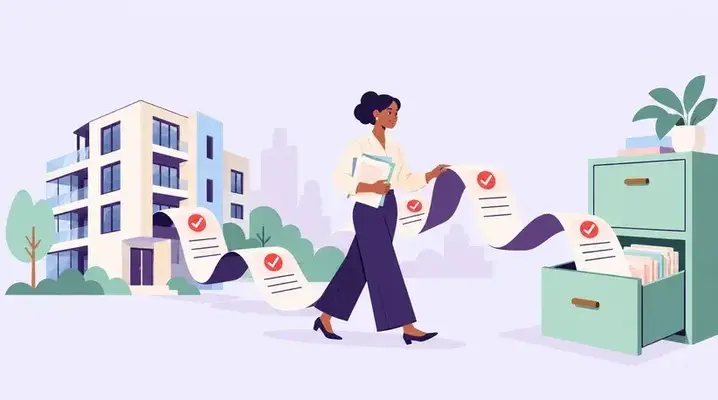


- RulesApproved
- Fees and depositsLive
- ApprovalsSynced
- NoticesPosted
Rioo Portals · Community Manager Portal
Community Management Software on NetSuite
Run the whole community from one screen
RIOO's community manager portal is the on-site team's workspace in RIOO, the property management system built natively on Oracle NetSuite. Residents and onboarding, work requests and tasks, community documents, financial oversight, events and announcements, inspections and emergency communication, all in one hub built for the people on site.
Community manager · todayLive from NetSuite
Move-ins3this week
Open requests122 urgent
Arrears$9.4k7 residents
Bookings18amenities
The community manager's day, unfragmented
Community managers juggle move-ins, maintenance, rule questions, events, budgets and the occasional emergency, often across five tools and a whiteboard. The community manager portal brings those jobs together, with a live dashboard of what's happening across the community and the tools to act on it.
What is a community manager portal?
A community manager portal is the workspace a property or community manager uses to run a residential community day to day: residents, communications, requests, amenities, budgets, documents and events. In RIOO, the portal sits on NetSuite data, so the balance a manager sees for a resident or the community budget is the same figure finance reports.
It is designed for people on site who need to act quickly, not for accountants building reports.
How it works
How does community manager portal work in RIOO?
Community manager portal in RIOO runs inside Oracle NetSuite. The properties, units, leases, tenants and vendors it uses are native NetSuite records, so each step updates the same data finance reports on. There is no separate system to sync, and every action keeps an audit trail. The steps below show how the work flows.
- 01
Start the day
on the dashboard to see what's new, overdue and scheduled.
- 02
Assign
tasks and requests to staff or vendors.
- 03
Communicate
with residents through announcements and targeted notices.
- 04
Oversee
community budgets and spending.
- 05
Document
inspections and compliance in one place.
How it works
How does a community manager handle an emergency in RIOO?
In an emergency, such as a burst pipe or a power cut, the community manager uses RIOO to inform residents, dispatch help and record what happened. Having these steps in one portal speeds up the response and leaves an accurate record for insurers, owners and any later claims.
- 01
Raise the work order
Mark it emergency and assign the vendor.
- 02
Alert residents
Send a community-wide or building-wide message.
- 03
Track progress
Follow vendor status and update residents.
- 04
Record costs and evidence
Photos, invoices and timings.
- 05
Close and review
Note causes and any follow-up work.
Checklist
How do you roll out the portal to managers?
Roll out the portal by setting up each manager's communities, permissions and default views before training, then supporting them through the first weeks. A short, practical rollout helps managers adopt it as their main workspace instead of falling back on spreadsheets and email.
- Assign each manager to their communities
- Set dashboard views for daily tasks
- Load community documents and rules
- Prepare message templates for common notices
- Train with real scenarios from their sites
- Review usage after the first month
In detail
How do amenity bookings work in the portal?
Amenity bookings let residents reserve shared spaces such as a clubhouse, gym slot, guest suite or barbecue area, while the manager controls rules, fees and conflicts. In RIOO, bookings appear on a shared calendar, and any booking fee or deposit posts to the resident ledger in NetSuite.
Rules
Opening hours, maximum duration and booking limits per resident.
Fees and deposits
Charged to the resident ledger automatically.
Approvals
Optional manager approval for events or large spaces.
Notices
Reminders before the booking and closure alerts if plans change.
In detail
What can RIOO do for community manager portal?
RIOO handles community manager portal with capabilities built on NetSuite records rather than a separate database. Each capability below works with the same properties, leases, tenants and ledger, so operations and finance see one version of the data. Capabilities are configured to your policies during implementation, without custom code for routine changes.
Operational dashboard
A real-time view of residents, tasks, requests, payments and events.
Residents and onboarding
including move-in coordination and welcome information.
Work requests and tasks
Assign, monitor and close tasks and service requests, with updates visible to residents.
Community documents
Rules, policies, minutes and notices organized and accessible.
Financial oversight
Monitor budgets, expenses and billing, and review reports.
Events and announcements
for residents, with community-wide alerts when it's urgent.
Inspections and compliance documentation
organized for audits and reviews.
Feedback
from residents.
Emergency communication planning
Response protocols and communication workflows for unexpected events.
Built for associations and residential communities
For HOAs, condominium associations and managed residential communities, the portal supports the shared side of community life: rules, documents, events, shared amenities and community finances.
In detail
How do teams put community manager portal into practice?
Teams put community manager portal into practice by configuring RIOO to their own policies, training each role on real scenarios and starting with one property or workflow before rolling out further. The examples below show how that typically looks, from set-up to day-to-day use, and which team owns each part of the work.
Monday: the dashboard shows three move-ins this week, eleven open requests and two overdue inspections. The manager assigns the inspections and confirms readiness tasks for the move-ins.
Tuesday: a burst pipe in the parking garage. An urgent alert goes to residents in the affected building, maintenance gets a high-priority work order, and updates post as work progresses.
Wednesday: the community newsletter and next month's events go out. Pool rules are updated in community documents.
Thursday: budget review. Landscaping is tracking over budget, so the manager reviews the invoices behind it and flags a contract question for finance.
Friday: move-ins happen with inspections captured, residents receive welcome information and portal access, and the week's resident feedback is reviewed.
Every action in the portal uses the same records as the rest of RIOO. A task assigned here is a work order in maintenance, a budget figure here ties to the ledger, and an announcement here is logged on resident profiles.
On-site community managers
running day-to-day operations
Assistant managers and leasing staff
handling residents and move-ins
Regional managers
overseeing several communities
Association managers
supporting HOA and condominium communities
Compare
What does a community manager do each day?
A community manager's day mixes resident service, maintenance follow-up, finances and compliance. The portal groups these tasks so they can be handled from one screen. The table shows typical daily tasks and what RIOO shows the manager for each one, all drawn from live NetSuite records.
| Task | What the portal shows |
|---|---|
| Resident questions | Profile, lease, balance, message history |
| Maintenance follow-up | Open requests, status, vendor |
| Arrears check | Residents with overdue balances |
| Move-ins and move-outs | Upcoming dates and checklist status |
| Amenity bookings | Calendar and conflicts |
| Community notices | Draft, schedule and send alerts |
In detail
Why does a NetSuite-based portal help managers?
A NetSuite-based portal helps managers because they no longer need to ask finance for balances, budgets or payment status. In RIOO, those figures are live on the screen they already use. Managers can answer a resident's billing question during the conversation, and finance trusts that what the manager sees matches the books.
Live balances
No waiting for nightly updates.
Budget visibility
Spend against budget for the community.
Fewer handoffs
Less back-and-forth with accounts.
Controlled access
Managers see only their communities.
Who is the community manager portal NOT for?
The community manager portal is not a resident-facing app; residents use the tenant portal and mobile app instead. It is also not designed for accountants doing the month-end close, who work in NetSuite directly. It is built for on-site and regional managers running communities, associations and residential buildings.
Community manager portal in practice
A storm warning comes in on Thursday. The community manager sends an urgent alert to every resident, assigns pre-storm checks to maintenance, and posts the emergency contact sheet in community documents. After the storm, resident damage reports arrive as service requests, already prioritized, and the manager tracks every one to closure from the same screen.
What changes
What changes when community manager portal runs on NetSuite?
When community manager portal runs on NetSuite through RIOO, operational work and accounting stop being two separate jobs. Transactions post to the general ledger as they happen, reports use the same records as daily work, and controls come from NetSuite roles and approvals. The changes below are the ones teams usually notice first.
- Less tool switchingand fewer things missed.
- Faster resident responsewith visible task status.
- Financial transparencyfor community budgets.
- Audit-ready compliance records
Talk to a specialist
See community manager portal on your own portfolio.
Residents and onboarding, work requests and tasks, community documents, financial oversight, events and announcements, inspections and emergency communication, all in one hub built for the people on site.
What is the community manager portal?
The community manager portal is a central workspace for running a residential community: resident communication, tasks, maintenance, finances, compliance documents, events and reporting. It runs on NetSuite data, so balances, budgets and requests shown to managers match the records finance uses, without separate exports or syncs.
Can it handle emergencies?
Yes. The portal supports emergency response planning and community-wide alerts, so managers can notify every resident in a building or community quickly, raise an emergency work order and track the vendor response. Each step is logged, which gives owners and insurers a clear record of what happened and when.
What financial tools are included?
The portal includes budget monitoring, expense tracking, billing oversight and real-time financial reports for each community. Managers can see spend against budget, resident balances and upcoming charges, while detailed accounting work such as the month-end close stays with finance in NetSuite.
How are tasks tracked?
Tasks and requests are assigned to staff or vendors, monitored against due dates and tracked to completion, with status updates visible to residents where relevant. Managers can see overdue items at a glance, reassign work when needed and report on speed of response for each community they manage.
Can regional managers see several communities at once?
Yes. Regional managers can be given access to all the communities in their region, with dashboards that compare occupancy, arrears, open requests and budget across them. They can drill into any single community when they need detail, while on-site managers keep a focused view of their own community only.
Can board members of an association use the portal?
Association board members usually receive reports, budgets and documents rather than full portal access, so they can review finances and decisions without operational screens. Access for boards can be set up to match your governance rules and the association's bylaws.
Can managers post community events and newsletters?
Yes. Managers can publish community events, newsletters and notices to residents through the portal and the resident app, with dates, locations and sign-up details where needed. Messages are logged, and attendance or sign-ups can be tracked, helping managers understand which activities residents value most.
Can the portal store community rules and documents?
Yes. House rules, association bylaws, insurance certificates, meeting minutes and other community documents can be stored in the portal and shared with residents or owners as appropriate. Managers can update documents in one place, so residents always see the current version rather than an old copy sent by email.
Related
Related to community manager portal


Give your community managers one place to run the day.