









- Rent rollSynced
- Aged receivablesPosted
- Net operating incomeReady
- Budget versus actualOn track
- Owner statementsApproved
Rioo Management · Dashboards & Reports
Property Management Reporting Software & Dashboards
Read the portfolio. Don't rebuild it.
Live dashboards for occupancy, rental income, financial KPIs, lease activity and maintenance, drawn from the same records your teams work in. Schedule the reports your owners, lenders and executives expect.
Dashboards & reportsLive from NetSuite
OccupancyLiveUpdated in NetSuite
Collected MTD$1.84MPosted to GL
Open work orders376 overdue
Renewals due58next 60 days
The report is only as fresh as the data under it
Most portfolio reports are assembled, not read. Someone exports the rent roll, someone else exports the ledger, and a third person reconciles them in a spreadsheet that's out of date by the time it's shared. RIOO's dashboards sit on the operational and financial records directly, inside NetSuite, so a number on screen reflects what happened, not what was exported.
Capabilities
Which reports matter most at month end?
At month end, the reports that matter most are the ones that prove the books are complete and explain the results to owners. In RIOO they run on the same NetSuite data used every day, so finance can close and report without exporting property data or reconciling a separate system first.
Rent roll
Every unit, lease, rent and balance at the period end.
Aged receivables
Arrears by tenant, property and age band.
Net operating income
Income and operating costs by property.
Budget versus actual
Variances by property and category, with commentary.
Owner statements
Income, expenses and distributions for each owner.
Consolidated results
Entity results rolled up through NetSuite OneWorld.
What are property management dashboards and reports?
Property management dashboards and reports show the state of a portfolio, such as occupancy, rent collected, arrears, open work orders and net operating income, for the people who need to act on it. In RIOO they are built on NetSuite data, so operational and financial figures come from the same records and never need reconciling.
Dashboards are for daily decisions and update continuously. Reports are for periods, such as month end or a board meeting, and can be scheduled and shared.
How it works
How does dashboards & reports work in RIOO?
Dashboards & reports in RIOO runs inside Oracle NetSuite. The properties, units, leases, tenants and vendors it uses are native NetSuite records, so each step updates the same data finance reports on. There is no separate system to sync, and every action keeps an audit trail. The steps below show how the work flows.
- 01
Choose the measures
that matter to each role during implementation.
- 02
Scope access
by property, portfolio or role.
- 03
Customize and save
views, filters and reports.
- 04
Schedule delivery
Reports can be emailed on a schedule, including to external recipients such as investors or lenders who don't have a RIOO login.
- 05
Drill down
Move from a portfolio figure to the property, then the transaction behind it.
Audit trail →
How it works
How do you build a useful property dashboard?
A useful property dashboard starts from the decisions a role makes each day, not from the data available. Building it in RIOO takes a few steps, and the same dashboard can then be shared with everyone in that role across the portfolio.
- 01
List the decisions
For example, who to chase for rent today.
- 02
Pick the measures
Choose the few figures that drive those decisions.
- 03
Set the scope
Limit to the properties the role manages.
- 04
Add drill-downs
Link each figure to the underlying records.
- 05
Review after a month
Remove what nobody uses.
In detail
What you can see
Occupancy and vacancy
by portfolio, property, building and unit type.
Rental income and receivables
including aging and delinquency.
Financial KPIs
such as income, expenses and NOI by property.
Lease activity
expiries, renewals, move-ins and move-outs.
Maintenance
open requests, backlog, response and completion.
Historical trends
from implementation onward, plus migrated history where imported.
From dashboard to detail
Every figure on a dashboard should link to the records behind it. That's how a number becomes a decision.
In detail
Why does live NetSuite data change reporting?
Live NetSuite data changes reporting because there is no overnight export or sync between the property system and accounting. When a payment posts, the arrears dashboard, the cash report and the tenant ledger all change together. Finance and operations stop debating whose numbers are right and start discussing what to do about them.
No reconciliations
Operational and financial reports share one source.
Same-day decisions
Arrears and occupancy reflect today, not last night.
Drill to source
Every figure opens the transactions behind it.
Consolidation
Entity reports roll up through NetSuite OneWorld.
Built for every role
A site manager needs today's move-ins and open work orders. A controller needs receivables and exceptions. An asset manager needs occupancy and NOI across the portfolio. RIOO supports role-based dashboards, with access scoped by property, portfolio or role, so each person sees what they're responsible for and nothing they shouldn't.
Compare
Dashboards by role
| Role | Typical dashboard |
|---|---|
| Community manager | Move-ins and move-outs, open requests, delinquency, renewals due |
| Regional manager | Occupancy and delinquency by site, overdue work, leasing pipeline |
| Controller | Collections, AP aging, unposted items, budget variance |
| Asset manager | NOI, occupancy trends, lease expiries, CapEx |
| Maintenance lead | Open work orders by priority, technician load, preventive work due |
Who is RIOO reporting NOT for?
RIOO reporting is not a replacement for a dedicated data warehouse when you need to combine property data with many unrelated systems for advanced analytics. In that case, RIOO's NetSuite data can feed the warehouse. For day-to-day operational and financial reporting, most teams work directly in RIOO and NetSuite.
Reporting for the people outside your walls
Owners, investors and lenders want regular, consistent reporting. Instead of rebuilding an owner pack every month, schedule it once and RIOO sends it on time from live data.
What changes
What changes when dashboards & reports runs on NetSuite?
When dashboards & reports runs on NetSuite through RIOO, operational work and accounting stop being two separate jobs. Transactions post to the general ledger as they happen, reports use the same records as daily work, and controls come from NetSuite roles and approvals. The changes below are the ones teams usually notice first.
- Hours back each monththat used to go into assembling reports.
- Earlier warningon vacancy, delinquency and maintenance backlog.
- One version of the truthin operations and finance meetings.
- Confident external reportingfrom records that tie to the ledger.
Talk to a specialist
See dashboards & reports on your own portfolio.
Schedule the reports your owners, lenders and executives expect.
Can scheduled reports go to people without a login?
Yes. Scheduled reports can be delivered by email to external recipients such as owners, lenders or investors who do not have a RIOO login. You choose the report, the recipients and the schedule, and each delivery uses current NetSuite data, so nobody has to export and send the same report by hand every month.
Do dashboards update without refreshing?
Dashboards reflect live NetSuite data across active sessions, so a payment posted by finance or a work order closed on site shows up on the relevant dashboards without waiting for an overnight sync. Some summary portlets refresh on a short interval, and any figure can be opened to see the latest records behind it.
Can access be restricted to assigned properties?
Yes. Report and dashboard access can be scoped by property, portfolio or role, so each user sees only the data for the assets they manage. A regional manager sees their region, an owner sees their properties and finance sees everything, all from the same report definitions in NetSuite.
How far back can we report?
You can report on the full history recorded in RIOO from implementation onwards, plus any historical data migrated at go-live. The depth of migrated history, such as several years of monthly balances or detailed transactions, is agreed during data migration planning based on the comparisons your finance and asset teams need.
Does RIOO predict vacancies?
RIOO surfaces trend-based early warning signals, such as leases expiring without a renewal offer or rising arrears in a community, so managers can act before a unit becomes vacant. Treat these as prompts for attention rather than precise forecasts.
Can we build our own reports?
Yes. Users with the right permissions can build saved searches and reports in NetSuite on RIOO data, choosing fields, filters and groupings without code. Saved reports can be shared with a role, added to dashboards or scheduled by email, so teams are not limited to the standard report set. Read more about SuiteAnalytics reporting.
Can reports be exported to Excel?
Yes. Reports and saved searches can be exported to Excel or CSV for further analysis or for sharing with people outside the business. Most teams use exports for one-off analysis, while recurring reports are scheduled from RIOO so they always use current data instead of an old spreadsheet copy.
Can owners and investors receive reports automatically?
Yes. Owner statements and performance reports can be scheduled to email owners and investors each month or quarter, using current NetSuite data and limited to the properties each recipient holds. This replaces manual report packs and gives every owner the same consistent view of income, expenses and distributions.
Do dashboards work on mobile devices?
Dashboards can be viewed on tablets and phones through the NetSuite interface, so managers can check occupancy, arrears or open work orders while they are on site. Detailed report building is easier on a desktop, but the figures and drill-downs a manager needs during the day are available on the move.
Can KPIs be compared across properties of different sizes?
Yes. Reports can show measures per unit, per square foot or per square metre, so a large tower and a small block can be compared fairly on costs, income and arrears. Grouping by property type or region also helps managers compare similar assets instead of the whole portfolio at once.
Related
Related to dashboards & reports


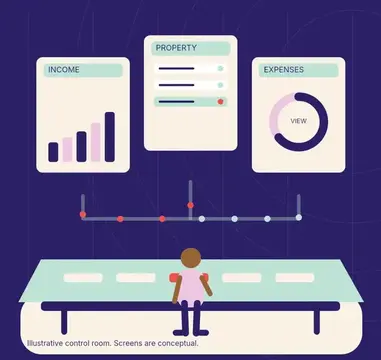
Open a dashboard and trust what it says.