Property management, built natively on Oracle NetSuite

Request a demo

Rioo Management

The structure every other number depends on

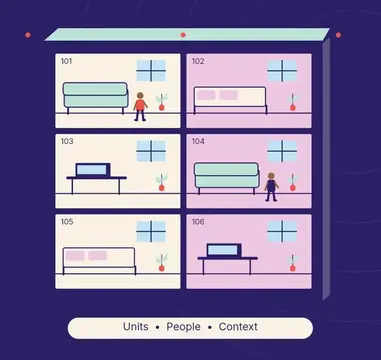
RIOO Management models your portfolio the way it really exists, from land and towers down to rooms and amenities. On that structure it runs pricing, workflows, reporting and one complete view of every customer.

Why structure comes first

A property P&L is only as good as the hierarchy underneath it. If a parking space, a storage locker or a boat slip isn't modeled as its own space, it can't carry its own charge, its own occupancy or its own revenue line. RIOO Management gives every space a place in the hierarchy, so leasing, finance and maintenance all point at the same thing.

Parent co.ConsolidatedFund IGBPSite 1Site 2JV LLCGBPProp 3Bldg 4Fund IIAEDSite 5Bldg 6Intercompany eliminated

What is a property management platform?

A property management platform is the system that holds a portfolio's structure and people, including properties, buildings, units, amenities, tenants and owners, and the rules, workflows and reports that run on them. RIOO Management is that foundation inside Oracle NetSuite, so leasing, finance and maintenance all work from the same property and unit records.

Every other module depends on getting this layer right. Rent can only be billed to a unit that exists as a record, occupancy can only be reported for spaces that are modelled, and a repair cost can only land on the right property P&L if the work order knows where it happened. RIOO Management is where those decisions are made, usually in the first weeks of implementation.

Bolt-onNative (RIOO)Property appown databaseERP / GLown databasesync jobs · CSVOracle NetSuiteProperty…LeasingMaintenanceManagementOne database · one GL

How it works

How does RIOO Management work in RIOO?

RIOO Management works in four steps: model the hierarchy, attach the rules, assign the people and let the work flow. Each step builds on NetSuite records set up in the one before, so by go-live every lease, charge and work order already knows its property, unit and owning entity.

1Capture2Validate3Approve4Post5Report
  1. 01

    Model the hierarchy

    We map your projects, buildings, floors, units and amenities during implementation and migrate existing property, tenant and lease data.

  2. 02

    Attach the rules

    Fees, charges, approval chains and access are configured per property or community.

  3. 03

    Assign the people

    Role-based access means each person sees only the properties and data their job needs.

  4. 04

    Let the work flow

    Leasing, finance and maintenance activity writes against the same records, and dashboards update as it does.

Compare

How should a property portfolio hierarchy be modelled?

A property portfolio hierarchy should be modelled at the level where money, occupancy or obligations differ. If a space carries its own rent, charge, owner or maintenance history, such as a parking bay, a storage unit or a student bedroom, it deserves its own record. Coarser models save setup time but hide income and costs later.

Portfolio27 propertiesPropertyHarbor ViewBuildingBlock EUnit / spaceUnit 210One record, every level
LevelExamplesWhy it is a separate record
Owning entityLLC, SPV, fund or companySeparate books, tax and consolidation
Property or communityApartment community, office park, land-lease communityProperty P&L, rules and fees
Building or blockTower, wing, block, phaseShared costs, inspections and recoveries
FloorOffice floors, residential levelsCommercial area and occupancy reporting
Unit or suiteApartment, home, suite, retail unitLease, rent and occupancy
Room or bedStudent bedroom, co-living roomPer-bed leases and pricing
Amenity or spaceParking, storage, boat slip, clubhouseIts own charge, booking and revenue line

How it works

How do you onboard an acquired property into RIOO?

You onboard an acquired property into RIOO by adding it to the existing hierarchy and migrating its current data, without changing the properties already live. The work is a smaller version of implementation: model the spaces, apply your standard rules, migrate tenants and balances, and reconcile the opening position to the seller's records.

Old ERPNetSuiteRIOO recordssourceGrant accessUnitsHistoryBalancesValidated & reconciled
  1. 01

    Add the entity

    Create or assign the NetSuite subsidiary that owns the acquired property.

  2. 02

    Model the property

    Add buildings, units and amenities using your standard naming and unit types.

  3. 03

    Apply standard rules

    Attach fees, charges, approval chains and notice templates from your existing configuration.

  4. 04

    Migrate tenancies

    Load tenants, leases, deposits held and open balances at the acquisition date.

  5. 05

    Reconcile the opening position

    Agree rent roll, deposits and receivables to the closing statement.

  6. 06

    Grant access

    Assign the site team's roles, limited to the new property.

Built for both sides of your portfolio

Residential and commercial processes can coexist. A multifamily community can run one approval chain while an office tower in the same environment runs another. Adding a property mid-year is additive. It doesn't rewrite existing financials, lease schedules or reporting structures.

MultifamilyCommercialStudentHOAIndustrialMixed-use

Where to start

Most teams configure property and unit structures first, then pricing, then workflows and dashboards. Getting the structure right in week one makes everything later, such as leasing, billing and reporting, cleaner.

Full platformFinance firstOperations first

Mapped to NetSuite

How does the RIOO hierarchy map to NetSuite records?

The RIOO hierarchy maps to NetSuite through records that NetSuite reporting already understands. Owning entities are subsidiaries, tenants are customers, vendors are vendors, and property and unit records travel on every transaction as reporting dimensions, so a property P&L is a standard NetSuite financial report filtered by property.

  1. RIOO elementOwning entityNetSuite recordSubsidiary (NetSuite OneWorld)
  2. RIOO elementProperty, building and unitNetSuite recordRIOO records carried on transactions as segments
  3. RIOO elementTenant or residentNetSuite recordCustomer
  4. RIOO elementVendor or contractorNetSuite recordVendor
  5. RIOO elementCharge typeNetSuite recordItem mapped to a GL account
  6. RIOO elementUser roleNetSuite recordNetSuite role with property restrictions

In detail

How do different teams use RIOO Management every day?

Different teams use RIOO Management every day through views of the same records, filtered to their role. Site teams see units and residents, finance sees entities and accounts, and executives see portfolio dashboards, but nobody works from a private copy of the data, which is what removes hand-off errors between departments.

LTLeasing teamsTours today7MTMaintenance teamsJobs today6AMAsset managersNOIOn budgetPMProperty managerOpen tasks12

Site and community managers

Unit status, residents, tasks, announcements and the day's move-ins and move-outs.

Leasing teams

Availability, pricing, applications and lease expiries by property.

Maintenance teams

Work orders by unit, asset history and preventive schedules.

Accountants and controllers

Property P&Ls, receivables, deposits and vendor bills by entity.

Asset managers

Occupancy, income trends, expiries and budget variance by property.

NetSuite administrators

Roles, workflows, custom fields and saved searches.

Compare

How does RIOO Management compare with spreadsheets and standalone systems?

RIOO Management compares with spreadsheets and standalone systems on where the portfolio structure lives. Spreadsheets hold it in files nobody fully trusts, standalone systems hold it in a database separate from the ledger, and RIOO holds it in NetSuite, where the same records drive transactions, permissions and reports.

RIOOOption BOption CSpreadsheetsRIOO ManagementProperty P&LAccess controlAcquisitionsAudit trail
QuestionSpreadsheetsStandalone property systemRIOO Management
Single source of unit dataNo, copies driftYes, outside the ledgerYes, inside NetSuite
Property P&LBuilt by handExported and reconciledStandard NetSuite report
Access controlFile sharingSeparate user modelNetSuite roles
AcquisitionsNew tabs and filesNew property and new sync mappingAdded to the same account
Audit trailLimitedSeparate from the ledgerNetSuite system notes

Who is RIOO Management NOT for?

RIOO Management is not for portfolios that do not use NetSuite, because the property records live inside a NetSuite account. It is also more than a small portfolio needs if a handful of homes can be run comfortably from a simple rental app, with no separate entities or finance team.

It is not a facility management or space-planning tool for corporate occupiers, either. RIOO models spaces for leasing, billing and maintenance by the landlord, rather than desk allocation or workplace planning for a company's own staff.

Strong fitNot a fitMixed portfoliosEquipment rentalMulti-entity booksVacation rentalsRuns NetSuiteSingle small…Honest fit check

What changes

What changes when RIOO Management runs on NetSuite?

When RIOO Management runs on NetSuite through RIOO, operational work and accounting stop being two separate jobs. Transactions post to the general ledger as they happen, reports use the same records as daily work, and controls come from NetSuite roles and approvals. The changes below are the ones teams usually notice first.

BeforeWith RIOOSystems to updateOne recordManual hand-offsRules and alertsReports built by handLive reports
  • One source of truthfor what you own, what's occupied and what each space earns.
  • Fewer hand-off errorsbecause every module refers to the same unit record.
  • Faster onboarding of acquisitionsbecause new properties drop into an existing structure.
  • Role-relevant visibilityfrom site teams to the CFO.

Checklist

Portfolio data readiness checklist

Portfolio data readiness…Unit typesCurrent tenantsFees and charges in useAgree approval limitsClean tenant records3/5complete
  • One list of properties with owning entity, address and property type.
  • Buildings, floors, units and amenities with consistent naming.
  • Unit types, sizes and current status for every unit.
  • Current tenants with contact details and lease terms.
  • Deposits held and open balances by tenant.
  • Fees and charges in use, mapped to GL accounts.
  • Users and the properties each person needs to access.

Talk to a specialist

See RIOO Management on your own portfolio.

On that structure it runs pricing, workflows, reporting and one complete view of every customer.

FAQ

RIOO Management FAQs

Still curious? Ask the team.

Can we migrate from our current system without losing history?

Yes. RIOO's implementation team maps and migrates existing property, unit, tenant and lease data, along with open balances and deposits held, and agrees how much transaction history to bring across. The migrated rent roll is reconciled to your old system before go-live. See implementation and onboarding for how migration is planned.

Can team members be limited to certain properties?

Yes. Role-based access in RIOO controls which properties, units and data each user can see and change. Site teams can be limited to the communities they run, contractors to their own work orders and accountants to specific entities, and every permission follows NetSuite roles managed by your administrator in one place.

Does RIOO support multiple countries and currencies?

Yes. RIOO supports multiple countries and currencies through NetSuite, with each owning entity set up as a subsidiary with its own base currency and tax codes. Consolidated multi-entity and multi-currency reporting then runs through NetSuite OneWorld, with currency translation handled by NetSuite.

How long does setup take?

Setup time depends on portfolio size, the number of entities and property types, data quality and integrations. RIOO agrees a milestone plan during implementation, starting with property and unit structures, then pricing, workflows and dashboards. Smaller single-type portfolios move faster than mixed portfolios.

Can we use our own naming conventions for properties and units?

Yes. RIOO uses your naming conventions for properties, buildings and units, so codes and names match what site teams and finance already use. Agreeing one convention across the portfolio during implementation is worth the time, because it makes saved searches, dashboards and owner reports easier to build and read later.

Build your portfolio once, and build it right.** See your own hierarchy modeled in RIOO.