Utilities are the second-largest operating expense for most commercial properties, and the single most error-prone billing process in property management. The global smart meter market reached $28.6 billion in 2025 and is projected to grow at a compound annual rate of nearly 7% through 2034 , yet most property management companies still process utility bills the same way they did a decade ago: manually reading meters, entering data into spreadsheets, calculating tenant allocations by hand, and hoping nobody catches the mistakes.
Commercial electricity rates are projected to hit 13.5 cents per kWh in 2026 according to the U.S. Energy Information Administration, up from already elevated 2025 levels. With rates climbing and portfolios growing, manual utility billing is not just inefficient—it is financially dangerous.
NetSuite gives property management companies a way to automate every step of the utility billing lifecycle inside their ERP: meter reading capture, consumption calculation, tenant allocation, invoice generation, payment collection, and financial reporting—all from a single platform, with zero spreadsheets.
This guide walks through exactly how NetSuite utility billing for property management works.
The Utility Billing Nightmare: Why Manual Processes Are Costing You Money
What Goes Wrong with Spreadsheet-Based Utility Billing
Every property operations manager knows the drill. Utility bills arrive from multiple providers on different billing cycles. Staff manually enters meter readings or provider invoices into spreadsheets. Someone calculates each tenant's share based on square footage, occupancy, or meter readings. Invoices get created one by one. Payments get tracked in yet another system. And when a tenant disputes a charge, the property manager scrambles to reconstruct the math from three months ago.
Industry surveys estimate a 12% error rate for manual data entry in utility billing. One misplaced decimal point on a single invoice can mean hundreds or thousands of dollars in lost revenue—or an overbilling dispute that damages the tenant relationship. Utility billing management platform Zego reports that clients automating their processes have seen billing errors and late fees cut by 50%, alongside a 90% reduction in time spent processing utility bills.
The Three Hidden Costs of Manual Utility Billing
The visible cost is staff time—hours each month devoted to data entry, calculation, invoice creation, and reconciliation. But three hidden costs do far more damage.
First, Under-Recovery
When billing is manual and error-prone, property companies consistently fail to recover the full amount tenants owe. Even a 5% under-recovery rate on a $100,000 annual utility expense means $5,000 in lost NOI every year per property. Across a portfolio, this adds up to six figures.
Second, Delayed Billing
Manual processes introduce lag between when consumption occurs and when the tenant receives an invoice. Late bills lead to late payments, which lead to cash flow gaps and collections friction.
Third, Audit Exposure
Without a clear digital trail from meter reading to tenant invoice to payment, property companies face risk during financial audits, tenant disputes, and regulatory reviews. Monthly utility reconciliation across a multi-property portfolio consumes 15–20 hours of staff time that NetSuite eliminates entirely.
NetSuite utility billing eliminates all three of these hidden costs by automating the entire process from meter reading to tenant payment.
How NetSuite Handles Utility Tracking Natively
Core Utility Management Capabilities in NetSuite
NetSuite's architecture is built around items, transactions, and records—which makes it naturally suited to utility billing. Every utility type (electricity, water, gas, parking, internet) can be configured as a billable service item with its own rate structure, billing frequency, and allocation method. Meter readings become records tied to specific properties and units. Consumption calculations happen automatically based on configurable formulas. And because billing runs inside the same system that manages lease accounting, accounts receivable, and financial reporting, there is no data to export, import, or reconcile.
Extending NetSuite for Property-Specific Utility Billing
NetSuite's native capabilities can be extended with property management software built on NetSuite, such as RIOO that adds property-specific utility billing workflows. This includes unit-level meter assignment, configurable allocation formulas (sub-metered, RUBS, flat-rate, or hybrid), automated invoice generation tied to lease terms, and NetSuite utility expense tracking against individual properties and units. The result is NetSuite utility management software purpose-built for property companies—not a standalone billing tool that needs to sync with your accounting system. This is utility billing automation inside the ERP, eliminating another integration to manage.
Setting Up Meter Reading Workflows Inside NetSuite
Configuring Meters, Reading Schedules, and Data Entry
NetSuite meter management starts at the unit level, where every sub-metered unit in the portfolio gets a dedicated meter record inside NetSuite, linked to the property, unit, tenant, and lease. Each meter record stores the meter ID, utility type, reading schedule (monthly, quarterly, on-demand), and the unit of measurement (kWh, cubic feet, gallons, etc.).
Reading schedules trigger automated task assignments for maintenance staff or property managers. When a reading is due, the assigned team member receives a task with the meter location, previous reading, and a data entry form. Readings are entered directly into NetSuite—via desktop, tablet, or mobile—and validated against the previous reading to flag anomalies. A reading that deviates more than a configurable percentage from the prior period triggers an automatic alert, catching potential errors, leaks, or faulty meters before they become billing problems.
Smart Meter Integration and Automated Reading Capture
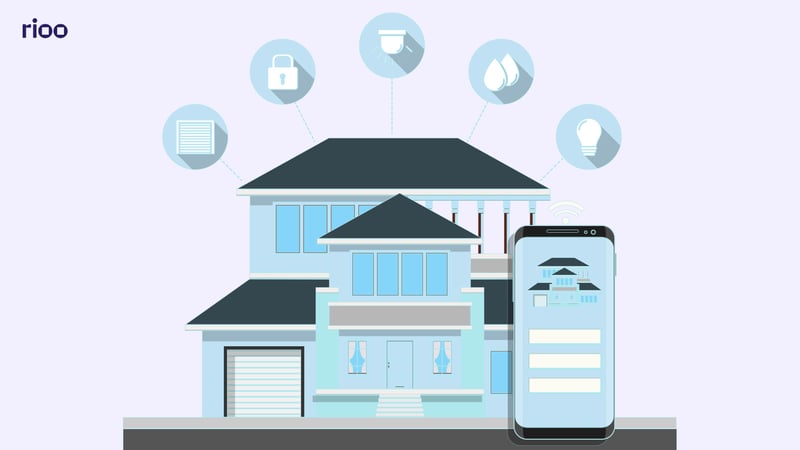
For properties equipped with smart meters or IoT-enabled sub-meters, NetSuite can receive readings automatically via API integration. IoT-enabled metering for property management is accelerating, with the smart meter market expected to reach $52 billion by 2034 , and over 65% of electricity utilities globally have adopted smart meter infrastructure for real-time consumption tracking.
Generating Automated Utility Invoices Per Tenant
From Meter Reading to Tenant Invoice in Zero Steps
Once readings are captured , NetSuite calculates consumption automatically: current reading minus previous reading, multiplied by the applicable rate. The system generates a utility charge line item on the tenant's next invoice, complete with the meter reading dates, consumption amount, rate applied, and total charge.
For properties on consolidated billing—where rent and utilities appear on a single monthly statement—the utility charges are added directly to the tenant's recurring invoice . Research from Yardi indicates that convergent billing (combining rent and utility charges on a single statement) can improve utility cost recovery by as much as 20%, because tenants are more likely to pay everything when it arrives as one bill.
Batch Processing for Portfolio-Scale Billing
Property companies managing hundreds or thousands of units cannot generate utility invoices one at a time. NetSuite supports batch billing runs that process all meter readings across an entire portfolio, calculate consumption and charges for every metered unit, generate invoice line items, and post charges to the appropriate tenant accounts—all in a single automated run. Automated utility invoicing for real estate at this scale is only possible because the billing engine runs inside the same database as the lease and tenant records. This is ERP-based utility billing automation at scale. What takes a billing team days to do manually in spreadsheets, NetSuite completes in minutes.
Sub-Metered Utilities vs. Shared Utility Cost Allocation (RUBS)
When to Use Sub-Metered Billing
Sub-metered billing is the gold standard for utility cost recovery. Each unit has its own meter, and tenants pay based on exactly what they consume. It is the most accurate, most defensible, and most conservation-friendly approach. Studies cited by HUD show that properties moving from master metering to individual billing consistently reduce overall utility consumption, with some properties seeing water usage decrease by as much as 27%.
In NetSuite, sub-metered billing is straightforward: meter readings capture actual consumption, the system applies the rate, and the tenant is billed for their exact usage. No allocation formulas needed.
When to Use RUBS (Ratio Utility Billing System) and How NetSuite Handles It
Not every property has sub-meters. Older buildings, properties where meter installation is cost-prohibitive (sub-meters typically cost $1,500–$2,000 per unit installed), or properties with shared utility infrastructure often use RUBS—the Ratio Utility Billing System. RUBS allocates the total property utility bill among tenants based on predetermined factors.
NetSuite supports all standard RUBS allocation methods:
| Allocation Method | Best Used For | How It Works |
|---|---|---|
| Square footage | Electricity, gas | Utility cost divided proportionally by unit size |
| Occupant count | Water, sewer | Cost divided by number of occupants per unit |
| Unit count | Trash, common area | Equal share per unit regardless of size |
| Bedroom/bathroom count | Water (alternative) | Weighted by fixture count per unit |
| Hybrid formula | Mixed portfolios | Combines multiple factors with custom weighting |
The system automatically pulls occupancy data, unit square footage, and lease details from existing records—no duplicate data entry. When occupancy changes (a roommate moves in or out), the allocation adjusts automatically on the next billing cycle. A common RUBS structure uses an 80/20 split, where tenants collectively cover 80% of the utility bill and the owner absorbs 20% for common area usage.
Important compliance note: RUBS regulations vary by state and municipality. Some jurisdictions (like Delaware and Miami) prohibit RUBS entirely. Others (like California) classify RUBS charges as rent, which affects rent-controlled properties. Minnesota enacted specific RUBS legislation effective January 2025 standardizing allocation formulas and capping administrative fees. Property companies must configure RUBS formulas to comply with local regulations.
Common Utility Types: Electricity, Water, Gas, Parking, and Internet
How Each Utility Type Is Configured in NetSuite
One of the strengths of NetSuite utility billing is its ability to handle all five utility types within a single configurable framework. Every utility type has different billing characteristics—different providers, different rate structures, different billing cycles, and different allocation logic. NetSuite handles all five as configurable service items.
Electricity is typically the largest utility expense for commercial properties, with the average U.S. commercial rate projected at 13.5 cents per kWh in 2026. Electricity billing in NetSuite supports tiered rate structures (where the per-kWh rate increases at higher consumption thresholds), time-of-use rates (peak vs. off-peak), and demand charges. Sub-metered properties bill on actual kWh consumption; RUBS properties allocate based on square footage.
Water and sewer are commonly billed together and allocated by occupant count under RUBS, since water consumption correlates more closely with the number of people in a unit than with unit size. Sub-metered water billing uses gallons or cubic feet consumed. Water rates are rising faster than inflation in many municipalities as systems fund major capital projects and comply with new federal PFAS treatment standards.
Gas (natural gas) billing follows patterns similar to electricity but with significant seasonal variation—winter heating months can drive gas costs 50–100% above summer levels in colder climates. NetSuite's billing engine accommodates this variability automatically when processing actual meter readings. RUBS allocation for gas typically uses square footage, since larger units require more heating.
Parking is billed as a flat monthly charge per assigned space, a tiered rate based on location (covered, uncovered, premium), or a usage-based charge for metered or gated facilities. NetSuite treats parking as a recurring billable service item tied to the tenant's lease record.
Internet/connectivity is increasingly included as a building-provided utility, especially in multifamily and mixed-use properties. Billing is typically flat-rate per unit or tiered by bandwidth level. NetSuite manages this as a recurring service charge, automatically added to the tenant's consolidated monthly invoice.
Managing Multiple Providers Across a Portfolio
A single property might receive utility bills from four or five different providers. A portfolio of 20 properties could involve 50+ vendor relationships. NetSuite utility expense tracking centralizes all vendor bills in accounts payable, matches them against expected amounts by property, and flags discrepancies. When the provider's bill for a property is higher than expected, the system alerts the operations team before charges flow through to tenant invoices.
Utility Cost Recovery and Pass-Through Billing Accuracy
Why Accuracy in Pass-Through Billing Matters More Than Speed
Pass-through billing—charging tenants for their actual or allocated share of utility costs—is only effective if tenants trust the bills they receive. A single billing error that a tenant catches erodes confidence in every subsequent invoice. Disputes consume staff time, delay payments, and in severe cases, contribute to tenant turnover (which costs 3–6 months of rent in vacancy, marketing, and make-ready expenses).
Unlike standalone billing platforms, NetSuite utility management software connects every utility charge directly to the general ledger. Every calculation is formula-driven, not manually computed. Every meter reading, rate application, and allocation is logged with a timestamp and audit trail. Invoices display the consumption period, meter readings, rate applied, and calculation methodology—giving tenants full transparency into how their charges were determined.
Maximizing Cost Recovery Rate
The goal of any utility billing program is full cost recovery—recapturing 100% of recoverable utility expenses from tenants. In practice, most property companies recover 90–95% at best, with the remaining 5–10% lost to common area usage, vacant unit periods, billing timing gaps, and collection shortfalls.
NetSuite saved searches and dashboards can report utility recovery by property, utility type and billing period. When recovery dips below threshold, the system flags it. This visibility alone—knowing your exact recovery rate rather than estimating it—typically improves NOI by identifying under-recovery that was previously invisible. Automated vacant unit cost recovery ensures that utility charges during vacancy periods are properly allocated and accounted for, rather than silently absorbed into operating expenses.
Integration with Utility Providers and Smart Metering Systems
Connecting NetSuite to Utility Provider Data
Most large utility providers now offer electronic data interchange (EDI) or API access to billing data. Instead of waiting for paper bills, opening envelopes, and manually entering invoice amounts, property companies can pull provider billing data directly into NetSuite. The system matches the provider invoice against expected charges, flags discrepancies, and routes exceptions for review.
EnergyCAP, a leading utility management platform, reports that automated utility bill auditing flags an average of 4.7% of utility bills each month with actionable issues. Addressing these errors proactively has saved customers up to $1.5 million annually. By integrating provider data into NetSuite, property companies gain the same error-detection capability without a separate platform.
Smart Meter and IoT Integration Architecture
For real estate companies scaling their portfolios, NetSuite meter management eliminates the operational ceiling that manual reading processes create. The integration architecture for smart meter systems typically follows this flow:
Smart meters → IoT gateway → Cloud platform → API → NetSuite
Smart meters capture consumption data at configurable intervals (every 15 minutes, hourly, daily). An IoT gateway aggregates and transmits data to the metering platform's cloud. NetSuite receives readings via API at the billing-relevant frequency (typically daily or at billing cycle close). The integration layer normalizes data from different meter manufacturers into a consistent format.
This architecture supports real-time anomaly detection (leak alerts, consumption spikes), automated utility invoicing for real estate without manual readings, historical consumption analysis for budgeting and forecasting, and tenant-facing consumption dashboards showing usage trends.
NetSuite's pre-built integration connectors reduce integration complexity and time-to-value for smart metering deployments.
Audit Trail and Dispute Resolution
Every Reading, Every Calculation, Every Invoice- Fully Traceable
Utility billing disputes are inevitable. A tenant questions a water bill that seems too high. An owner challenges the allocation methodology during a financial review. A regulatory auditor requests documentation for pass-through charges.
NetSuite maintains a complete, immutable audit trail for every utility transaction. From the original meter reading (with timestamp, who entered it, and the previous reading for comparison) through the consumption calculation (formula applied, rate used, allocation method), to the invoice generated (line items, amounts, date sent), to the payment received (date, amount, method)—every step is recorded and traceable. This is where NetSuite's utility billing audit capabilities differentiate it from standalone billing tools—every data point is traceable to its source.
How to Handle Tenant Utility Disputes Inside NetSuite
When a tenant disputes a utility charge, the property manager opens a case record in NetSuite linked to the tenant, the specific invoice, and the utility type. The case record automatically pulls the relevant meter readings, calculation details, and historical consumption for the unit. The manager can compare the disputed period against the tenant's prior billing history, against similar units in the same property, and against the provider's master bill to identify whether the charge is accurate, whether a meter may be faulty, or whether an allocation error occurred.
Resolution is documented in the case record, any adjustment is applied as a credit on the next invoice, and the entire dispute history becomes part of the tenant's unified customer record. No email chains to search through. No spreadsheet versions to reconcile. Everything in one place.
Manual Utility Billing vs. NetSuite Automated Billing
The table below compares manual processes against ERP-based utility billing automation across ten operational dimensions.
| Factor | Manual / Spreadsheet Billing | NetSuite Automated Billing |
|---|---|---|
| Meter reading capture | Paper forms or spreadsheets, manual entry | Digital entry with validation or smart meter auto-capture |
| Consumption calculation | Excel formulas, human-verified | Automated: current minus previous reading × rate |
| Tenant allocation (RUBS) | Manual calculation, static spreadsheets | Auto-calculated from live occupancy and lease data |
| Invoice generation | One-by-one creation, separate system | Batch-generated across entire portfolio |
| Billing frequency | Monthly at best, often delayed | On-schedule, automated, with consolidated billing option |
| Error rate | ~12% manual data entry error rate | Formula-driven, validated at every step |
| Audit trail | Scattered across files, emails, spreadsheets | Complete digital trail: reading → calculation → invoice → payment |
| Dispute resolution | Recreate calculations from archived files | One-click access to full billing history per tenant |
| Cost recovery visibility | Unknown until year-end analysis | Real-time dashboard by property, utility type, period |
| Scalability | Breaks down beyond 50–100 units | Handles thousands of units in single billing run |
Take Control of Utility Billing Across Your Portfolio
U.S. commercial electricity prices rose 6.8% year-over-year through November 2025, with water rates climbing even faster as municipalities fund infrastructure upgrades. For property companies managing dozens or hundreds of units, manual utility billing is no longer a minor operational headache—it is a material drag on NOI.
NetSuite utility billing for property management transforms what was once your most painful operational process into a fully automated, auditable workflow. Meter readings flow into consumption calculations, consumption flows into tenant invoices, invoices flow into payment collection, and everything flows into your financial reports—automatically, accurately, and with a complete audit trail.
RIOO is property management software built natively on Oracle NetSuite. If you are ready to eliminate manual utility billing across your portfolio:
Schedule a demo with RIOO to see automated utility billing inside NetSuite
→Also Explore - NetSuite for Property Management: The Complete 2026Guide
FAQs
1. Can NetSuite handle utility billing for tenants?
Yes. NetSuite supports the full utility billing lifecycle for property management companies: meter reading capture (manual or smart meter), consumption calculation, tenant allocation (sub-metered or RUBS), automated invoice generation, payment collection, and cost recovery reporting. With a property management layer on NetSuite , these capabilities expand to include unit-level meter assignment, configurable allocation formulas, consolidated rent-and-utility billing, and real-time recovery rate dashboards.
2. How do you automate utility bills in NetSuite for real estate?
Utility billing automation in the ERP starts with configuring meters and utility types as service items inside NetSuite. NetSuite's meter management for real estate ensures readings are captured either through manual digital entry (with built-in validation) or through smart meter API integration. NetSuite automatically calculates consumption, applies the correct rate structure, allocates charges to tenants using the configured method (sub-metered, RUBS, or flat-rate), and generates invoice line items. For consolidated billing, utility charges are added to the tenant's monthly rent invoice automatically. Batch processing handles portfolio-wide billing in a single run.
3. What is the best ERP for property utility management?
NetSuite utility management software is purpose-built for property management companies that need utility billing inside their ERP. Unlike standalone utility billing platforms (Zego, Conservice, SimpleBills) that operate separately from your accounting system, NetSuite processes utility billing, lease accounting, accounts receivable, and financial reporting in a single database. This eliminates the data sync issues, reconciliation burden, and duplicate entry that come with bolting a separate billing tool onto your property utility management ERP. Utility charges flow directly into the general ledger, tenant statements, and financial reports without integration middleware.
4. What is the difference between RUBS and sub-metered billing in NetSuite?
Sub-metered billing charges tenants based on actual consumption recorded by individual unit meters. RUBS (Ratio Utility Billing System) allocates the property's total utility bill among tenants based on predetermined factors such as square footage, occupant count, or bedroom count. NetSuite supports both methods—and hybrid approaches—within the same system. Sub-metering is more accurate and promotes conservation, but requires physical meter infrastructure. RUBS is more cost-effective to implement since it does not require individual meters, but allocates estimated rather than actual usage.
5. How does NetSuite track utility cost recovery for property portfolios?
NetSuite tracks every dollar spent on utilities (provider bills in accounts payable) and every dollar recovered from tenants (utility charges in accounts receivable). Built-in dashboards and reports display recovery rate by property, utility type, and billing period in real time. When recovery drops below target, the system alerts operations teams. This visibility enables property companies to identify under-recovery trends, optimize allocation formulas, and improve NOI by recovering utility costs that would otherwise be silently absorbed.


.svg)
.svg)


.svg)