




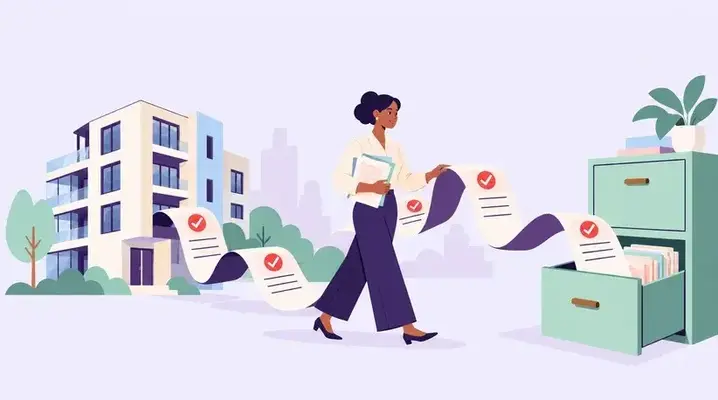



An exact duplicate is easy to catch. Same vendor, same invoice number, same amount, same date. A well-configured AP process should catch it.
The duplicates that get paid are the ones that differ slightly. The invoice number has a prefix on one copy and not the other. The vendor exists twice in the system under two versions of its name. One copy arrived by email and was entered by the property team, the other came through the AP inbox and was entered by finance.
In property management, a paid duplicate is not just a recovery exercise. It was paid from an owner's funds, so until it is recovered or otherwise resolved, that owner's property has borne an excess charge for one job.
This covers how duplicates enter, the checks that catch them, and what to do when one has already been paid.
How Duplicates Get In
-
Multiple intake channels. The same invoice sent to the property manager, the AP inbox and a vendor portal, or emailed and then posted. Each copy looks like a new invoice to whoever receives it. Running several intake channels is not a problem in itself; running them into separate queues is.
-
Reminders and resends. A vendor chasing payment sends the invoice again, sometimes marked "copy" or "reminder," sometimes not.
-
Statements treated as invoices. A statement of account lists outstanding invoices. Entered as if it were an invoice, it duplicates everything on it.
-
Reissued invoices. After a dispute or correction, the vendor issues a new invoice with a new number. If the original is not voided on your side, both remain payable.
-
Duplicate vendor records. The same vendor set up twice, for example once under its trading name and once under its legal name. Every check that works within a vendor record fails across two of them.
-
Shared invoices entered per property. An invoice covering three properties is entered once by each property's team, with each team entering the full amount rather than its share.
-
Quote or pro forma entered as a bill. Then the real invoice arrives.
-
Paid two ways. An invoice charged to a company card, then paid again by ACH when the invoice itself arrives.
The Checks That Catch Them
Exact matching catches exact duplicates. The rest need checks designed for near-matches.
|
Check |
Catches |
|---|---|
|
Same vendor, same invoice number |
Straight resends and double entry |
|
Normalised invoice number |
"INV-0842", "842" and "0842" treated as the same |
|
Same vendor, same amount, dates close together |
Reissues and resends with a new number |
|
Same amount, same property, different vendor records |
Duplicate vendor records |
|
Same work order or PO linked to more than one invoice |
Possible double billing for one job |
|
Invoice amount matching a recent card charge |
Invoices already paid by card |
Two points about using them.
-
Normalise before comparing. Strip prefixes, leading zeros, spaces and punctuation from invoice numbers before checking. A check that compares raw text will treat the same invoice as two different ones.
-
Treat near-matches as flags, not rejections. Legitimate invoices do sometimes share an amount: monthly contracts, repeated call-outs at a fixed rate, staged billing on one job. The check should stop the invoice for a person to look at, not decline it automatically.
A Worked Example
Illustrative. A vendor exists twice in the system: "Coastal Mechanical" and "Coastal Mechanical LLC." An HVAC repair for $340 is invoiced once.
The property manager receives the invoice by email and enters it under "Coastal Mechanical" as invoice number 8841. Three days later the AP team receives a copy through the AP inbox and enters it under "Coastal Mechanical LLC" as invoice number INV-8841.
The same-vendor, same-number check misses it twice over: different vendor records, and different invoice numbers as entered. Both are approved. Both are paid. The owner is charged $680 for a $340 repair.
Three things would have caught it, each at a different point:
-
At vendor setup. Both records carry the same taxpayer identification number. A check on TIN when a vendor is created would have flagged the second record for review. The W-9 and legal name discipline is what makes that check possible.
-
At entry. A normalised invoice number and a same-amount, same-property check across vendors would have flagged the second entry.
-
At matching. Both invoices reference the same work order. A rule that flags multiple invoices against the same work order, unless additional billing is expected or approved, would have held the second for review.
Prevention at the Source
Detection catches duplicates. These stop them being entered.
-
One queue, however many channels. Invoices can arrive by email, portal and post, but they should all land in one place before anyone enters them. Tell vendors where to send invoices, and route anything sent elsewhere into the same queue.
-
One vendor record where appropriate. Check for an existing record by TIN and legal name before creating a new one. Merge duplicate records when confirmed, rather than leaving both active.
-
Link invoices to the work. An invoice tied to a work order or purchase order can be checked against what was agreed and what has already been billed. An invoice tied to nothing can only be checked against other invoices.
-
Enter shared invoices once. A single invoice covering several properties should be entered once and split across the properties, not entered separately by each property team.
-
Mark statements as statements. A statement of account is a reconciliation tool, not a payable document.
-
Void on reissue. When a vendor reissues an invoice, the original is voided in your records at the same time, with a note linking the two.
When One Has Already Been Paid
Recovery in property management has an extra dimension, because the money came from an owner.
-
Confirm it is a duplicate. Check with the vendor rather than assuming. Two invoices for the same amount may be two visits.
-
Recover from the vendor. A refund or a credit against future invoices, agreed in writing. A credit should generally be applied only to future charges belonging to the same owner or property, unless the applicable agreements and accounting treatment permit otherwise.
-
Restore the owner's position. Until the duplicate payment is recovered or otherwise resolved, the owner's property has borne an excess charge. Record the recovery as a receivable or other appropriate recovery entry under your accounting procedures, and reflect the correction in the owner's accounting records rather than leaving the duplicate payment as an expense.
-
Document it. The duplicate, how it was found, the recovery agreed, and the date it was received.
-
Fix the gap that let it through. A duplicate that got paid is evidence of a missing check. Correcting the one payment without closing the gap means the next one will get through the same way.
Paid duplicates that nobody has noticed often surface in vendor statement reconciliation, when a vendor's statement shows one invoice where your records show two payments.
Frequently Asked Questions
1. How do duplicate invoices happen in property management?
Common routes include the same invoice arriving through more than one channel, vendor reminders and resends, statements entered as invoices, reissued invoices where the original is not voided, the same vendor existing under two records, shared invoices entered separately by each property team, and invoices paid once by card and again by bank transfer.
2. Why do exact-match checks miss duplicates?
Because real duplicates rarely match exactly. The invoice number may be formatted differently, the vendor may exist under two records, or a reissued invoice may carry a new number. Checks need to normalise invoice numbers and compare across vendor records, amounts, dates and linked work orders.
3. What checks help detect duplicate invoices?
Matching on vendor and normalised invoice number, flagging the same amount from the same vendor within a short period, comparing the same amount against the same property across different vendor records, flagging work orders or purchase orders linked to more than one invoice, and comparing invoices against recent card charges.
4. How can duplicate vendor records be prevented?
By checking for an existing vendor using the taxpayer identification number and legal name before creating a new record, treating a match as a flag for review, and merging duplicates when confirmed rather than leaving both active.
5. What should happen when a duplicate invoice has been paid?
Confirm with the vendor that it is a duplicate, agree a refund or a credit to be applied to future charges for the same owner or property, record the recovery and reflect the correction in the owner's accounting records, document it, and close the gap in the process that allowed it.
6. Can a vendor credit from one owner's overpayment be used on another owner's invoice?
It generally should not be. The overpayment arose from one owner's funds, so applying that credit to another owner's property could effectively transfer value between owners. Any exception should be supported by the applicable agreements and accounting treatment.
Near-Matches, Not Matches
The duplicates worth worrying about are the ones that do not look like duplicates. Different vendor records, different invoice number formats, different people entering them from different inboxes.
Build the checks around near-matches, keep the vendor master so each vendor exists once where appropriate, and connect every invoice to the work it paid for. Exact-match checks are useful, but they do not address these near-matches.
RIOO is a property management platform built on NetSuite, with vendor management and accounts payable and property accounting in the same underlying system.
Note: Guidance in this article is general. The handling of owner funds, recovery of overpayments and the application of vendor credits are governed by each management agreement and by applicable law. Figures shown are illustrative.