When property managers search for property management dashboard examples and solutions, they’re not looking for theory. They want to see real platforms, real dashboards, and clear differences between solutions.
A modern real estate property management dashboard should help teams track performance, spot risks early, and reduce manual reporting. But not every platform approaches dashboards the same way. Some focus on accounting, others on leasing, and some on enterprise analytics.
Below is a practical list of property management dashboards across leading platforms, showing what each does best and who it’s built for.
Key Takeaways
- Property management dashboards centralize leasing, financial, and operational data.
- The best dashboards vary by portfolio size, asset type, and reporting needs.
- This guide compares real dashboard examples across leading property management platforms.
- You’ll see how different tools approach visibility, accounting, occupancy, and performance.
- RIOO leads with unified, real-time dashboards, but it’s not the only solution to consider.
What Is a Property Management Dashboard?
A property management dashboard is a centralized view of your property data that helps you understand performance at a glance. Instead of pulling reports from different systems, the dashboard brings key information like occupancy, rental income, maintenance activity, and expenses into one screen.
For property managers handling multiple buildings or portfolios, dashboards act as a control panel. They show what’s working, what needs attention, and where action is required.
Whether you manage apartments, HOAs, office spaces, or mixed-use properties, a dashboard turns raw data into visual insights that are easier to interpret and act on.
Modern dashboards update in real time or near real time. This means you’re not relying on outdated reports when making decisions. You can quickly see changes in occupancy, track rent collection progress, or identify rising maintenance costs before they impact profitability.
Advanced platforms also allow dashboards to be customized by role. For example, executives may view portfolio performance, while site teams focus on work orders and leasing tasks.
Tools like RIOO support this approach by offering configurable dashboards that align data visibility with day-to-day responsibilities, helping teams stay focused without information overload.
Now that we understand what a property management dashboard is and how it works, the next step is knowing how to evaluate one and what features actually make it useful in real-world property operations.
What to Look for in a Good Property Management Dashboard
Not all dashboards are equally useful. A good dashboard doesn’t just show data; it helps you take action.
When evaluating dashboard solutions, here’s what matters most:
1. Clear, Actionable Metrics
The dashboard should highlight the metrics that directly affect performance, such as occupancy rates, rent collected versus expected, maintenance backlogs, and operating expenses.
Avoid dashboards that overwhelm users with too many numbers and no clear priorities.
2. Real-Time or Timely Data Updates
Decisions based on outdated data often lead to missed opportunities.
A strong property management dashboard refreshes data frequently, allowing managers to respond quickly to issues like vacancies, late payments, or urgent maintenance requests.
3. Custom Views for Different Roles
Executives, finance teams, and on-site managers need different insights.
Look for dashboards that offer role-based views so each user sees only what’s relevant to their responsibilities.
4. Easy Navigation and Visual Clarity
Charts, graphs, and summaries should be easy to understand at a glance.
If users need training just to read the dashboard, adoption will suffer.
5. Integration Across Core Functions
The most effective dashboards connect leasing, financial, and operational data. When systems work together, managers avoid manual reconciliation and gain a more accurate view of property performance.
6. Scalability as Portfolios Grow
As you add properties or expand into new markets, the dashboard should scale without becoming complex or slow.
Platforms designed for growing portfolios focus on keeping insights consistent and easy to manage across multiple assets.
Once you know what features actually matter, it becomes much easier to evaluate the tools that claim to offer them.
Let’s look at real-world property management dashboard examples and how modern teams use them in practice.
8 Property Management Dashboards to Consider in 2026
When property managers look at dashboard examples, they’re not just browsing features; they want to see how real tools solve real operational problems.
Good examples clearly show what decisions the dashboard supports, how information is organized, and whether insights are easy to act on. More importantly, managers expect these examples to reflect the realities of managing multiple properties, tight margins, and fast-moving teams without adding complexity to their day-to-day work.
Let’s look at some of the most reliable and efficient property management tools.
1. RIOO - Unified Real-Time Property Management Dashboards
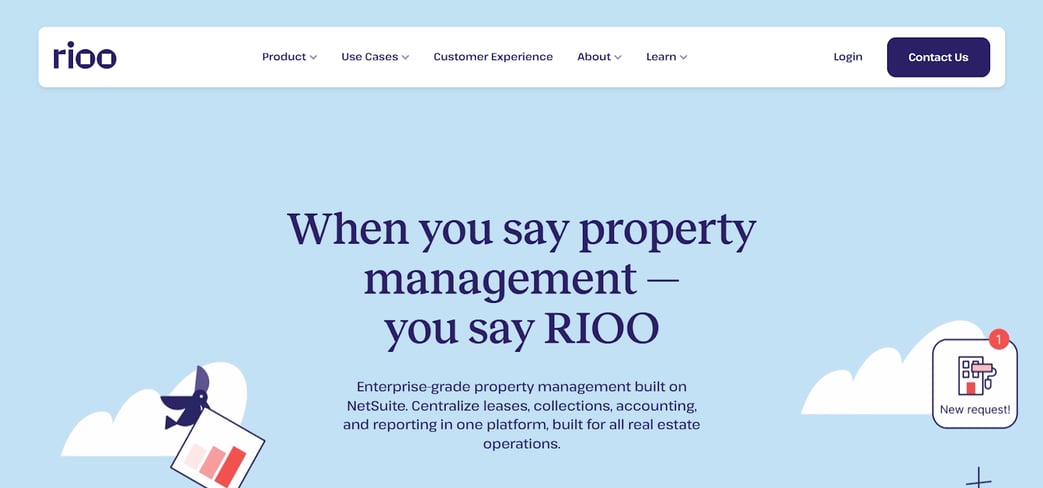
Best for: Mid-to-enterprise residential and commercial portfolios
Dashboard focus: All-in-one operational visibility and real-time insights
RIOO is a modern, cloud-based property management platform built to help teams manage complexity at scale.
It brings leasing, financials, maintenance, and operational data into one unified property management dashboard, so you spend less time switching systems and more time acting on insights.
Rather than juggling spreadsheets and scattered tools, RIOO provides a single pane of glass where teams can view portfolio performance, monitor occupancy trends, track rental income, and manage expenses and work orders, all in real time.
Across its client base, RIOO supports 180,000+ units under management and processes over 150,000 service requests, highlighting the scale and real-world utility of its dashboard tools across both residential and commercial portfolios.
Dashboard highlights
- Real-time portfolio performance views showing occupancy, revenue, and operational KPIs
- Role-based dashboards tailored for executives, finance teams, and site operators
- Cross-function visibility across leasing, maintenance, financials, and tenant metrics
- Customizable views and reports that align with specific team priorities
Why it stands out
RIOO strikes a strong balance between depth and usability. Unlike highly complex enterprise suites that require lengthy setup, RIOO delivers actionable insights with minimal configuration. Its real-time dashboards help managers spot trends early, improve operational efficiency, and make informed decisions without waiting for delayed reports.
2. AppFolio- Accounting-Centric Property Dashboards
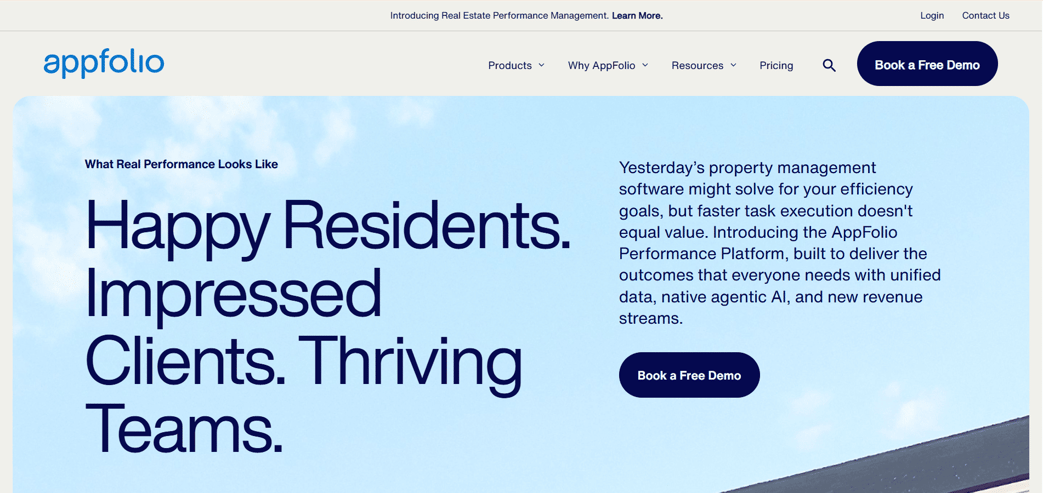
Best for: Residential portfolios with strong accounting needs
Dashboard focus: Financial and operational tracking
AppFolio’s dashboards lean heavily toward accounting and daily task management. Its property management accounting dashboard surfaces rent collection status, delinquencies, and operational to-dos clearly.
Dashboard highlights
- Rent collection and late payment tracking
- Financial summaries tied to daily operations
- Clear task and activity widgets
Where it fits best
AppFolio works well for residential managers who prioritize accounting visibility over deep customization or commercial flexibility.
3. Buildium- Owner and Portfolio Reporting Dashboards
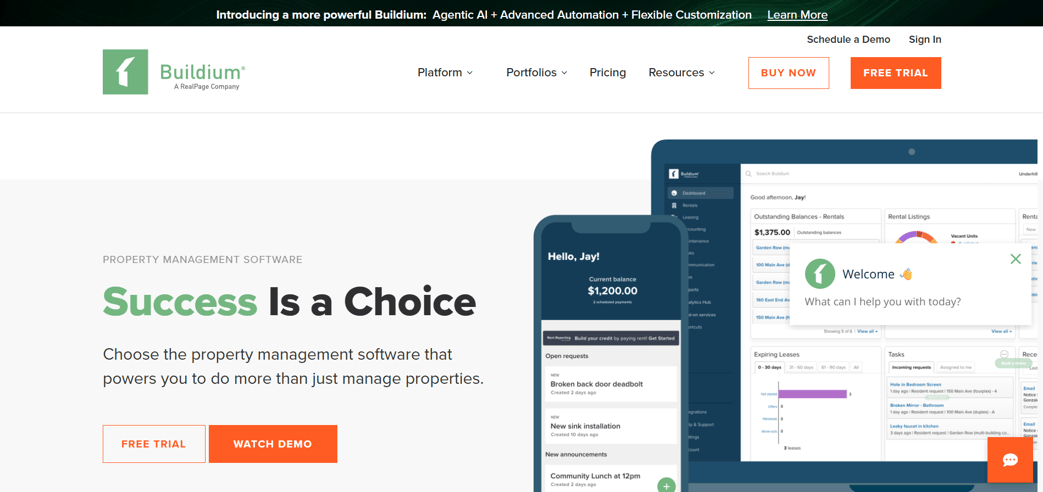
Best for: Property managers working with owners and associations
Dashboard focus: Portfolio summaries and owner reporting
Buildium dashboards are designed for clarity and communication. They offer simple portfolio snapshots that are easy to share with owners and boards.
Dashboard highlights
- Property-level performance summaries
- Owner-facing reporting dashboards
- Easy-to-read financial visuals
Limitations
Customization is limited for complex portfolios, but it performs well for smaller to mid-sized operations.
4. Yardi Voyager- Enterprise Asset and Financial Dashboards
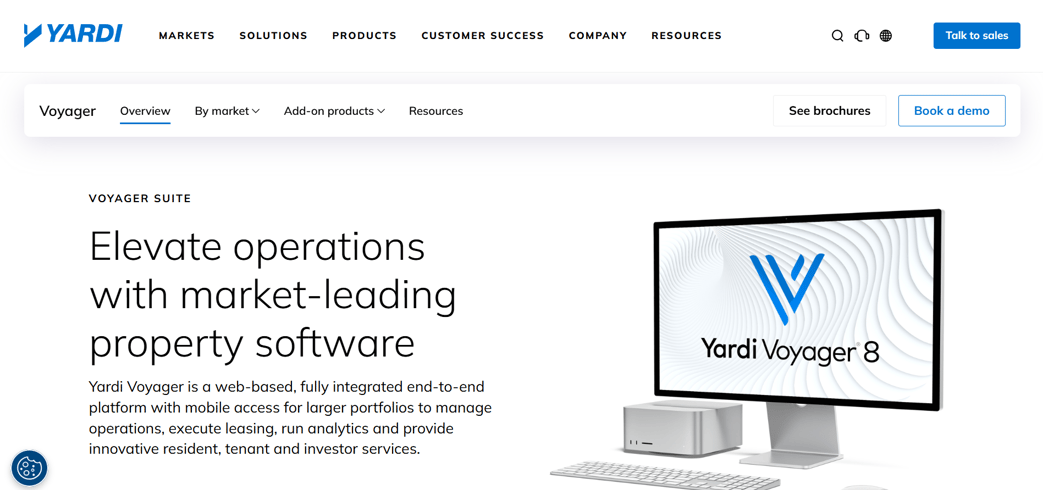
Best for: Large enterprise and institutional portfolios
Dashboard focus: Asset performance and financial analytics
Yardi Voyager provides highly configurable dashboards for enterprise users. Its dashboard property management approach supports deep financial, asset-level, and benchmarking analysis.
Dashboard highlights
- Advanced financial and asset KPIs
- Portfolio benchmarking tools
- Enterprise-grade reporting depth
Trade-off
Power comes with complexity. Setup and training requirements are higher than most platforms.
5. MRI Software- Investment and Performance Analytics Dashboards
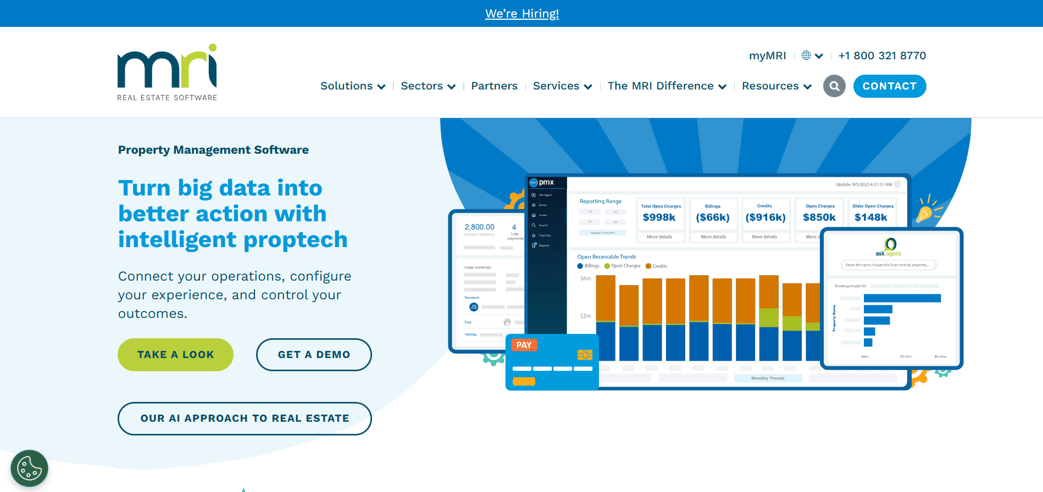
Best for: Asset managers and investment-focused portfolios
Dashboard focus: Long-term performance and analytics
MRI dashboards prioritize analytics over daily operations. They are built for tracking performance trends, forecasts, and investor reporting.
Dashboard highlights
- Investment performance indicators
- Forecasting and analytics views
- Custom reporting layers
Consideration
Not ideal for teams focused primarily on daily leasing or maintenance workflows.
6. Entrata- Leasing and Occupancy Dashboards
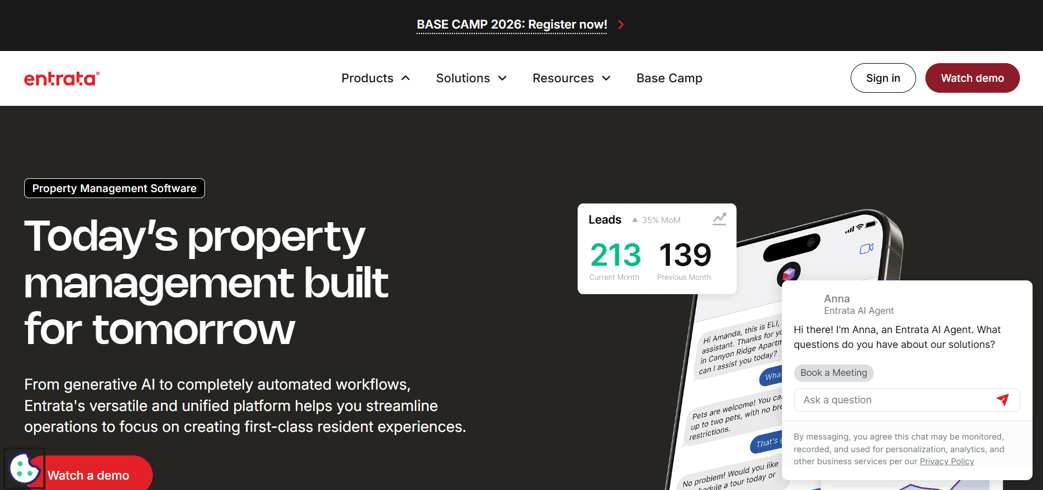
Best for: Multifamily operators
Dashboard focus: Leasing velocity and renewals
Entrata dashboards emphasize occupancy, leasing pipelines, and resident activity. These dashboards help teams reduce vacancy and improve renewals.
Dashboard highlights
- Occupancy and leasing velocity tracking
- Renewal and turnover visibility
- Resident engagement metrics
Limitation
Designed primarily for residential portfolios, with limited commercial use cases.
7. RealPage- Market Benchmarking Dashboards
Best for: Large portfolios needing market context
Dashboard focus: Benchmarking and revenue insights
RealPage dashboards shine in comparative analytics. They help teams understand how properties perform against market benchmarks.
Dashboard highlights
- Market rent and occupancy comparisons
- Revenue optimization insights
- Large-scale benchmarking data
Best use case
Ideal as a strategic layer, less suited for daily operational management.
8. Custom BI Tools (Power BI, Tableau)
Best for: Data-mature organizations
Dashboard focus: Fully custom analytics
Some teams build dashboards using BI tools connected to accounting, leasing, and maintenance systems.
Dashboard highlights
- Full customization
- Advanced analytics and visualizations
Downside
High setup effort, no native property workflows, and ongoing maintenance requirements.
As portfolios grow in size and complexity, the ability to interpret data quickly becomes a competitive advantage. The most effective dashboards simplify that process by presenting relevant insights clearly, enabling property teams to prioritize actions, allocate resources thoughtfully, and maintain stronger operational oversight.
Comparison Snapshot: Property Management Dashboard Solutions
|
Platform |
Best For |
Dashboard Strength |
|
RIOO |
Growing & enterprise portfolios |
Unified real-time dashboards |
|
AppFolio |
Residential accounting |
Financial visibility |
|
Buildium |
Owner reporting |
Simplicity |
|
Yardi Voyager |
Enterprise portfolios |
Depth and benchmarking |
|
MRI |
Asset managers |
Investment analytic |
|
Entrata |
Multifamily |
Leasing performance |
|
RealPage |
Market analysis |
Comparative insights |
|
BI Tools |
Advanced analytics |
Custom reporting |
Once those expectations are clear, the next step is understanding how dashboards actually deliver on them in day-to-day operations.
This is where solutions matter more than features.
Property Management Dashboard Solutions: Problems These Tools Solve
Dashboards matter because they remove friction from daily decision-making. At scale, even small visibility gaps create delays, cost leakage, and coordination issues. Modern property management dashboards are designed to address these operational pressure points directly.
Where dashboards create real impact
- Disconnected operational data
Leasing activity, financials, and maintenance updates often sit in separate systems. Dashboards centralize this information so teams aren’t reconciling numbers or cross-checking reports just to understand current performance. - Lag between activity and insight
Static or month-end reports surface issues too late. Real-time dashboards make changes visible as they happen — rising vacancies, delayed payments, or growing maintenance backlogs — allowing teams to respond earlier. - Inconsistent oversight across portfolios
As portfolios expand across regions or asset types, performance becomes harder to compare. Portfolio-level dashboards create a consistent view, helping teams spot trends, outliers, and underperforming assets quickly. - Blind spots in leasing and renewals
Without clear visibility into upcoming expirations and renewal patterns, opportunities to retain tenants are missed. Dashboards surface these timelines early, helping leasing teams prioritize outreach and reduce avoidable vacancy. - Maintenance inefficiencies
Work orders can pile up without clear prioritization. Maintenance dashboards bring open requests, response times, and vendor activity into one view, improving accountability and service consistency. - Unclear financial picture
When income and expenses aren’t connected operationally, financial confidence drops. Dashboards that link rent collection, operating costs, and performance metrics provide leadership with clearer oversight. - Diffuse accountability
When data is either hidden or overwhelming, ownership weakens. Role-based dashboards focus attention on what each team needs to act on, supporting clearer responsibility and faster follow-through.
In practice, the value of a property management dashboard lies in how effectively it removes uncertainty from everyday decisions, not in how much data it displays.
Final Thoughts
Dashboards are no longer just reporting tools; they are operational control centers.
A well-designed property management dashboard helps teams reduce manual work, improve accuracy, and act faster across leasing, finance, and operations.
By comparing real dashboard examples across platforms, property managers can choose solutions that match their portfolio size, asset mix, and growth goals without overpaying for features they don’t need.
If you’re looking for a platform that combines real-time dashboards with leasing, financial, and operational visibility in one system, RIOO offers a practical, scalable solution for modern property teams.
Explore RIOO dashboards and see how unified visibility works in practice.
FAQs
1. What is a property management dashboard used for?
A property management dashboard is used to monitor key operational, financial, and leasing data in one place. It helps property managers track occupancy, rental income, expenses, maintenance activity, and portfolio performance without relying on multiple reports or systems.
2. How is a property management dashboard different from standard reports?
Reports are static and often outdated by the time they’re reviewed. Dashboards update in real time or near real time, making it easier to spot issues early and take action. Dashboards also present data visually, which speeds up decision-making.
3. What metrics should a good property management dashboard include?
A strong dashboard should include occupancy rates, rent collected versus expected, operating expenses, maintenance response times, lease expirations, and portfolio-level performance indicators. The exact metrics may vary by role and portfolio type.
4. Are property management dashboards suitable for both residential and commercial portfolios?
Yes. Many modern dashboards are designed to support residential, commercial, and mixed-use portfolios. The key is choosing a platform that allows customization so data and workflows match the asset type being managed.
5. How do dashboards help reduce vacancies and improve profitability?
Dashboards help teams identify vacancy trends, track leasing velocity, monitor renewal timelines, and control expenses. By improving visibility and response time, property managers can act earlier, reduce revenue loss, and make more informed operational decisions.


.svg)
.svg)


.svg)