









Short answer: property management key control is the written policy and daily routine that tells you who holds every key, fob and code at each property, and why. It names an owner for the system and keeps keys coded and locked away. It logs every issue and return, sets clear rekey triggers, and checks the log against reality on a schedule. Without it, a lost master key or a former employee's fob becomes a risk you cannot measure.
Every key in a property office opens someone's home or a room full of equipment. Yet key control is often one of the least documented processes on site. It lives in a cabinet, a clipboard and the memory of one long serving manager. That works until the manager is on leave, a master key goes missing, or a resident asks who entered their apartment last Tuesday.
This guide sets out a practical policy you can adapt for residential or commercial buildings.
What a key control policy covers
A useful policy answers six questions in plain language:
- Who owns it? One named person per property, usually the property or community manager, with a named backup.
- What exists? An inventory of every physical key, fob, card and code, and what each one opens.
- Where are keys kept? The storage rules for spares and masters.
- How are keys issued and returned? The sign out and sign in routine for staff, vendors and residents.
- When do locks change? The events that trigger a rekey or a credential reset.
- How is it checked? The audit routine and who signs it off.
Write the policy down and keep it short. A two page document that staff follow beats a long manual nobody reads. Knowledge that lives in one person's head is a risk of its own, as we argued in our piece on tribal knowledge as an operational risk.
Build the key inventory
Start with a full count. List every lock and every key or credential that opens it. Group them by level:
- Unit keys: each apartment or suite, plus mailbox and storage locks tied to it.
- Common area keys: amenity rooms, laundry, bike storage, roof access.
- Restricted keys: mechanical rooms, electrical rooms, the key cabinet itself.
- Master keys: any key that opens more than one unit.
- Electronic credentials: fobs, access cards, keypad codes and smart lock accounts.
Give every key a code, such as K217, and put only the code on the tag. A tag that says the unit number and street name helps anyone who finds a lost ring. Keep the code book that links codes to doors in a separate locked place from the keys.
Masters need the tightest rules. Issue them only to roles that need broad access, and record each one by holder. If your locks use a restricted keyway, decide who is allowed to order copies from the locksmith and put that name in the policy.
Storage and sign out
Keep spare keys in a locked metal cabinet in a secured room. Lock the cabinet outside working hours. The cabinet key itself is a restricted key, held only by the process owner and the named backup.
Log every removal, with no exceptions. Each entry needs:
- The key code.
- Who took it and who approved it.
- The reason, such as a work order number, a lockout or a vendor visit.
- The time out and the time back.
Keys issued for a job should come back the same day. If a vendor needs access over several days, record the expected return date and follow up when it passes. Vendors should only receive keys after they are fully set up, as covered in our vendor onboarding checklist.
When to rekey
A policy needs clear triggers. "When it becomes a problem" is not a trigger.
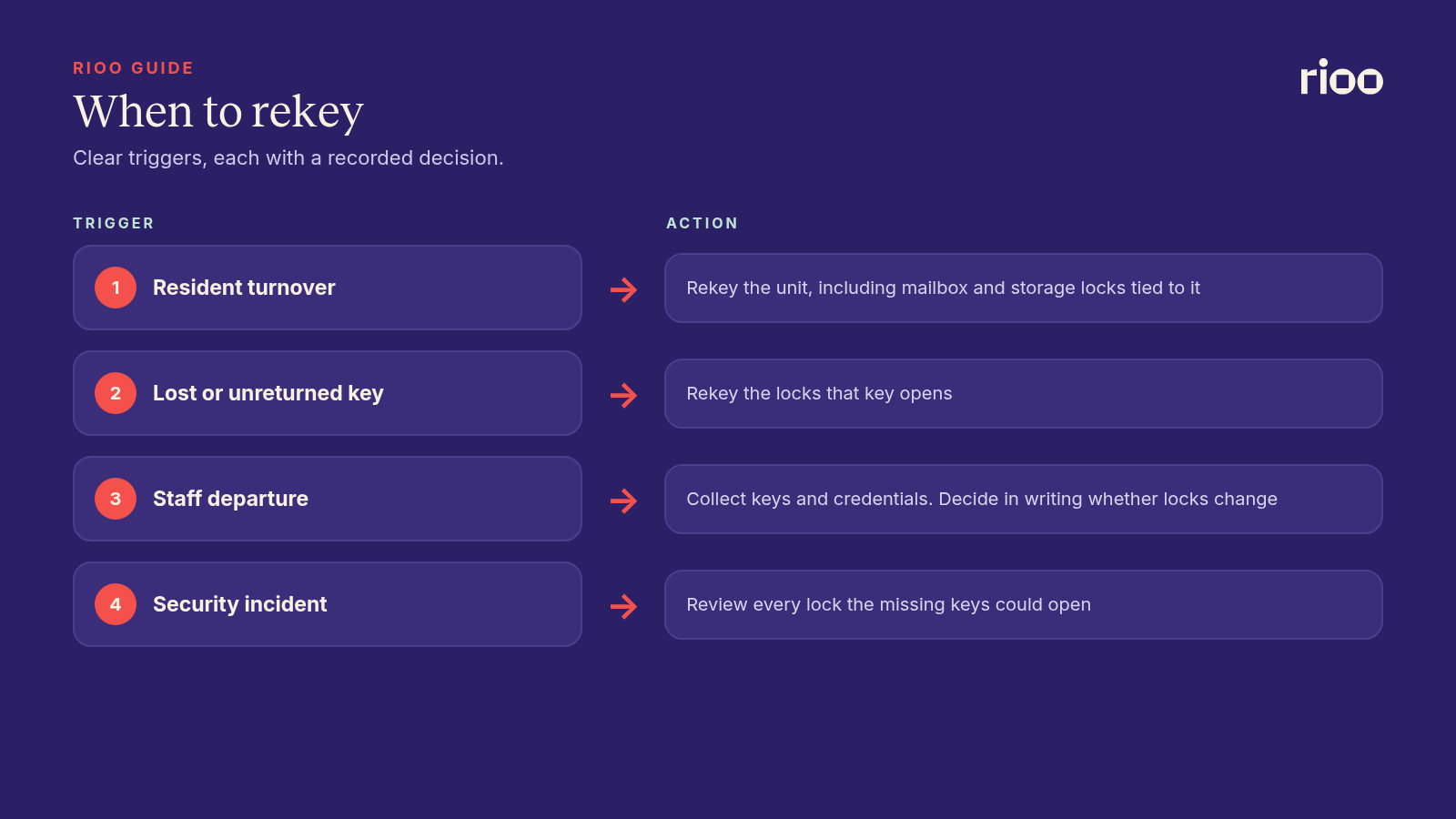
- Resident turnover. Rekey every unit between residents, including mailbox and storage locks tied to the unit.
- Lost or unreturned keys. If a key cannot be accounted for, rekey the locks it opens.
- Staff departure. When someone with master or restricted access leaves, collect their keys and credentials and decide in writing whether locks change.
- Security incidents. A break in, an unexplained entry or a stolen ring triggers a review of every lock the missing keys could open.
A returned key proves only that one copy came back. It does not prove no copies were made. That is why the decision to rekey or not should be recorded with a reason.
The move out and move in sequence
Turnover is a risky time for keys, because several people need access in a short time. Use the same order every time:
- Collect every key and credential from the departing resident at the move out inspection. Count them against the move in record.
- Issue turn keys to cleaners and technicians through the log, tied to the turn work orders.
- Rekey the unit once the old resident has gone.
- Test each new key in every lock that belongs to the unit.
- Issue keys to the new resident with a signed record of how many they received.
Fitting the rekey into the turn schedule keeps it from delaying move in. Our apartment make ready checklist shows where it sits in a five day turn.
Electronic access
Fobs, cards and smart locks make some parts easier. You can turn off a credential without a locksmith, and many systems keep an entry log. They also add new risks. A deactivated fob still in a drawer is harmless. An active fob for a resident who left months ago is not.
- Deactivate credentials on the day a resident moves out or a staff member leaves.
- Review the list of active credentials against the current rent roll and staff list on a set schedule.
- Treat shared codes, such as a gate code given to vendors, as a key. Change them on the same triggers.
- Decide who can create new credentials, and keep that list short.
Audit the system
An audit compares three things: the log, the cabinet and the people who should hold keys. Count the cabinet against the inventory. Check that every open log entry has a reason and a holder. Confirm that each master key holder still needs it.
Set the audit frequency in the policy, and add an extra audit after any loss, staff change at the management level, or lock system change. The person who runs the audit should not be the same person who manages the cabinet day to day. That split follows the same thinking as segregation of duties in property management.
A worked example
This is an illustrative case. A maintenance technician at a 120 unit community resigns on a Friday. He held a building master and a fob for the mechanical rooms.
- The manager collects the master and the fob at the exit meeting and records both returns in the log.
- The fob is deactivated the same afternoon.
- The log shows the master was never signed out to anyone else, and no copies were authorized. The manager records a decision not to rekey, with that reason.
- The next audit confirms the count matches.
If the master had not come back, the decision changes. Every lock the master opens would need a rekey, and the cost would be coded to the property as a security expense.
Who owns each step
| Task | Owner | Record |
|---|---|---|
| Policy and inventory | Property manager | Written policy and key list |
| Daily sign out and return | Office staff | Key log |
| Rekey at turnover | Maintenance lead or locksmith | Turn work order |
| Credential changes | Property manager | Access system log |
| Audit | Regional manager or a peer | Signed audit sheet |
Common mistakes
- Addresses on tags. Use codes only.
- Masters on general rings. A master should never travel with a set of unit keys.
- Logging only vendors. Staff removals need entries too.
- No reason recorded. A key out with no work order or lockout behind it cannot be checked later.
- Forgetting the code book. Kept in the cabinet, it defeats the coding.
Where RIOO fits
RIOO does not control locks or access systems. Live control of access and alarms stays with the building's own control systems. What RIOO handles is the work around them. RIOO move ins and move outs use readiness tasks for cleaning, repairs, keys and utilities, assigned and tracked before the move in date. A rekey can be raised as a work order. The locksmith's bill is matched to that work order, and the cost lands in the right property and expense category in NetSuite.
Frequently asked questions
Should every unit be rekeyed between residents?
It is the safer default, and some states require it. As of October 2026, Texas requires landlords to rekey locks operated by a key, card or combination no later than seven days after each tenant turnover date. The rule is in Texas Property Code section 92.156. Rules change, so check the current law for each state you operate in and confirm with counsel. Rekeying is usually cheaper than replacing locks, and it removes any doubt about copies made by the previous resident.
Who should hold master keys?
Only roles that need access to many units, such as the property manager and senior maintenance staff. Record each master by holder and review the list at every audit.
How long should key logs be kept?
Set a retention period in the policy and follow any rule your insurer or counsel sets. Logs matter when a resident asks about an entry months later, so keep them longer than one lease term.
Are smart locks a replacement for key control?
No. You still need an owner, an inventory of credentials, clear triggers for changes and regular audits.
What should a resident sign at move in?
A record of the number and type of keys, fobs and codes they received, and a note that lost keys must be reported. Count against the same record at move out.