









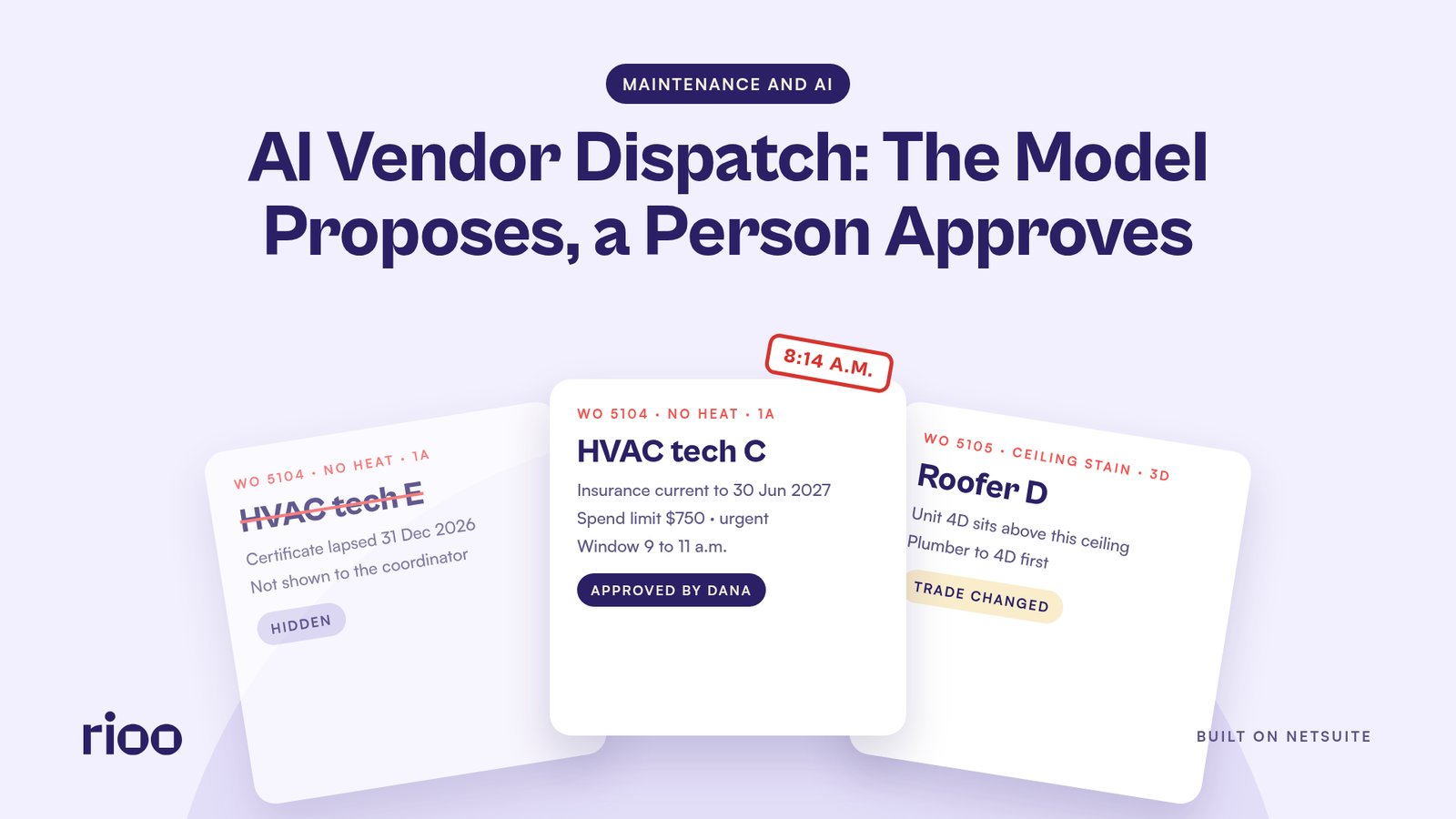
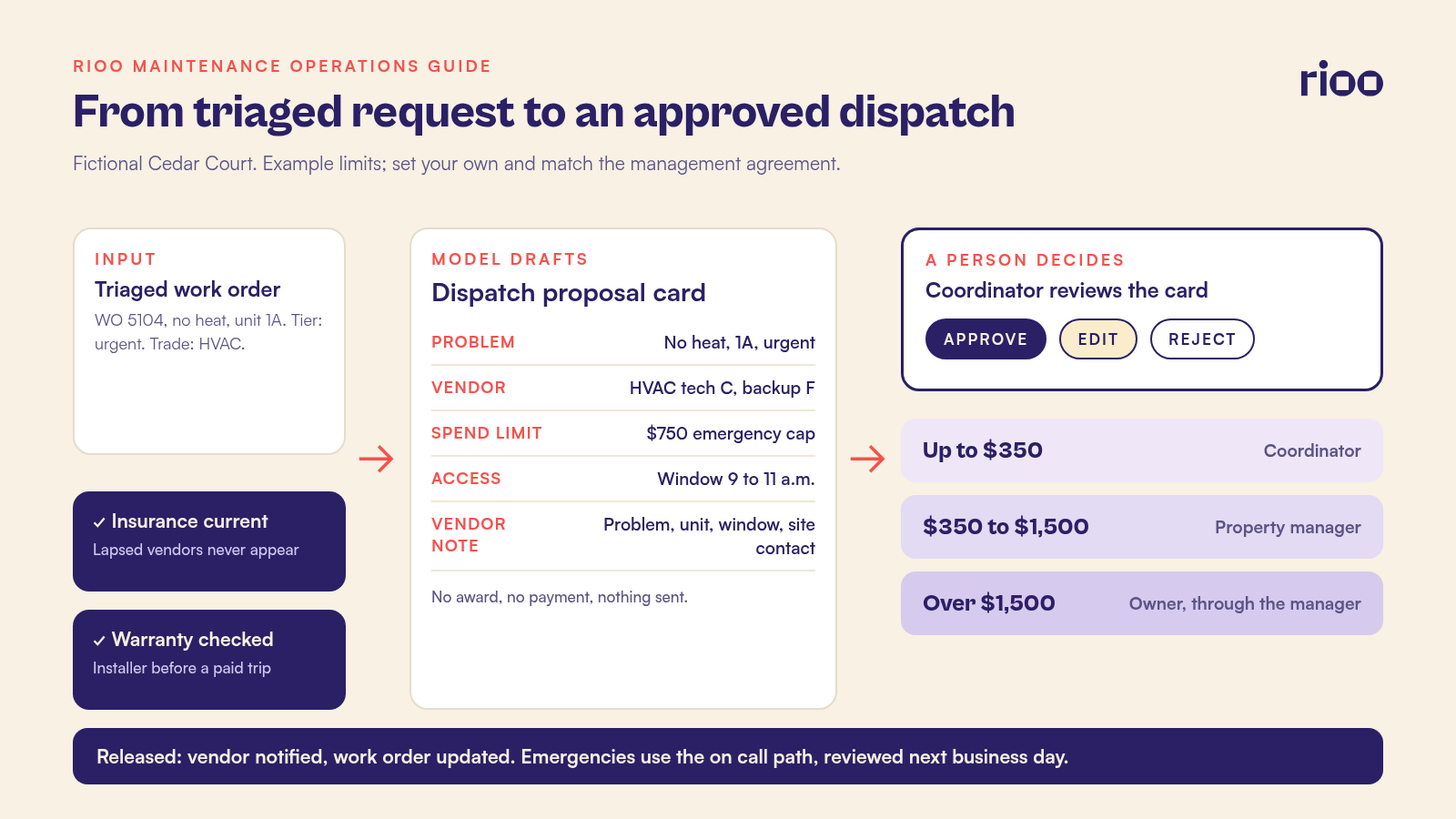
AI vendor dispatch works when the model prepares the job and a person sends it. The model reads a triaged work order and drafts a dispatch proposal. It names the trade and a vendor from your approved list. It adds the spend limit, the access window and the note the vendor will see. A coordinator checks that card and approves, edits or rejects it. Nothing goes to a vendor until a person says yes.
Watch a coordinator work a morning queue. Before any call to a vendor come four checks. Is the insurance current? Is the unit under warranty? Who may approve $600? Does the resident want a call first? A model can gather those answers in seconds. It should not be the one who commits the owner's money.
Where drafting ends and sending begins
Give the model a narrow job with a clear edge. It drafts. It never awards work, never pays, and never sends anything to a vendor on its own.
| Step | The model may | A person decides |
|---|---|---|
| Trade | Suggest the trade from the triage notes and photos | Confirm it, or change it after a question |
| Vendor | Rank vendors on your approved list for that property and trade | Pick the vendor |
| Insurance and licence | Hide any vendor whose certificate has lapsed | Decide whether to chase a renewal |
| Warranty | Flag a unit or asset that may still be covered | Call the installer or the paid vendor |
| Spend limit | Fill in the limit from your approval policy | Approve within their authority |
| Vendor note | Draft the note with the problem, unit and access window | Remove anything the vendor does not need |
| Sending | Nothing | Release the job |
The sorting step comes first and lives in a separate post. If you have not set tiers yet, start with how to set up AI maintenance triage. This guide picks up once the request has a tier and a trade.
Read a dispatch proposal field by field
A good proposal fits on one card. Each field answers one question the coordinator would otherwise look up by hand.
Problem and scope
One plain sentence about what is wrong and where. "Kitchen sink drain leaking into the cabinet, unit 2B, slow drip, bucket in place." Add the photos the resident sent. Leave out guesses about the cause.
Proposed vendor and the reason
Show the first choice and one backup, each with a short reason. "Plumber A: preferred for this property, insurance current to 30 June 2027. Last three jobs here closed on the first visit." A reason the coordinator can check is worth more than a confidence score.
Spend limit and approver
The model reads your approval policy and fills in the limit. It also names who must approve if the vendor finds more. The vendor sees the limit. The resident does not.
Access and entry
Show the resident's preferred window, any pet note, and whether entry notice is needed. Entry rules vary by state and lease. Keep the notice step with your team.
History and warranty
List open or recent work orders on the same unit and asset. A second leak under the same sink in 60 days changes who you send. Flag any warranty that may apply. The warranty check before dispatch post covers how to keep that register usable.
Who approves what
Write the approval ladder down before the model sees a single request. The model fills it in. It never decides where the lines sit. These amounts are an example. Set your own, and match any limit in the management agreement.
| Job type | Example limit | Who approves |
|---|---|---|
| Routine repair, vendor on the approved list | Up to $350 | Maintenance coordinator |
| Routine repair above the coordinator's limit | $350 to $1,500 | Property manager |
| Anything above the owner's limit | Over $1,500 | Owner, through the property manager |
| Emergency after hours | Make safe, up to $750 | On call manager by phone, logged and reviewed the next business day |
| New vendor, first job | Any amount | Property manager, after onboarding checks |
Keep the insurance gate ahead of every row. A vendor with a lapsed certificate should not appear as an option at all. The guide to what a certificate of insurance really shows explains what a current certificate does and does not prove.
Tuesday morning at Cedar Court
Cedar Court is a fictional 140 unit community, and this queue is an example. On Tuesday 12 January 2027, four triaged requests sat in the queue at 8:05 a.m. The coordinator, Dana, worked the proposals with the property manager, Luis, on call by phone.
| Work order | Model proposal | What Dana did |
|---|---|---|
| WO 5102, sink drain leak, 2B | Plumber A, limit $350, window 10 a.m. to noon | Approved as drafted at 8:09 a.m. |
| WO 5103, dishwasher not draining, 4C | Appliance tech B, limit $350, with a warranty flag | Checked the register, called the installer instead |
| WO 5104, no heat, 1A | HVAC tech C, limit $750, urgent | Edited the vendor note. Luis okayed the $750 limit by phone, and Dana released the job at 8:14 a.m. |
| WO 5105, ceiling stain, 3D | Roofer D, limit $350 | Rejected and changed the trade to plumbing |
The warranty flag
The dishwasher in 4C was installed on 3 November 2025. The model flagged a possible two year parts and labour warranty. Dana opened the register. Coverage ran to 3 November 2027. She called the installer and booked a Thursday visit. The paid vendor was never sent.
The vendor note in 1A
The resident in 1A had written: "Please hurry. I'm on oxygen and it's cold in here." The model copied that line into the draft note for the HVAC tech. Dana took it out. She kept the urgency and the access window, and called the resident herself to offer a space heater while the tech was on the way. Health details stay with your team.
HVAC tech C was the second choice. The first choice, HVAC tech E, had a certificate that lapsed on 31 December 2026, so it never appeared on the card. The model's log showed why. Dana sent E a renewal reminder from the vendor record.
The wrong trade
The ceiling stain in 3D sits under unit 4D. The model read "stain on ceiling" and proposed a roofer. Dana knew 3D is on the third of four floors.
"There's a whole apartment above that ceiling," she told Luis.
"Send a plumber up to 4D first," he said. "If it's dry up there, we call the roofer."
The plumber found a weeping supply line under the 4D bathroom sink. The repair came to $410, above Dana's $350 limit, so it went to Luis. He approved it from his phone at 11:40 a.m. All four requests had a decision by 8:20 a.m. The model saved Dana the lookups. Her picture of the building caught the proposal that was wrong.
Privacy in the note, fairness in the ranking
A dispatch note travels outside your company. Treat it like a document a stranger will read in a van.
- Send the vendor the unit, the problem, photos of the problem, the access window and a site contact. Leave out balances, payment history, health details and anything about household members.
- Share a resident's phone number only when your policy and the resident allow it. A site contact is often enough.
- Route by property, trade, insurance and history. Never let the model weigh who the resident is, where they come from, or how often they complain.
- Send any request that mentions a disability, a medical device or an accommodation to a person. Schedule changes and priority for those requests are your team's call.
- Keep leases, bank details and identity documents out of any general purpose chatbot.
Two weeks in shadow mode first
Start in shadow mode. The model drafts proposals for two weeks while coordinators dispatch as usual. Compare the drafts with what your team actually did.
What to compare
Check the trade, the vendor and the limit on every proposal. Note every case where the model would have sent a lapsed vendor, missed a warranty or put private details in a note. Any of those means the rules need work before go live.
What to track once it is live
- Minutes from triage to an approved dispatch, by tier.
- Share of proposals approved unchanged, edited, or rejected, with the reason.
- Return trips within 30 days on the same unit and asset.
- Jobs that ran past the spend limit without a new approval.
- Vendors hidden for a lapsed certificate, and how fast they renewed.
Measure vendors against the targets you already agreed. The vendor SLA template with three clocks sets those targets. For where the hand off should stop across the whole request flow, see where maintenance request automation should stop.
Where RIOO fits
A dispatch proposal is only as good as the records it reads. In RIOO, every maintenance request becomes a work order linked to the property, unit, asset and lease in NetSuite. Vendor records hold insurance certificates and licences with expiry dates, so an approver can see whether a certificate is current before releasing a job. For vendor work, a purchase order links to the work order with the vendor, scope and agreed price. Approval routing follows your rules by property, amount or category. The asset's warranty is checked first, so the installer is called before a paid vendor. When the job is done, the vendor bill is matched to the purchase order and work order before payment. RIOO does not make the dispatch decision for you. It keeps the facts a coordinator needs in one place. See the request to expense workflow.
AI dispatch FAQ
Can AI dispatch a vendor without approval?
It can be set up that way, and it should not be. Dispatch commits money, sends a stranger to a home, and shares resident details. Keep a person on the release step, even for small jobs.
What if the model keeps picking the same vendor?
Check its reasons. If one vendor wins because it closes jobs on the first visit, that may be right. If it wins because it was simply first on the list, add rotation rules or capacity limits, and review the split each month.
How does it handle emergencies at night?
Emergencies follow your on call process. The model can draft the card and page the on call manager. The manager approves the make safe work by phone, and the log is reviewed the next business day.
Should vendors know a model drafted the note?
Vendors care that the note is accurate and the job is approved. Tell them your process, and give them one contact who can change a job. Never let a vendor reply to the model as if it could authorise more work.
What do we need before switching it on?
A clean approved vendor list by property and trade, current insurance dates, a written approval ladder, and a warranty register. Without those, the model will draft fast proposals from bad data.