









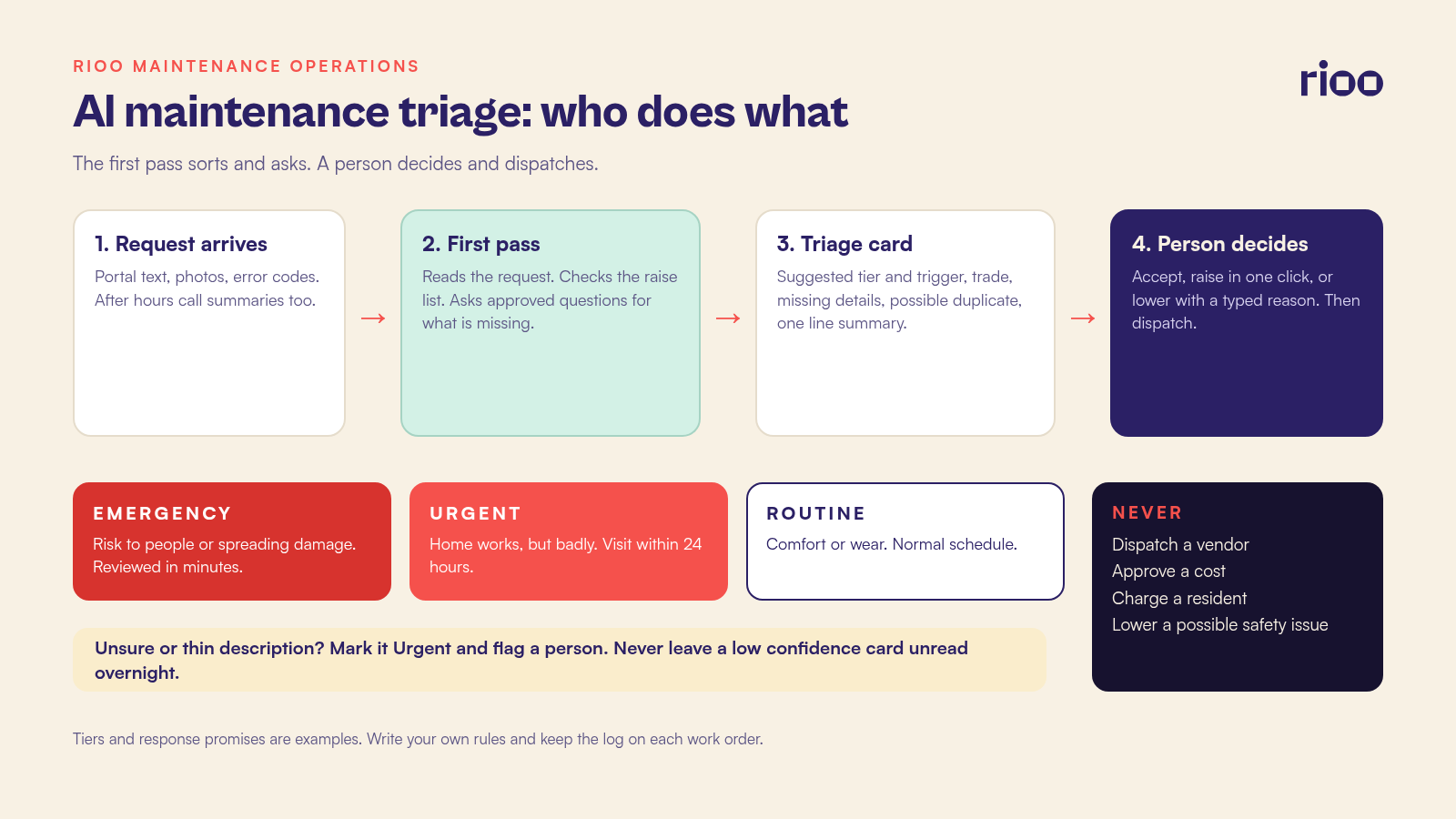
AI maintenance triage is a first pass over incoming requests. A model reads what the resident wrote, looks at any photos, and compares the request with your written emergency rules. It suggests a priority tier and a trade, and asks the resident for anything missing. Then a person decides. The model never dispatches a vendor, never charges a resident, and never lowers the priority of anything that could hurt someone.
That last rule shapes everything else in this guide. Residents often understate problems. "Small drip from the ceiling" can mean a supply line letting go upstairs. A good triage setup treats thin or worrying descriptions as a reason to raise the priority and bring a person in sooner.
What the first pass is allowed to do
Give the model a short job description, the same way you would brief a new coordinator on day one. Write it down and keep it with your maintenance policy.
Jobs the model can take
- Read the request text, any photos and any error codes the resident typed in.
- Match the request to a trade, such as plumbing, electrical, appliance, HVAC or locks.
- Suggest a tier from your written rules, with the phrase that triggered it.
- Ask the resident for missing details, using questions your team approved in advance.
- Spot likely duplicates, such as three reports of the same hallway light.
- Put a short summary on the work order so the technician reads one paragraph instead of a thread.
Jobs that stay with a person
- Sending a vendor or a technician, and approving any cost.
- Telling a resident the issue is not urgent.
- Any charge to a resident, including a chargeback for damage.
- Anything that mentions gas, smoke, fire, sparks, carbon monoxide, flooding, no heat in freezing weather, a broken entry door or a person who feels unsafe.
- Any request tied to a disability, a reasonable accommodation or an assistance animal.
For the wider argument across the whole request lifecycle, our piece on where maintenance request automation should stop covers capture, dispatch and closeout. This guide stays with the sorting step.
Write the triage rules before you switch anything on
A model can only apply rules you have written. Skip this step and the tool is guessing. Four short documents do the work.
Step 1: Name three tiers and what each one promises
Keep the tiers few and plain. A common set looks like this.
| Tier | What it covers | Response promise (set your own) |
|---|---|---|
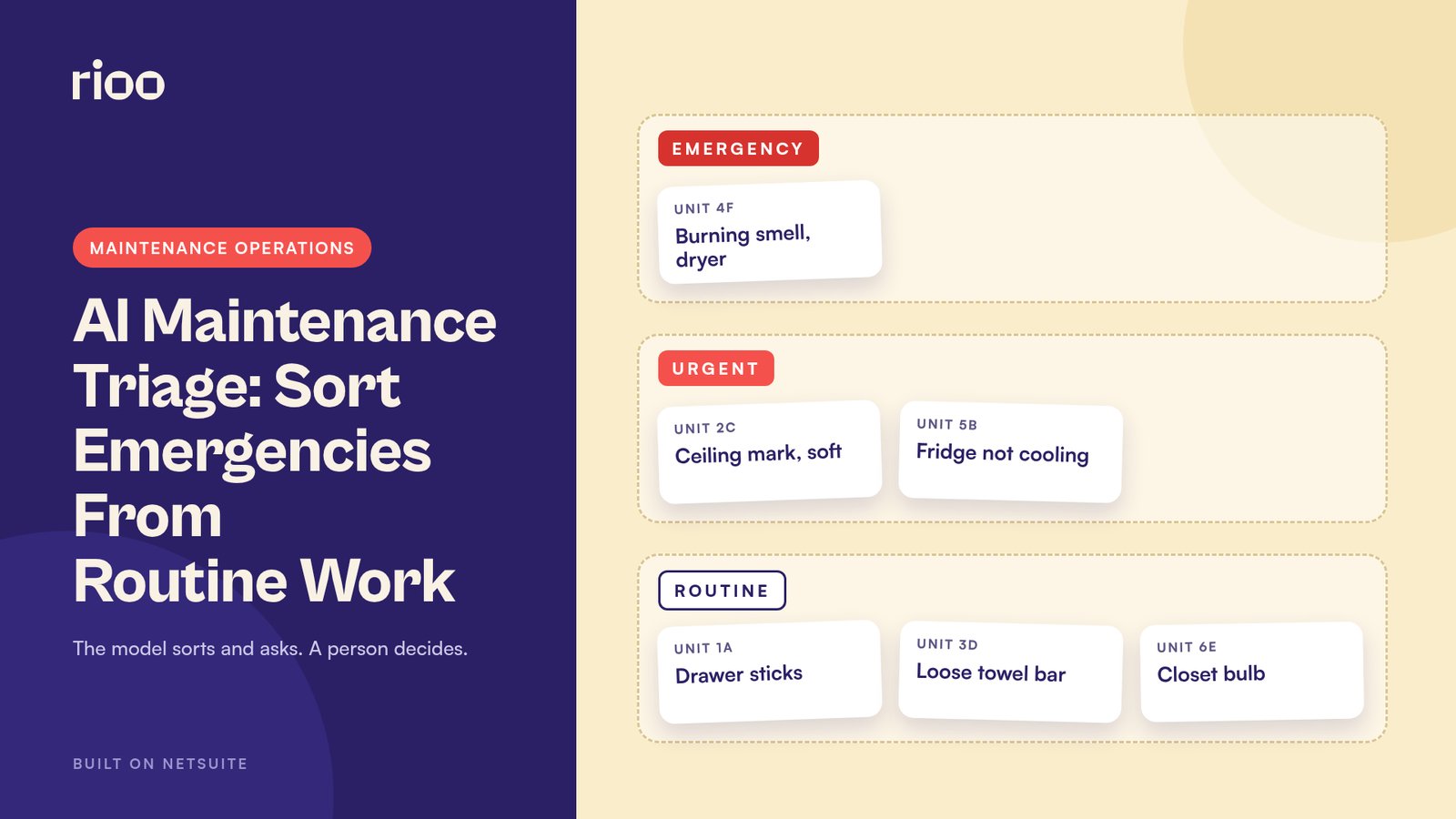
| Emergency | Risk to people, or damage still spreading: active leak, sewage backup, no heat in freezing weather, power loss to the unit, unsecured entry | Person reviews within minutes; on call technician paged |
| Urgent | The home works, but badly: one toilet down when there are two, fridge not cooling, a slow leak under a sink with the valve off | Reviewed the same morning; visit within 24 hours |
| Routine | Comfort or wear: sticking drawer, loose towel bar, dim bulb in a closet | Reviewed the same day; booked on the normal schedule |
Our guide to what counts as an emergency maintenance request has a fuller set of tests you can borrow for the top tier.
Step 2: List the words and signs that always raise the tier
Write a "raise" list. If any item appears, the suggestion can only go up. Include words like gas, smell, smoke, burning, sparks, sewage, no heat and no water. Add phrases such as water through the ceiling, door will not lock, and an infant or elderly resident in a unit with no heat. Add photo signs too: standing water, scorch marks, a sagging ceiling.
Step 3: Decide what a complete request looks like for each trade
A plumbing request needs the room, the fixture, whether water is still running and whether the shutoff has been used. An appliance request needs the make, the model sticker photo and the error code. A lock request needs whether the resident can get in tonight. The model asks for these and nothing more.
Step 4: Set the path when the model is unsure
Uncertainty goes up the ladder. If the model cannot place a request with confidence, it marks it Urgent and flags it for a person. A low confidence Routine suggestion should never sit unread overnight.
The triage card a coordinator reviews
Whatever tool you use, the person reviewing should see the same short card for every request. That keeps decisions quick and consistent.
| Field | Example |
|---|---|
| Suggested tier and why | Urgent. Trigger: "water stain spreading" |
| Suggested trade | Plumbing |
| Details still missing | Is water dripping now? Photo of the unit above? |
| Possible duplicate | Unit 3C reported "noise in wall" yesterday |
| One line summary | Ceiling stain in bathroom of 2C, growing since Saturday |
| Decision | Accept, raise, lower (with reason), or call the resident |
Lowering a tier should require a typed reason. Raising should take one click. That small difference protects you when someone is tired at 6 p.m. on a Friday.
A Monday queue of 31 requests, worked through
Here is a fictional example. Linden Place has 180 apartments and one coordinator, Priya, who starts at 7:30. Over the weekend, 31 requests arrived through the portal and the after hours line.
The first pass sorted them before she sat down. It suggested 2 Emergency, 6 Urgent and 23 Routine. It had already asked follow up questions on 9 requests, and 5 residents had answered.
Priya started with the two Emergency cards. One was a smell of burning from a dryer in 4F, logged at 6:55. The word "burning" is on the raise list, and the written rule sends those cards straight to the on call technician's phone. He had called the resident at 7:02, told her to stop the dryer, unplug it and call 911 if she saw smoke, and was on his way. Priya confirmed the visit and logged it. The other was flagged on "door will not lock." Priya called the resident, who was home and could lock the door with the handle lock and the chain. Only the deadbolt was sticking. She lowered it to Urgent with that reason typed on the card.
The card worth studying sat in the Routine pile. Unit 2C had written on Saturday: "Small brown mark on bathroom ceiling, no rush." The model had tagged it Routine with low confidence. It had also asked, "Is the mark getting bigger, or is water dripping now?" The resident replied on Sunday night: "It's bigger than yesterday. Bit soft when I touched it."
The model moved the card to Urgent on the words "bigger" and "soft." Priya read it and raised it again to Emergency. Unit 3C, directly above, had logged "knocking noise in the wall" on Sunday. A technician found a weeping supply line behind the 3C vanity at 8:40. The repair was a $185 part and an hour of labor. Left until the routine schedule, the ceiling in 2C could have come down, with drywall, paint and a displaced resident to follow.
Priya reviewed all 31 cards by 8:15. She changed 4 suggestions: 1 up, 3 down. Each change carried a reason that she or her manager can read later.
Fair housing and privacy guardrails
Triage looks like a pure operations task. It still touches residents' homes, health and messages, so build in these checks from the start.
- Same request, same tier. The tier should depend on the problem, never on the unit, the building's rent level or the way someone writes. Test this by submitting the same issue in plain words, formal words and a second language your residents use. The suggestions should match.
- No guesses about people. The model should not infer age, disability, familial status or national origin from a message. If a resident says they use a wheelchair and the elevator is out, that goes straight to a person.
- Accommodation requests are never triaged as repairs. A request for grab bars or a ramp is a reasonable modification or accommodation request. Route it to the person who handles those.
- Keep tenant data where it belongs. Run triage inside your property system or an approved tool with a signed agreement. Never paste resident names, unit numbers, photos of their home or lease pages into a public chatbot.
- Keep the log. Store the suggestion, the trigger, the questions asked and the human decision on the work order. If a resident disputes how fast you responded, that record is your answer.
How to test it, then measure it
Run the first pass in shadow mode for two to four weeks. It makes suggestions, but coordinators triage exactly as they do today and do not see the suggestions. At the end, compare the two.
What to compare in shadow mode
- Missed raises. Count requests a person marked Emergency or Urgent that the model put lower. Read every one. One missed gas smell is a stop sign.
- Over raises. Count requests the model pushed up that a person lowered. Some of this is fine. A lot of it means your raise list is too broad.
- Follow up quality. Read twenty of the questions it sent. Were they the questions your best coordinator would ask?
What to track once it is live
- Time from request to first human review, by tier.
- The share of suggestions a person changed, and in which direction.
- First visit completion rate, which should rise when tickets arrive with the right details.
- Repeat visits within 30 days for the same unit and trade.
- Resident complaints about response time.
Use your own baseline. Pull these numbers for the month before you start so you can compare like with like.
Where RIOO fits in the request queue
In RIOO, residents submit requests in the tenant portal, and each request becomes a work order tied to the property, unit, asset and lease in NetSuite. The service request and task management module routes requests to the right team member and lets your team prioritize by urgency, with status updates the resident can see. Whatever first pass you put in front of that queue, the human decision, the technician's notes and the cost all land on one record. That record then follows the request to expense workflow through to the vendor bill and the right line on the property's books.
If you are deciding which other jobs to automate, our list of property management automation tasks covers the wider set. For approvals, see who owns a decision AI helped make.
Questions coordinators ask about AI triage
Can AI decide if a maintenance request is an emergency?
It can suggest that a request looks like an emergency and alert a person quickly. The decision, and the dispatch, should stay with your on call staff.
What if the resident's description is vague?
Treat vague as a reason to ask and to raise. The model asks your approved questions, and a person reviews anything it cannot place with confidence.
Will residents know a bot asked the follow up questions?
They should. Say so plainly in the message, and give a phone number for anything urgent. Residents who find out later tend to trust the whole process less.
Does triage work for after hours calls?
The same rules apply, but phone calls need a live path for anything on the raise list. A text summary of a call can be triaged. A caller who smells gas needs a person on the line at once, telling them to leave and call 911 or the gas utility from outside.
How long before we trust the suggestions?
Trust grows from the shadow test and the weekly review of changed suggestions. Some teams keep human review on every card permanently, and that is a sound choice.