









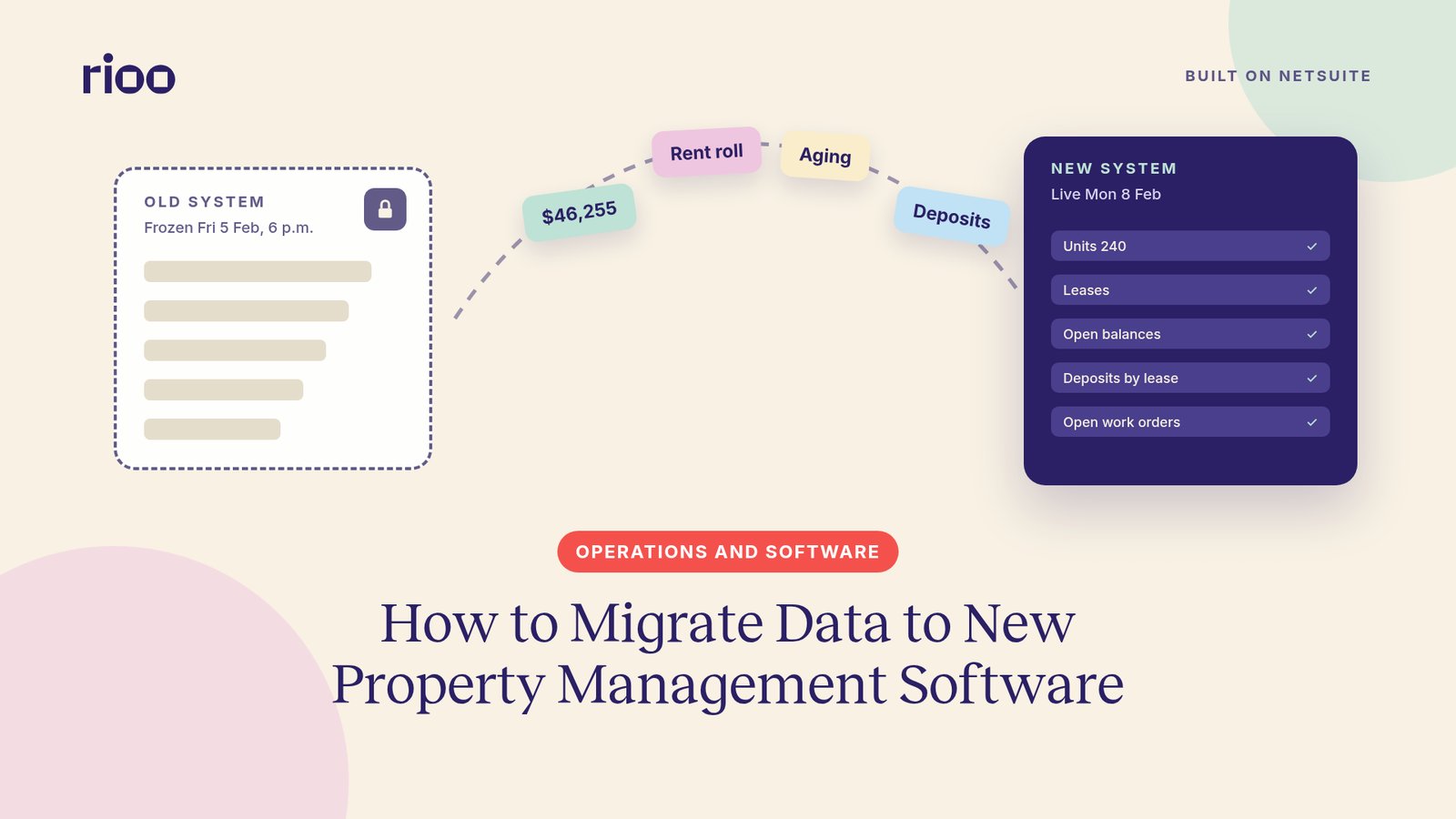
Pick the cutover date first. Every other task in a property management data migration counts back from it.
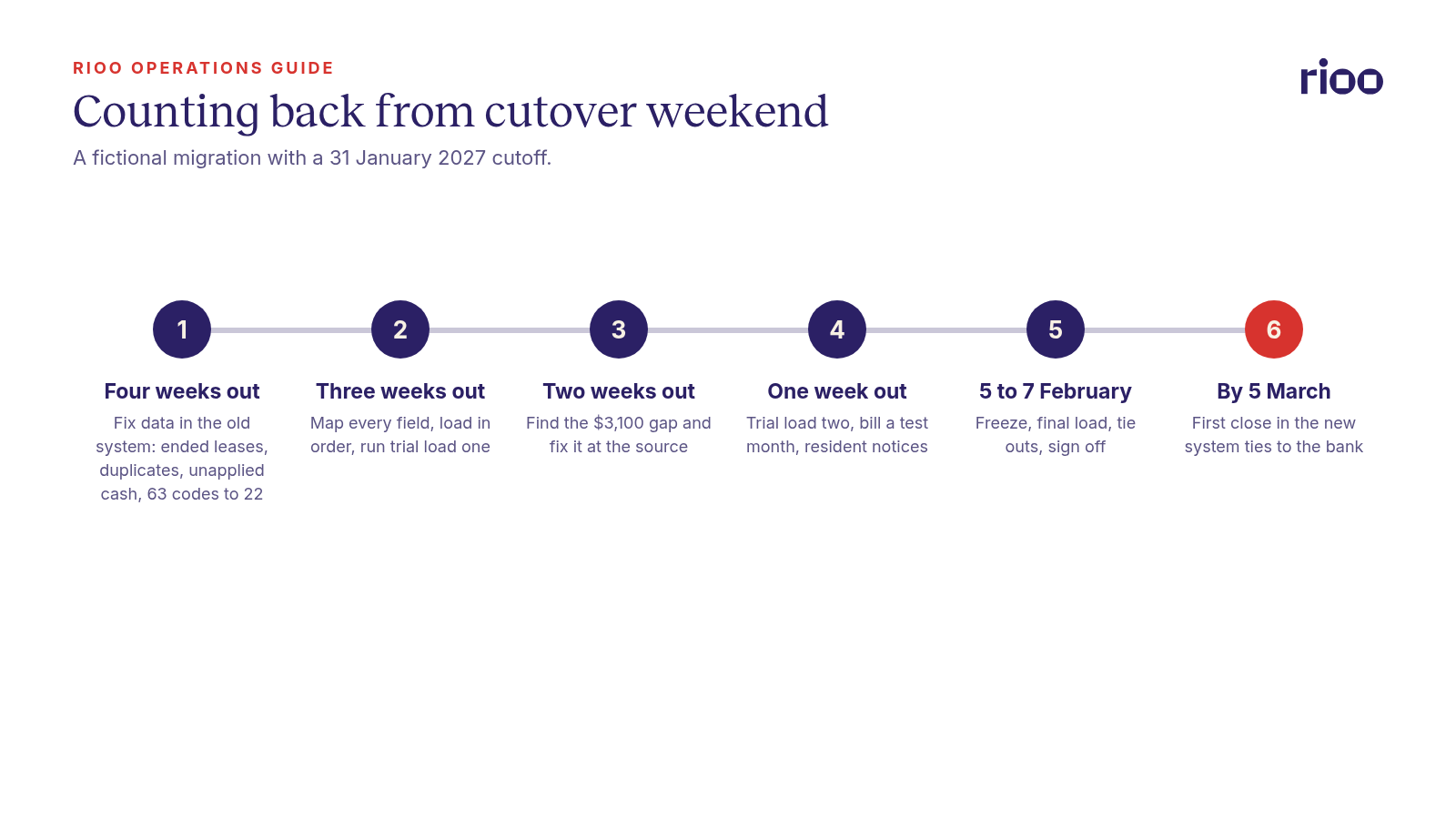
A clean migration has three stages. Four weeks before cutover, you fix the data in the old system and run trial loads into the new one. On cutover weekend, you freeze the old system, load final balances and check them against the old reports. In the first month after, you run a full close in the new system and prove it ties to the bank. Open tenant balances move as individual charges with their original dates, so aging and late fees still work. Deposits move as a liability by lease. Nothing goes live until finance signs a reconciliation of the rent roll, receivables and deposits.
The plan below follows one migration from start to finish. The portfolio, names and figures are fictional, but the problems in it turn up in real projects. For the full list of data sets and the fields each one needs, see the RIOO data migration guide.
Set the dates and the owners first
For example, take a regional operator that manages 240 units across three properties: Maple Court with 96 units, Riverside Flats with 84 and Elm Row with 60. Rent is due on the 1st. The team picks these dates:
- Cutoff date: 31 January 2027. The January close finishes in the old system, and its closing figures become the opening balances in the new one.
- Cutover weekend: Friday 5 to Sunday 7 February 2027. Rent received from 1 to 5 February is posted in the old system as normal, then loaded as transactions.
- Go live: Monday 8 February 2027.
- First close in the new system: February, due by 5 March 2027.
Why not go live on the 1st? Because that week carries the heaviest payment volume of the month. A cutover a week later gives the team quiet days to load and check, and the January close is already signed.
One person owns the project on the operator's side. She is the assistant controller, and she knows the old system well. Each property manager owns the accuracy of their own leases. Finance owns balances and deposits.
The countdown to cutover
Four weeks out: fix the data where it lives
Clean the data in the old system, before any export. Fixes made in a spreadsheet halfway through a load get lost when you extract again.
Leases that ended but still look active. Run a list of leases past their end date with no move out recorded. At Riverside Flats this turned up 7 units. Two were real month to month tenancies. Five were move outs nobody had closed. Left alone, those five would have billed rent in the new system from day one.
Duplicate residents and vendors. Search for residents who share a phone number, email or bank account. Transfers between units often leave two records for one person. Merge them so each resident has one ledger. Do the same for vendors, matching on tax ID.
Unapplied cash. Payments that sit on a ledger without being matched to a charge will travel as a confusing credit. Apply them or refund them now. Our guide to clearing unapplied cash walks through each common cause.
Charge codes. The old system had 63 charge codes. Many were near copies, such as three versions of pet rent. The team cut them to 22 and mapped each one to an income account. Do this before mapping, or you will map the mess.
Fields that tend to be missing. Pull a blank field report for lease end dates, notice dates, future rent steps, deposit amounts by lease and resident email. Rent steps often live only in the signed lease PDF. Missing emails matter because residents get their new portal invitation by email.
Three weeks out: map, then run the first trial load
Mapping means deciding where each old field lands in the new system. Write it down in one sheet with four columns: old field, new field, rule and owner. A rule might be "trim spaces from unit numbers" or "convert lease term from text to a date".
Load data in dependency order. Properties and units first, then residents, then leases, then recurring charges, then open balances, then deposits. A lease cannot load if its unit does not exist yet.
Run the first trial load into a sandbox. Expect it to fail in places. Its job is to find problems while there is time to fix them in the old system.
Two weeks out: tie the ledgers to the general ledger
This is the week the trial load pays for itself. Compare every control total from the sandbox with the old system, and fix each difference at the source. In this example, one check turned up a $3,100 gap, worked through in the next section.
One week out: trial load two and resident notices
Run a second full trial load with the same scripts you will use on cutover weekend. This one should pass every tie out. If it does not, fix and run it again. A third trial is normal for a messy portfolio.
Then bill a test month. Generate February charges in the sandbox and compare them, line by line, with what the old system would bill. A rent step that loaded on the wrong date shows up here.
Tell residents what changes. Saved card and bank details usually cannot move between payment processors, so autopay has to be set up again. Send the first notice now and a reminder after go live, with a date and a help contact. Tell vendors where to send invoices from 8 February.
The $3,100 the trial load found
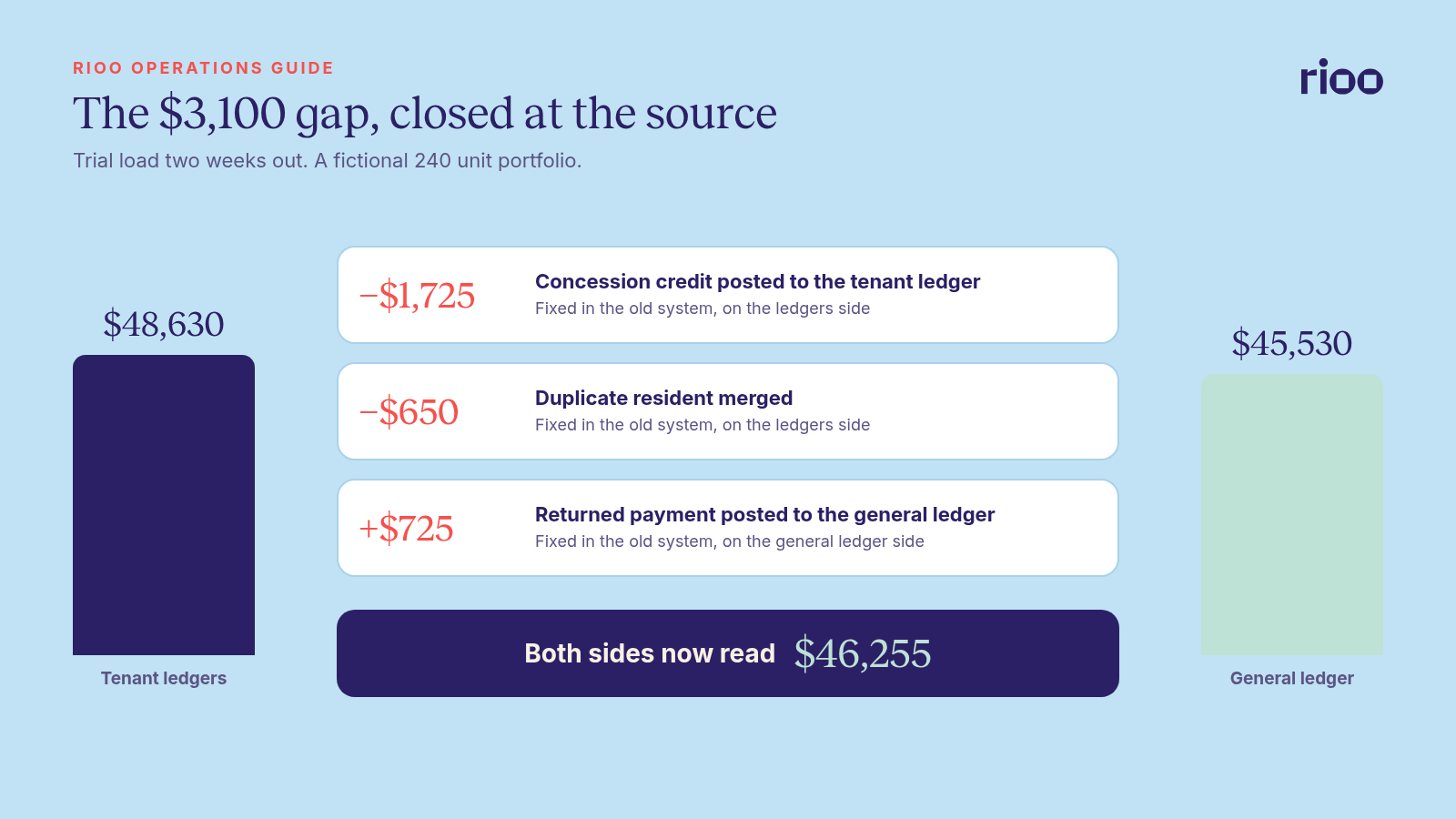
After the trial load, the assistant controller compared two figures that should match. The tenant ledgers added up to $48,630 owed. The receivables control account in the old general ledger showed $45,530. That is a gap of $3,100.
A gap like this existed before the migration. The trial load only made it visible. Here is what it turned out to be:
| Cause | Effect | Amount | Fix in the old system |
|---|---|---|---|
| A concession was posted straight to the receivables account by journal entry and never reached the tenant's ledger | Ledgers higher than the general ledger | $1,725 | Post the credit to the tenant ledger |
| A resident who moved from unit B2 to B7 had two records, each showing the same balance | Ledgers higher than the general ledger | $650 | Merge the records |
| A returned payment was reversed on the tenant ledger but not in the general ledger | General ledger lower than the ledgers | $725 | Post the reversal to the general ledger |
| Total | $3,100 |
After the fixes, both sides read $46,255. The ledgers fell by $1,725 and $650. The general ledger rose by $725. The difference is now zero, and it is zero in the old system, which is where it had to be fixed.
If you skip this check, the new system opens with a balance nobody can explain. Our post on what a tenant ledger is and why it matters covers how ledgers and the control account should relate.
The other tie outs to run that week
- Unit count by property, against the old rent roll.
- Active leases and monthly scheduled rent, against the old rent roll total.
- Receivables by property and by age bucket, against the old aging report.
- Deposits held by lease, against the deposit liability account and the bank.
- Open work orders and unpaid vendor bills, by count and amount.
Cutover weekend
Keep the weekend dull. Every step should be one you have already done twice in the sandbox.
Friday 5 February, 6 p.m.
Freeze the old system. Staff can still read it, but nobody posts. Run the final extracts and save the old system's reports as PDFs: rent roll, aging, deposit register and trial balance. These are the figures you will check against.
Saturday 6 February
Load in the same order as the trials. Post the opening trial balance at 31 January, then the February activity from 1 to 5 February. Run the tie outs. Any difference stops the load until someone explains it.
Sunday 7 February
Each property manager spot checks 10 ledgers from their own property against the old system. Finance signs the tie out sheet. Switch the resident portal and payment links to the new system. If something fails that cannot be fixed by evening, the old system is still intact, and you can go live a week later.
FAQ: timing, opening balances and sign off
How long does a property data migration take?
Plan on four to eight weeks from the first export to go live for a portfolio of a few hundred units. Data quality decides the length more than unit count does. A portfolio with clean ledgers can move faster than a smaller one with years of manual journal entries.
Should we load one opening balance per tenant?
Avoid it where you can. A single net figure loses the age of each charge, so aging reports and late fees go wrong. Load each open charge with its original date, and use a single line only where the detail is truly gone.
Can we go live in the middle of a month?
Yes. Load the closed month as the opening position, then load the activity from the 1st to the cutover date as transactions. That is what the team in this example did.
What if the totals do not match on cutover weekend?
Stop and find the cause. Do not post a balancing entry to force a match. A plug figure hides a problem that will come back during the first audit.
Who should sign off before go live?
Finance signs the balance tie outs. Each property manager signs the leases for their own property. The project owner signs that resident and vendor notices went out.
What should we ask vendors about migration?
Ask how they load open balances, deposits and future rent steps, how many trial loads they plan, and who signs the tie outs. Our property management software RFP template includes migration scenarios you can send. How much history to bring across, and what to archive, is set out in the RIOO guide linked above.
Migrating into RIOO
RIOO is built natively on Oracle NetSuite, so a migration into RIOO lands in one ledger. Tenants become NetSuite customers. Units and leases become RIOO records. Open balances become NetSuite transactions against those customers, so aging and payment application carry on as before.
Loads run in a sandbox first and are checked against control totals, with a parallel cycle before cutover. Vendors are matched to existing NetSuite vendors to avoid duplicates. The data migration guide linked above lists the data sets, the tie outs and the cutover steps in more detail.
The first close proves it
The migration is only proven once a full month closes. For February, the team checks:
- Bank reconciliation for each operating and deposit account.
- Receivables aging, against the opening aging plus February activity.
- Deposits held, against the bank and the deposit register.
- A sample of owner statements, rebuilt by hand for one property.
Use your normal month end close checklist and add these checks on top. Keep the old system readable, or keep archived exports, for as long as your record retention policy requires.
After go live, the harder work is with people. Our post on software adoption after go live picks up from here.